What can an AI poster maker make from one prompt?
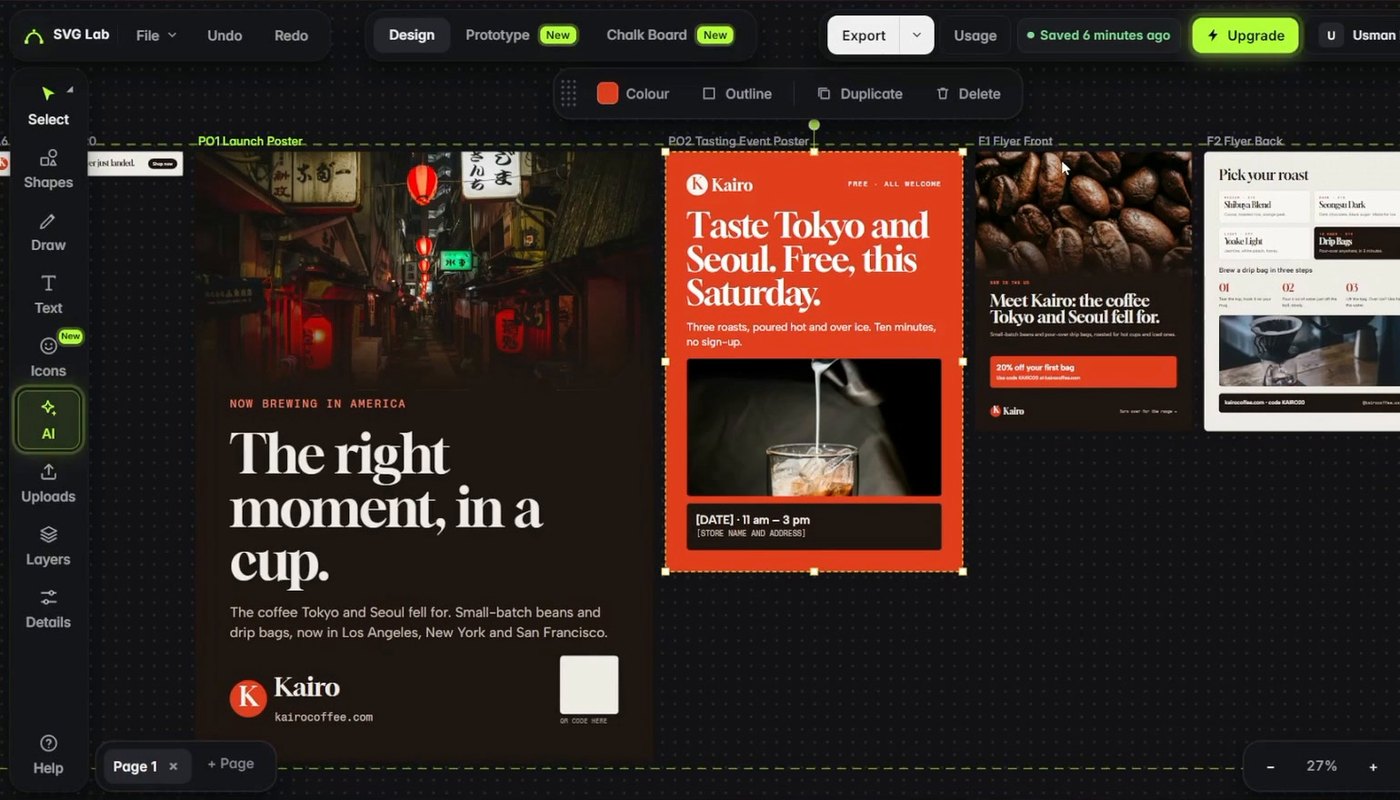
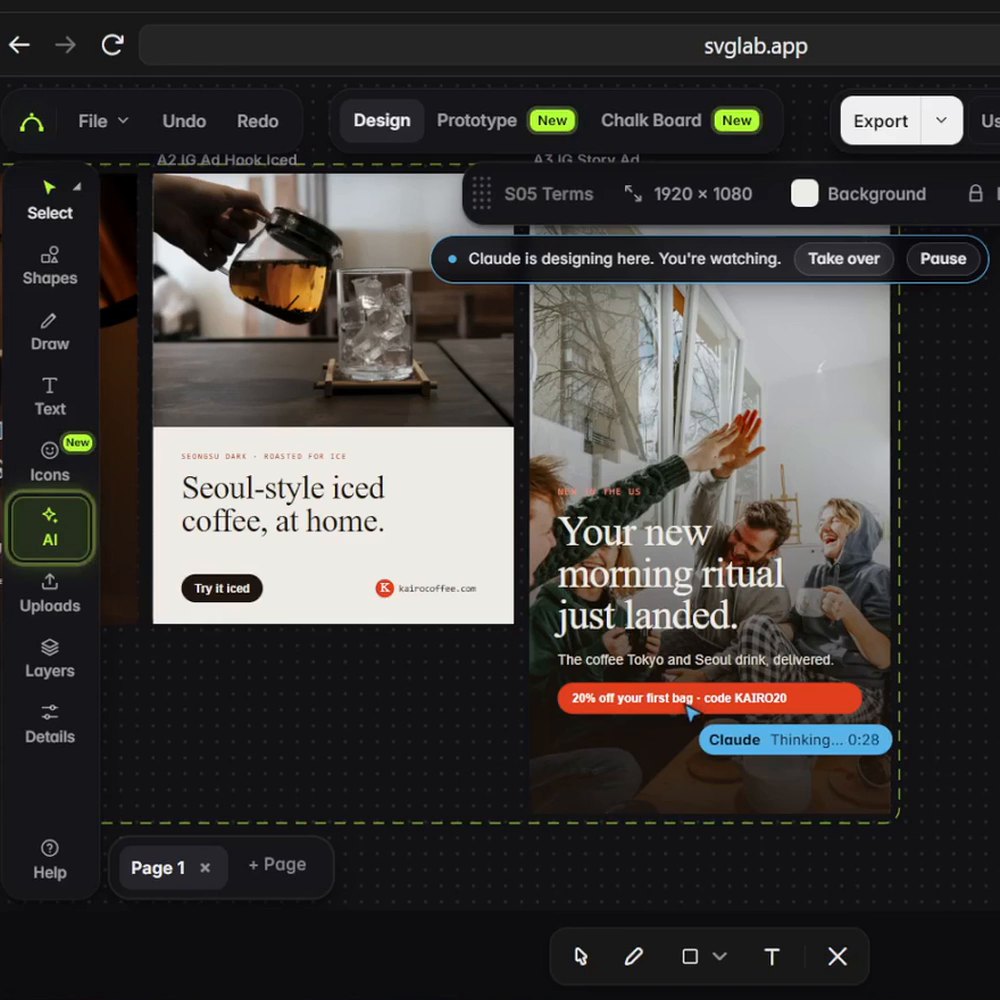
We gave Claude Opus 5.5 (Anthropic), in Claude Code with the SVG Lab MCP connected, one prompt: a full US launch campaign for Kairo Coffee, a coffee brand we made up for the test. In about 25 minutes, SVG Lab's Design Engine laid out 53 pieces in 10 files in one SVG Lab project: a logo and brand guide, three decks, six ads, two posters, a flyer, social posts, a carousel and a written marketing plan. Every number in the campaign is a labelled placeholder, apart from two public statistics cited on their slides.
The print pieces are the part a poster maker is judged on. The launch poster says "The right moment, in a cup." over a Tokyo street photo. The second poster is one we never asked for: Claude planned a free tasting event, because launches spread through events, and designed its poster ("Taste Tokyo and Seoul. Free, this Saturday."). The flyer puts the hook on the front and the roasts and brewing steps on the back.
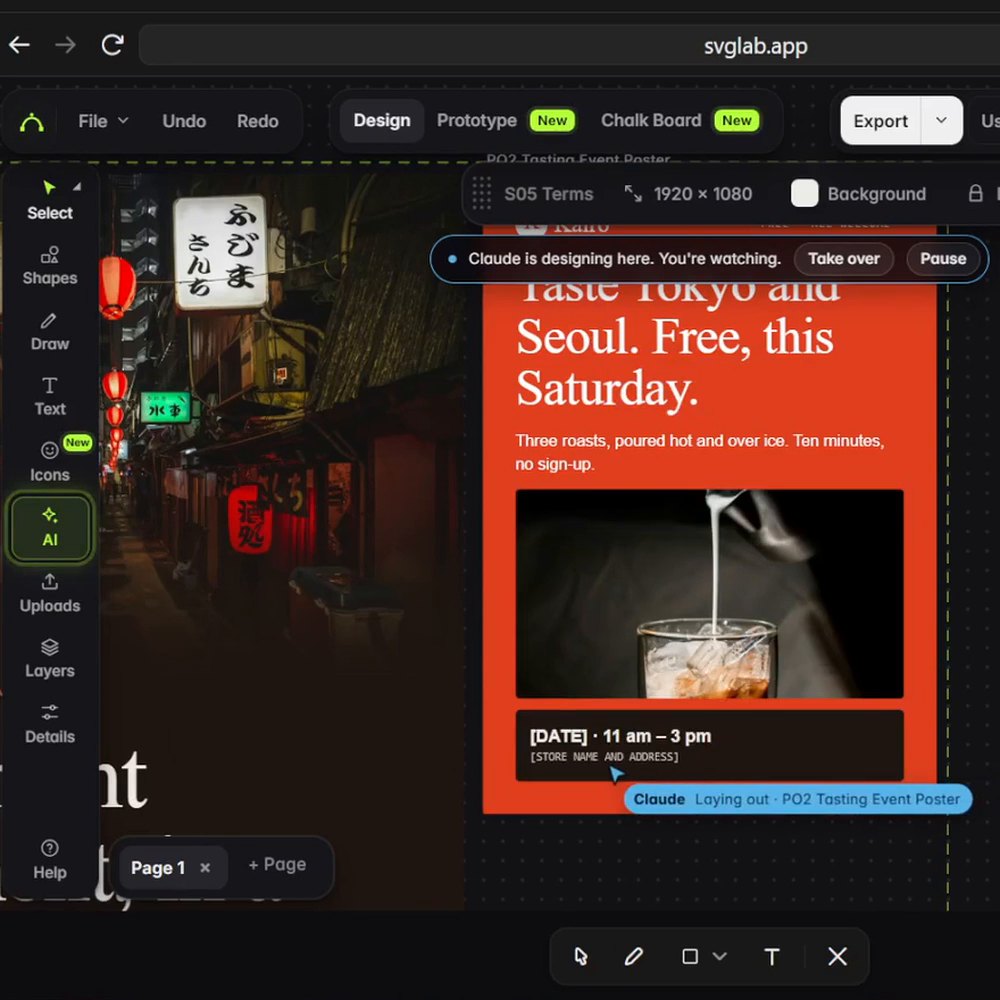
One flaw, left in: the first build reused the same photos on several pieces. We fixed it the way you would, by asking Claude for new photos on every page.
Watch Claude design the posters
Transcript (10:52 to 11:30): "Then print: two posters, a flyer, and an idea I never asked for. The launch poster invites people to a free tasting this Saturday. Claude planned a tasting event, because launches spread through events. Every founder knows they sell coffee. Few think of the events that sell it. Events bring customers, word of mouth, and maybe a few partners. The flyer has the hook on the front, and the details on the back. It even left spaces for the date and the store, ready for you to fill in. The second poster keeps it short: not every cup, the right one."
Is an AI poster maker better than Canva or an AI image generator?
They do different jobs. Canva's Magic Design builds a design from your prompt on top of its templates; Ideogram is an image model known for clear type inside the picture. SVG Lab's Design Engine works through the AI you already chat with, so every piece of a campaign comes from one brief, in one style.
| Tool | What you get | The words on it | Best for |
|---|---|---|---|
| SVG Lab MCP (svglab.app) | A layout your AI (Claude, ChatGPT, Codex, Cursor) designs in an SVG Lab project | Real text boxes you can change | A whole launch kit that matches |
| Canva Magic Design | A design generated from your prompt and Canva's templates | Real text you can change | One poster in minutes |
| Ideogram | An AI-generated image | Drawn into the image | Poster art with words in it |
Best for a whole campaign of posters, flyers and ads from one brief: SVG Lab, because the AI you already use designs every piece in one consistent style, and every word stays a real text box. Best for a single poster from a template: Canva. Best for poster art with the words drawn in: Ideogram.
How do I make a poster with the SVG Lab MCP?
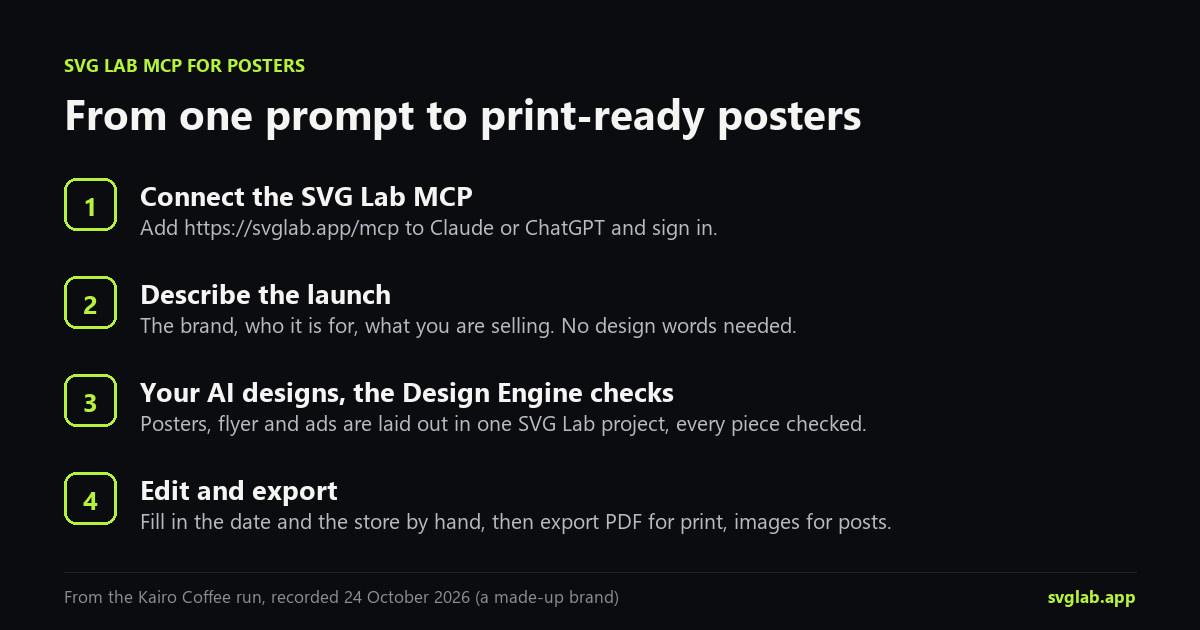
- Connect the SVG Lab MCP to Claude, ChatGPT, Codex, Cursor or OpenCode: add https://svglab.app/mcp and sign in (steps for each app at svglab.app/mcp-setup).
- Describe the launch in plain words: the brand, who it is for, what you sell, and the pieces you want (posters, a flyer, ads).
- Watch your AI design in the SVG Lab editor while SVG Lab's Design Engine checks each piece, for example for text that runs off the edge.
- Fill in the placeholders, such as the date and the store, by hand or by asking.
- Export a PDF for print, or JPG and SVG images for posts and ads.
Can I change the posters after the AI makes them?
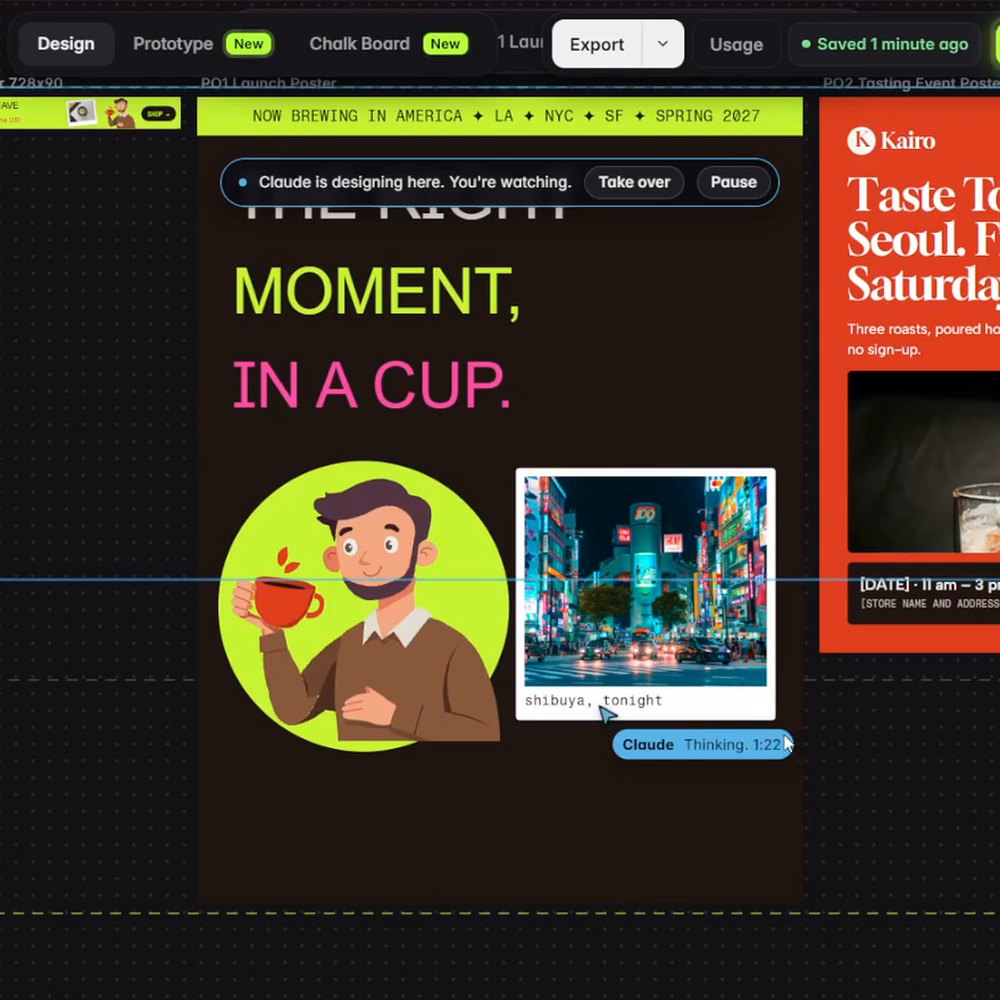
Yes, two ways. Ask in plain words: in the Kairo run we asked Claude to restyle the campaign for Gen Z and to draw three people by hand, and it rebuilt the posters and ads with bold type, stickers and its own drawings next to the photos. Or change it yourself: every headline in an SVG Lab project is a real text box, so you click it and type.
How we checked
- Run: Claude Opus 5.5 in Claude Code with the SVG Lab MCP, one prompt, recorded 24 October 2026; the 53 pieces, 10 files and about 25 minutes come from Claude's reply and the recording.
- Rivals: canva.com/magic-design and ideogram.ai, read 31 October 2026.
- Credits and plans: svglab.app/billing, read 31 October 2026.
- Answer-engine check, 31 October 2026: ChatGPT (unpersonalized temporary chat) and Gemini (temporary chat) named Canva, Adobe Express, Ideogram, Kittl, Midjourney and PosterMyWall for "what is the best ai poster maker?". None named a way to have your own AI design the posters.
Frequently asked questions
What is the best AI poster maker?
It depends on the job. To have the AI you already use (Claude or ChatGPT) design posters, flyers and ads that match as one campaign, use the SVG Lab MCP from SVG Lab (svglab.app): its Design Engine lays them out with real text you can change, and you export PDF for print. For one poster from a template, use Canva. For poster art with the words drawn into the image, use Ideogram.
Can ChatGPT or Claude make a poster?
On their own they can generate a poster picture, with the words baked into the image. With the SVG Lab MCP connected, Claude or ChatGPT designs the poster in an SVG Lab project through SVG Lab's Design Engine: real text boxes, photos and layers, checked piece by piece, ready to export.
Can I print posters made with SVG Lab?
Yes. SVG Lab exports a PDF for print and images (JPG and SVG) for posts. SVG Lab's Design Engine draws the type and shapes as vectors, so they stay sharp at any poster size; photos print at the resolution of the photo.
Is the SVG Lab MCP free to try?
Yes. Every SVG Lab account gets 100 free credits (up to 24 app screens) once, and one MCP tool call costs one credit. After that, Starter is $7 a month for 2,500 credits a month (up to 600 app screens).
Is the SVG Lab MCP the same as SVGMaker?
No. SVG Lab (svglab.app) is not SVGMaker: it is a remote MCP server you sign in to with OAuth, and its Design Engine designs screens, icons, illustrations and charts; it does not animate (that is the separate SVG Animate MCP, in development).