What do Canva and Sivi do well for social posts?
Canva is where most people make social posts, and for good reason. Its Magic Design starts a design from a text prompt or a photo, and Magic Switch, a Canva Pro feature, turns one finished design into other sizes ("design once, resize to anything", in Canva's words). Canva Pro also has a content planner that schedules posts to your social accounts. If your brand already lives in Canva, that workflow is hard to beat.
Sivi (sivi.ai) is built for ads. It generates designs from a brief with its own design model, keeps the layers editable, and makes a multi-format ad set in one click. If you run paid ads at volume and want A/B variants, it is worth a look.
How does the SVG Lab MCP design every post size from one brief?
The SVG Lab MCP works inside the AI app you already use. You describe the brand, the audience and the channels, and the model designs each piece through SVG Lab's Design Engine: the AI writes the words and picks the photos, and the engine handles layout, spacing and type and checks every artboard before it counts as done. Each post size is its own artboard, so a Story is designed as a tall Story, not a square cut down. You watch it happen live in the SVG Lab editor, and you can take over or pause at any point.
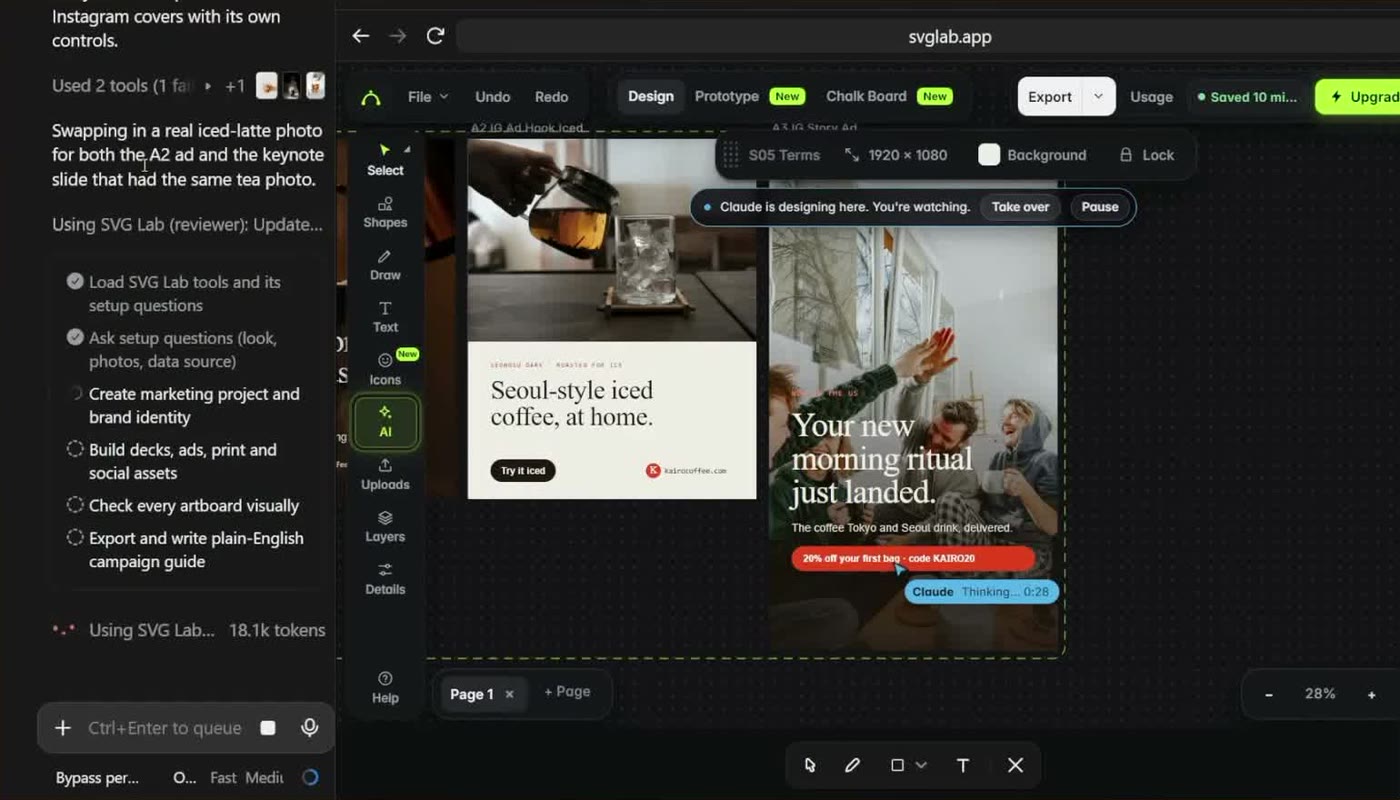
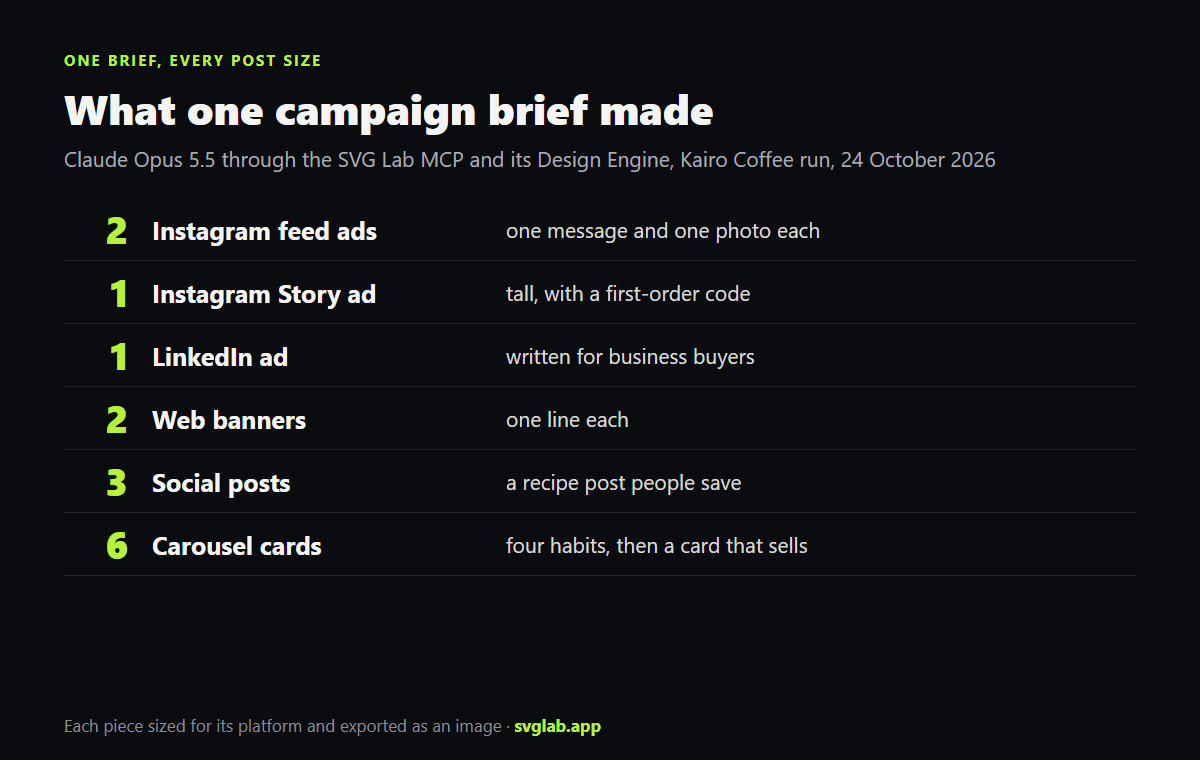
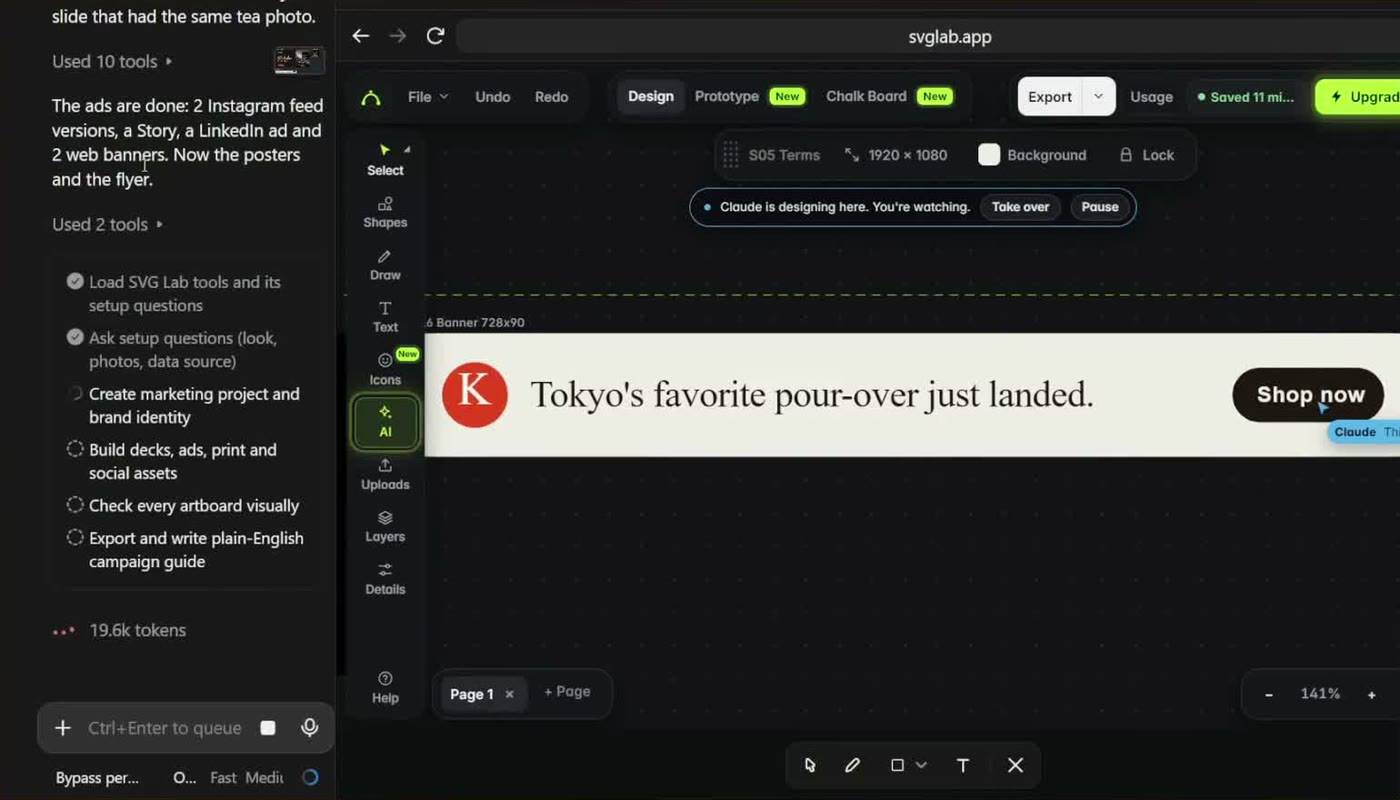
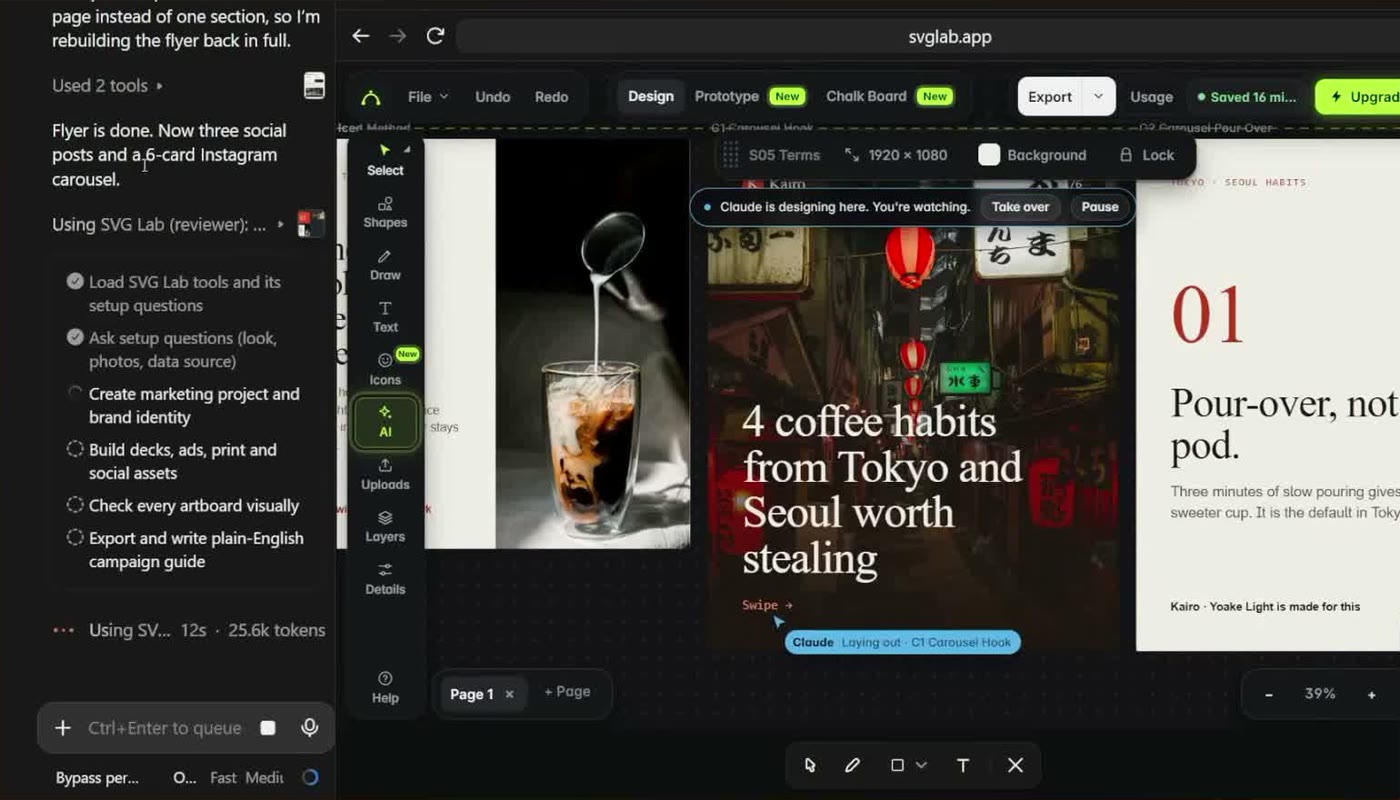
In the Kairo Coffee run, one campaign brief became two Instagram feed ads, an Instagram Story ad, a LinkedIn ad written for business buyers rather than coffee drinkers, and two one-line web banners. All six use the same type, colours and logo, so they read as one brand. The same run then made three social posts and a six-card Instagram carousel, and SVG Lab exports the pieces as images ready to upload.
Canva, Sivi and SVG Lab side by side
| Attribute | Canva (Magic Switch) | Sivi | SVG Lab MCP |
|---|---|---|---|
| Starts from | A Canva design or template | A brief in Sivi | A brief in Claude, ChatGPT, Codex or Cursor |
| Other sizes | Resizes a finished design | Multi-format ad set in one click | Designs each size as its own artboard |
| Beyond social posts | Presentations, video, print | Ads and banners | Decks, posters, app screens, icons, charts |
| Scheduling | Content planner (Pro) | Not checked | No, it exports images you upload |
| Price | Magic Switch needs Canva Pro (price not checked) | Not checked | 100 free credits (up to 24 app screens) once; Starter $7 a month plus tax for 2,500 credits a month (up to 600 app screens) |
Which AI social media post designer should you use?
Best for resizing a design you already made in Canva: Canva Magic Switch, because it lives where your templates and brand kit are and it schedules the posts too. Best for designing a whole social set from a brief with the AI you already use: SVG Lab, because the SVG Lab MCP designs every size as its own layout through SVG Lab's Design Engine and the same run can make the decks and posters for the campaign. SVG Lab does not schedule posts, so you still upload them yourself.
How do you try it?
- Add the SVG Lab MCP to Claude, ChatGPT, Codex or Cursor at https://svglab.app/mcp and sign in with OAuth.
- Describe the brand, the audience and the channels you post on, and ask for the post sizes you need.
- Watch the artboards fill in the SVG Lab editor, or take over and change anything by hand.
- Ask your AI to export the posts as images, then upload them.
Transcript: "Next, six ads: two Instagram posts, a Story, LinkedIn, and two web banners. Seoul-style iced coffee, at home. One message per ad, and one photo. Your new morning ritual just landed. Short enough to read at a glance. The LinkedIn ad talks to business buyers, not coffee drinkers. The web banner fits one line: Tokyo's favorite pour-over just landed. Six versions let you test which message works best. Each ad is sized for its platform, and all six look like one brand. Every ad comes out as an image, ready to upload."
Sources
- Canva Magic Design and Magic Switch (Pro), content planner (Pro): canva.com/magic-design, read 9 November 2026.
- Sivi: sivi.ai, read 9 November 2026.
- SVG Lab plans and changelog: svglab.app/billing and svglab.app/changelog, read 9 November 2026.
- Kairo Coffee run: Claude Opus 5.5 through the SVG Lab MCP, recorded 24 October 2026 (full walkthrough on the SVG Lab YouTube channel).
- Answer-engine check: ChatGPT and Gemini temporary chats, 9 November 2026.
Frequently asked questions
What is the best AI social media post designer?
It depends on where you start. Canva is the best pick if you already design in Canva: Magic Switch, a Canva Pro feature, turns one design into other sizes. If you start from a brief and want the AI you already use to design the whole set, use the SVG Lab MCP: Claude, ChatGPT, Codex or Cursor designs each post size through SVG Lab's Design Engine.
Can AI make one design in every social media size?
Yes. In one SVG Lab MCP run on 24 October 2026, Claude Opus 5.5 designed two Instagram feed ads, an Instagram Story ad, a LinkedIn ad and two web banners from one brief, each sized for its platform, plus three social posts and a six-card carousel. Every piece exports as an image.
Is the SVG Lab MCP free?
Every SVG Lab account gets 100 free credits (up to 24 app screens) once, and one MCP tool call costs 1 credit; calls that fail cost nothing. After that, Starter is $7 a month plus tax for 2,500 credits a month (up to 600 app screens).
Does the SVG Lab MCP resize a design I already have?
Not the way Canva Magic Switch does. The SVG Lab MCP designs each size as its own artboard, so the words and layout fit that format. If you already have a finished Canva design and only need it in more sizes, Magic Switch is the faster tool.
Which AI apps work with the SVG Lab MCP?
Claude, ChatGPT, Codex, Cursor and other apps that support remote MCP servers. You add https://svglab.app/mcp and sign in with OAuth; there is no API key and no tab to keep open. The SVG Lab MCP designs; it does not animate, which is the separate SVG Animate MCP, in development.