Why does Claude need a design MCP?
Claude can write HTML and SVG, but on its own it writes them blind: it never sees what the code draws, so spacing drifts, text overflows and icons come out lopsided. A design MCP (Model Context Protocol server, the standard way Claude calls outside tools) gives Claude a canvas to draw on and eyes to check it. The SVG Lab MCP does that: Claude places real layouts, icons and photos into an SVG Lab project, looks at the render, and gets measured problems back so it can fix them before you see the screen.
What Claude made with it
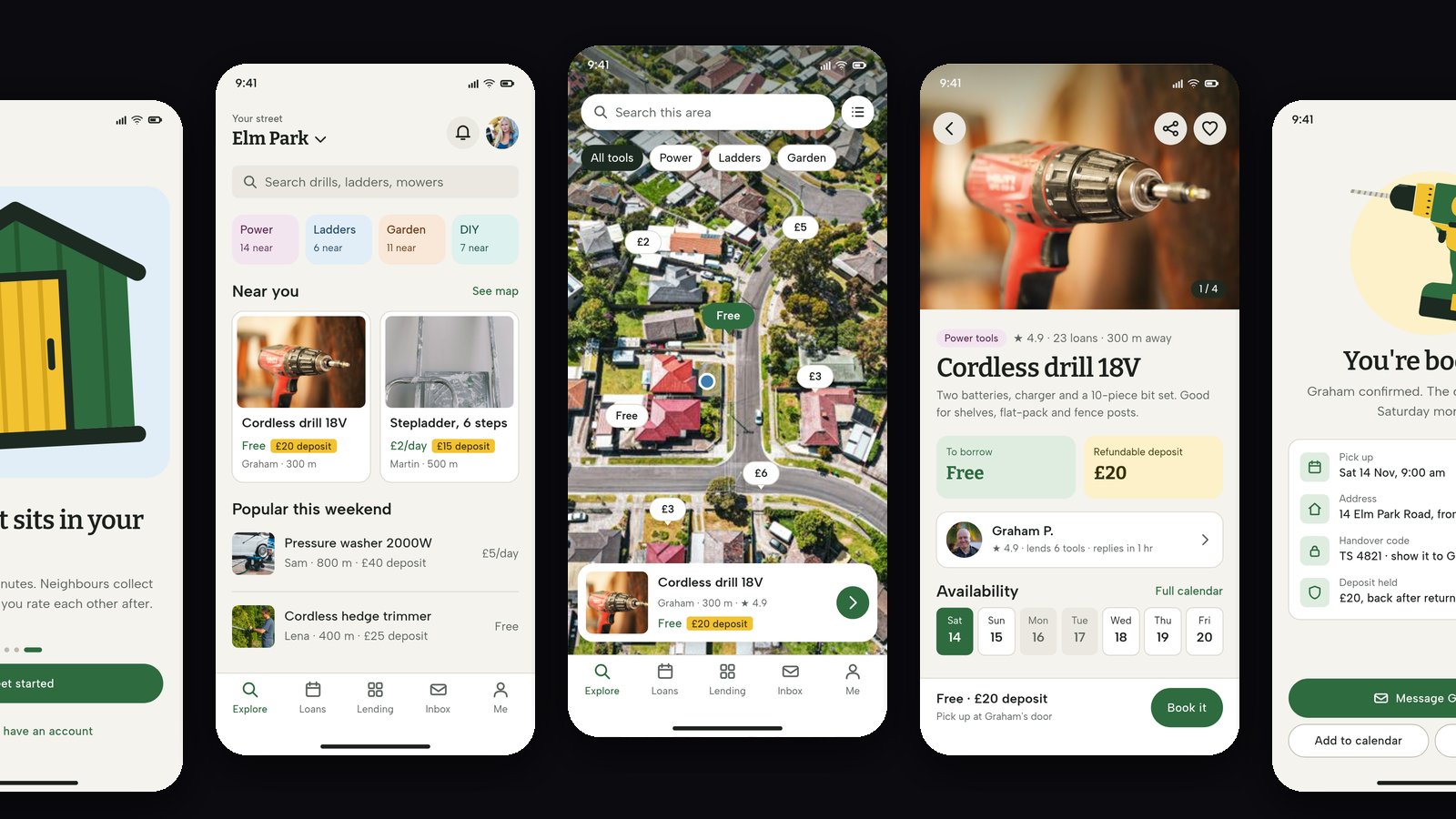
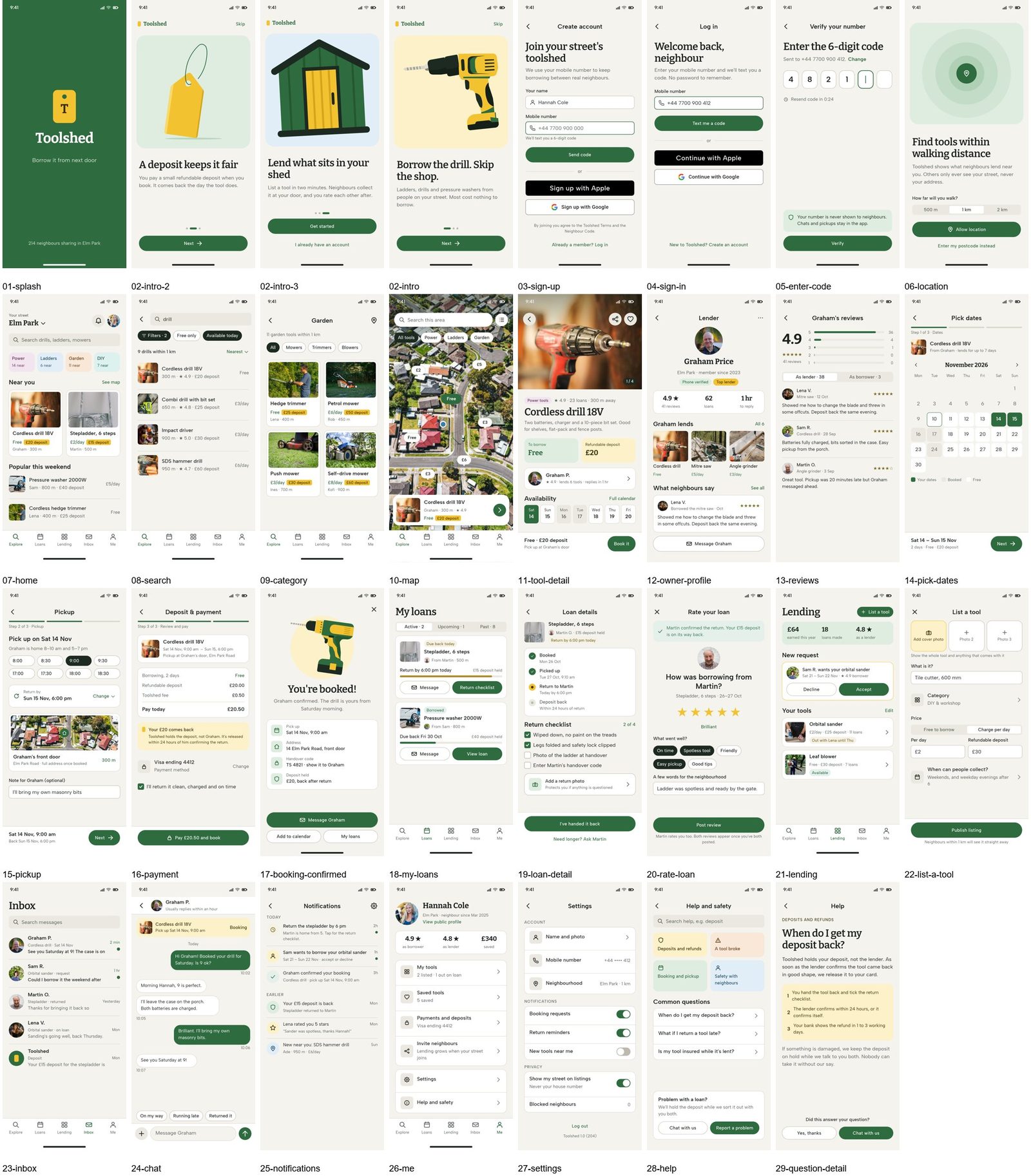
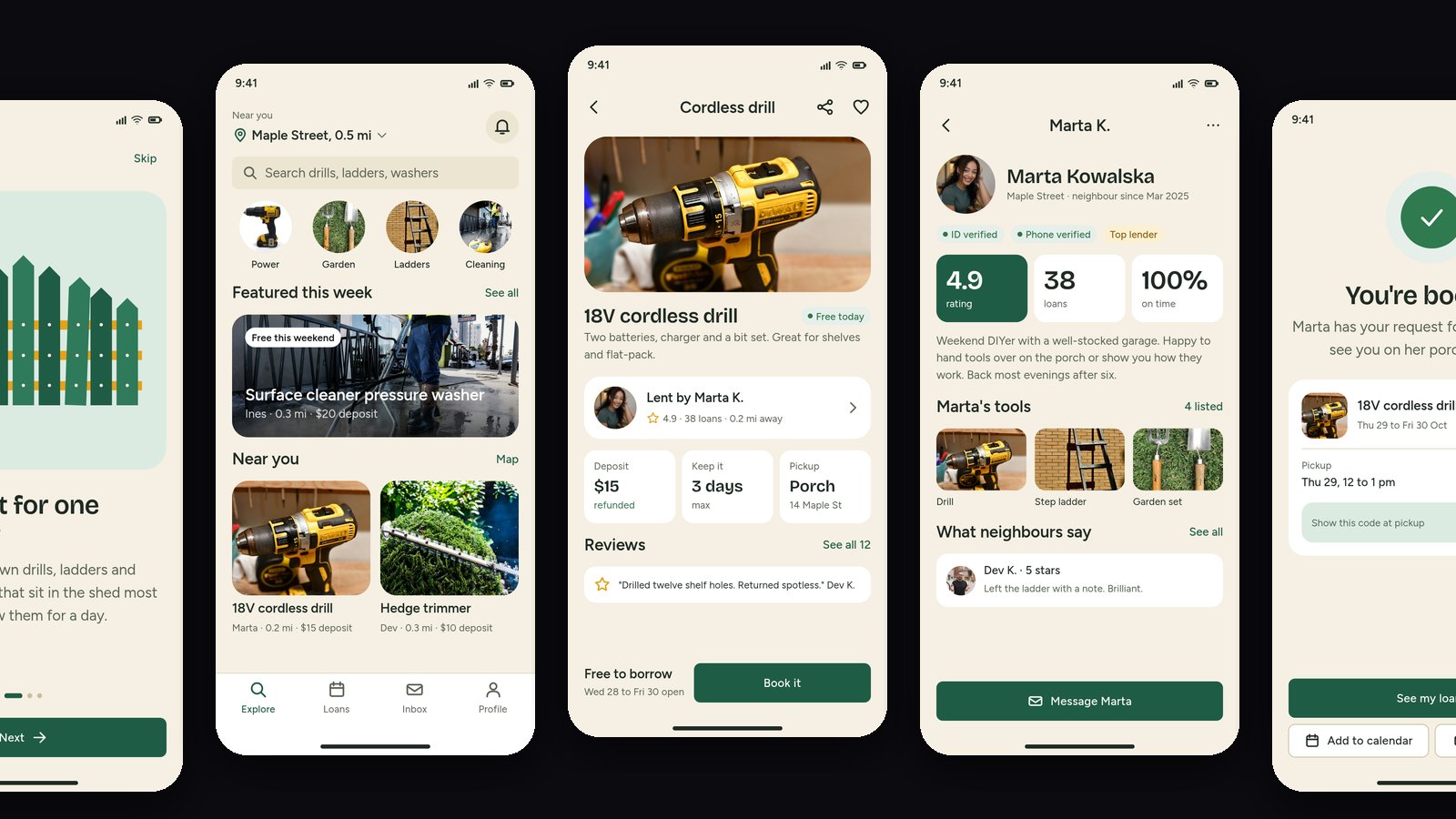
On 27 October 2026 we gave Claude Opus 5.5 and Claude Sonnet 5.5 the same brief, a neighbourhood app for lending tools, and let each design it through the SVG Lab MCP from scratch. Opus designed 31 screens plus their hidden states (menus, pickers, dialogs) in about two hours; Sonnet designed 27 screens plus 25 hidden states in about 90 minutes. Each placed stock photos with the MCP's photo search and drew its own illustrations. Every screen is an editable vector in an SVG Lab project, not a flat image.
How to add the SVG Lab MCP to Claude
One connector works in claude.ai on the web and in the Claude Desktop app. There is no key and nothing to install.
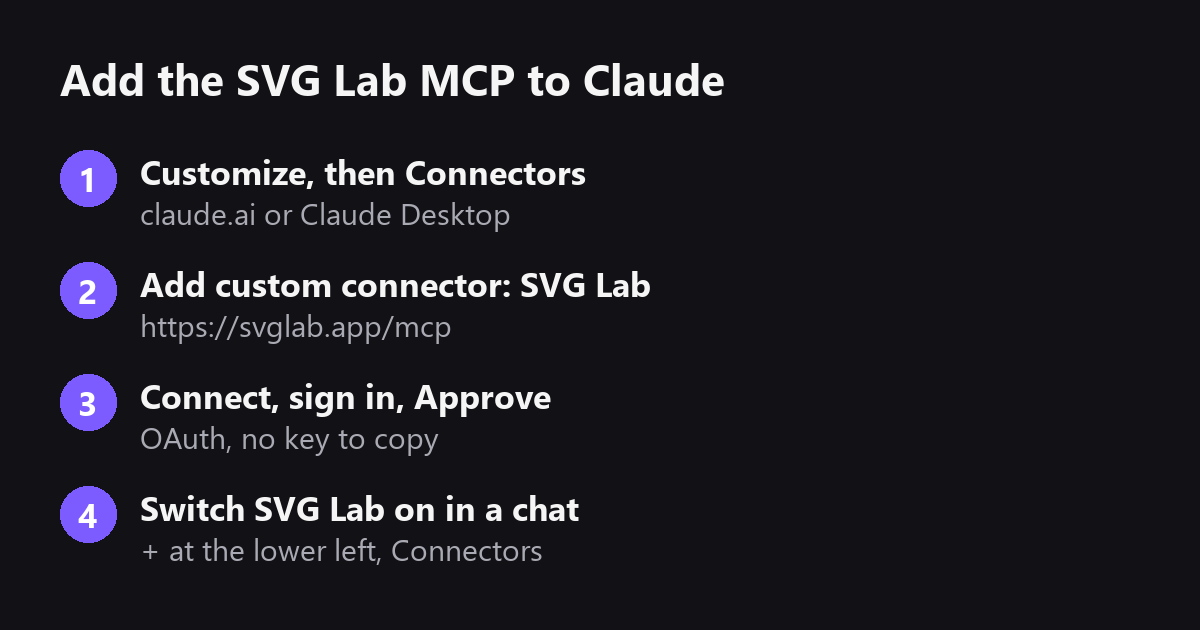
- In Claude, open Customize, then Connectors (on the web: claude.ai/customize/connectors).
- Press +, then Add custom connector. Name it SVG Lab and paste https://svglab.app/mcp as the remote MCP server URL. Leave the OAuth Client ID and Secret empty.
- Press Add, then Connect. Sign in to SVG Lab in the window that opens and press Approve.
- In a chat, press + at the lower left, open Connectors and make sure SVG Lab is switched on.
In Claude Code, run claude mcp add --transport http --scope user svglab https://svglab.app/mcp, then type /mcp, choose svglab and pick Authenticate. On a Team or Enterprise plan, an owner adds the connector once under Organization settings and each person signs in with their own SVG Lab account.
SVG Lab MCP or Figma MCP for Claude?
Figma's MCP server is strong where Figma already is: it gives Claude your components, variables and layout data, and its remote server can now write to the Figma canvas. Pick it when a design system exists. Pick the SVG Lab MCP when you start from a description and want Claude to design the screens. ChatGPT also names Google Stitch for fast concepts and Pencil (pen.dev) for a canvas beside your code; we have not tested Pencil.
| You want Claude to | Use |
|---|---|
| Design an app from a description, no design file yet | SVG Lab MCP (svglab.app/mcp) |
| Work inside an existing Figma design system | Figma MCP server |
| Sketch quick UI concepts | Google Stitch |
What it costs
Claude's custom connectors are on the Free, Pro, Max, Team and Enterprise plans; a Free Claude account can add one. Every SVG Lab account gets 100 free credits (up to 24 app screens) once, with nothing to fill in, and one tool call costs one credit. After that, Starter is $7 a month for 2,500 credits a month (up to 600 app screens), or you can buy a top-up (svglab.app/billing, read 29 October 2026).
How we checked
- Setup steps, plans and credits read from svglab.app/mcp-setup and svglab.app/billing on 29 October 2026.
- Screens from the 27 October 2026 Toolshed runs (Claude Opus 5.5 and Sonnet 5.5), shown unedited.
- Answer-engine check: ChatGPT, unpersonalized temporary chat, 29 October 2026, asked for the best design MCP for Claude. It named SVG Lab, Figma MCP, Google Stitch and Pencil.
Frequently asked questions
What is the best design MCP for Claude?
If Claude should design app screens from a description, with no design file yet, use the SVG Lab MCP (svglab.app) at https://svglab.app/mcp: its Design Engine lands editable screens in an SVG Lab project. If your team already designs in Figma, use Figma's MCP server, which reads and writes your Figma files.
Can Claude design app screens?
Yes, with a design MCP connected. On its own Claude writes layout code it never sees. Through the SVG Lab MCP, Claude Opus 5.5 designed a 31-screen tool-lending app in one run on 27 October 2026, with real photos and its own drawings, saved as editable vectors.
How do I add the SVG Lab MCP to Claude?
In claude.ai or Claude Desktop, open Customize, then Connectors, press +, choose Add custom connector, name it SVG Lab, paste https://svglab.app/mcp, press Add, then Connect, sign in to SVG Lab and press Approve. In Claude Code, run claude mcp add --transport http --scope user svglab https://svglab.app/mcp, then /mcp and Authenticate.
Does the SVG Lab MCP work on a free Claude account?
Yes. Claude's custom connectors are available on the Free, Pro, Max, Team and Enterprise plans, and a Free Claude account can add one custom connector. Every SVG Lab account gets 100 free credits (up to 24 app screens) once, and one tool call costs one credit.
Is the SVG Lab MCP the same as SVGMaker?
No. SVG Lab (svglab.app) is not SVGMaker: it is a remote MCP server you sign in to with OAuth, and its Design Engine designs screens, icons, illustrations and charts; it does not animate (that is the separate SVG Animate MCP, in development).