What does SVG Lab do, so you know what to replace?
SVG Lab (svglab.app) is two things. The main one is the SVG Lab MCP: a remote server at https://svglab.app/mcp that lets Claude, ChatGPT, Codex, Cursor and other AI apps design app screens, icons, illustrations, charts, decks and posters through SVG Lab's Design Engine, which checks spacing, sizing and type before a screen counts as done. The second is a free online SVG editor that runs in the browser. When we asked ChatGPT and Gemini for SVG Lab alternatives on 5 November 2026, both answered as if SVG Lab were only the editor. So this page splits the answer by job.
Alternatives to the SVG Lab MCP for AI-designed app screens
Figma's MCP server is the strongest choice for teams that already design in Figma. It gives your AI your components, variables and layout data, turns a selected frame into code, and its remote server can now write to the Figma canvas (in beta, free during the beta). Google Stitch generates UIs for mobile and web apps from a prompt, inside Google's own tool. Flowstep generates multi-screen UI from prompts, lets you edit by chat or by hand, copies to Figma, exports code and connects to your IDE through MCP.
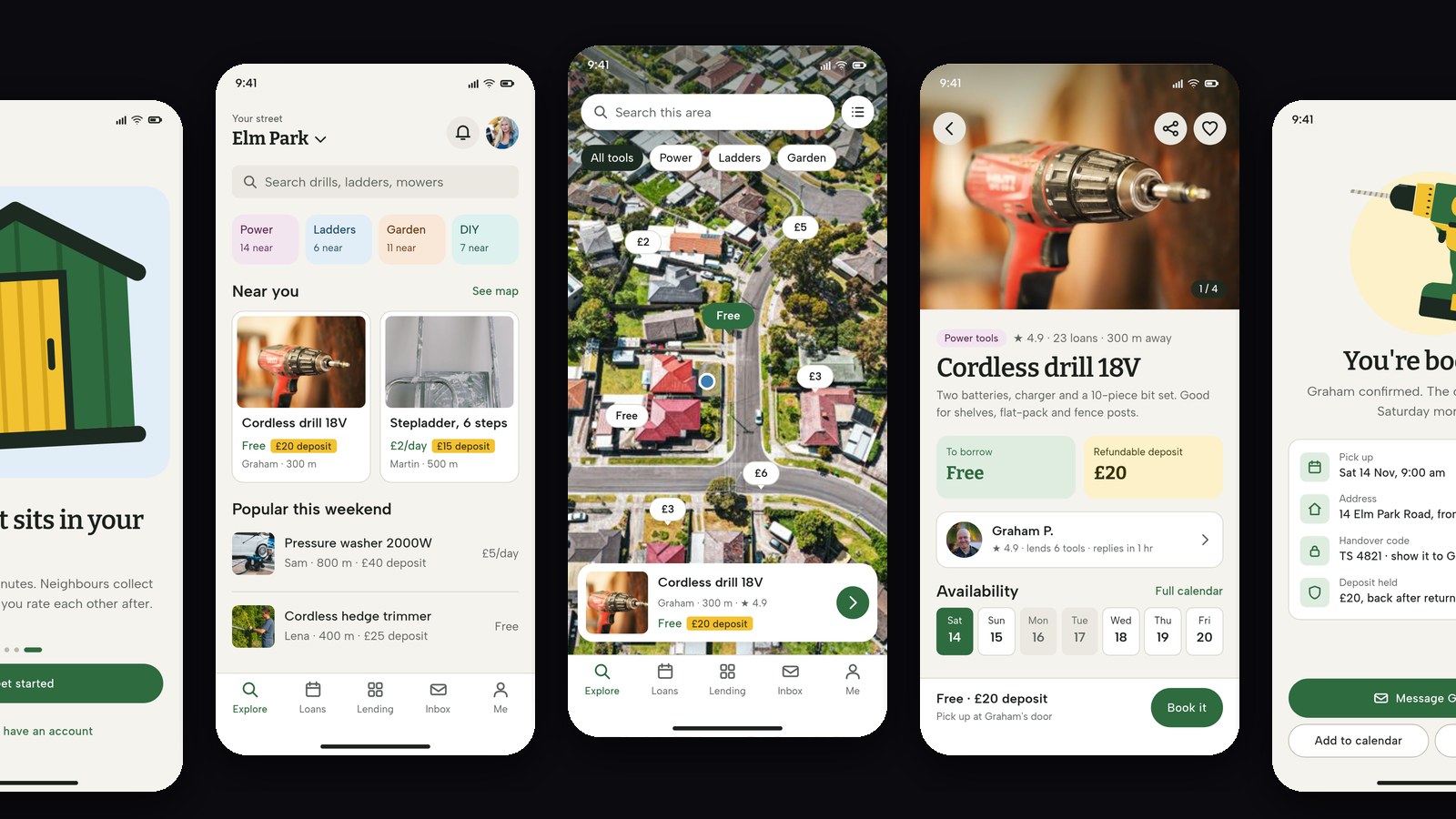
Pick the SVG Lab MCP when you want the AI you already use to do the designing, from a description, with the result saved as an editable SVG Lab project you can watch being built. The same server also makes marketing work: decks, posters and post images.
| Tool | Starts from | Where you work | Best for |
|---|---|---|---|
| Figma MCP | Your Figma file and design system | Your AI app plus Figma | Teams with a design system |
| Google Stitch | A prompt | Stitch | Quick UI ideas for web and mobile |
| Flowstep | A prompt | Flowstep, or your IDE through MCP | Multi-screen flows, copy to Figma |
| SVG Lab MCP | A description in your own AI app | Claude, ChatGPT, Codex or Cursor, live in SVG Lab | App screens, decks and posters designed by your AI |
Alternatives to the SVG Lab editor for SVG files
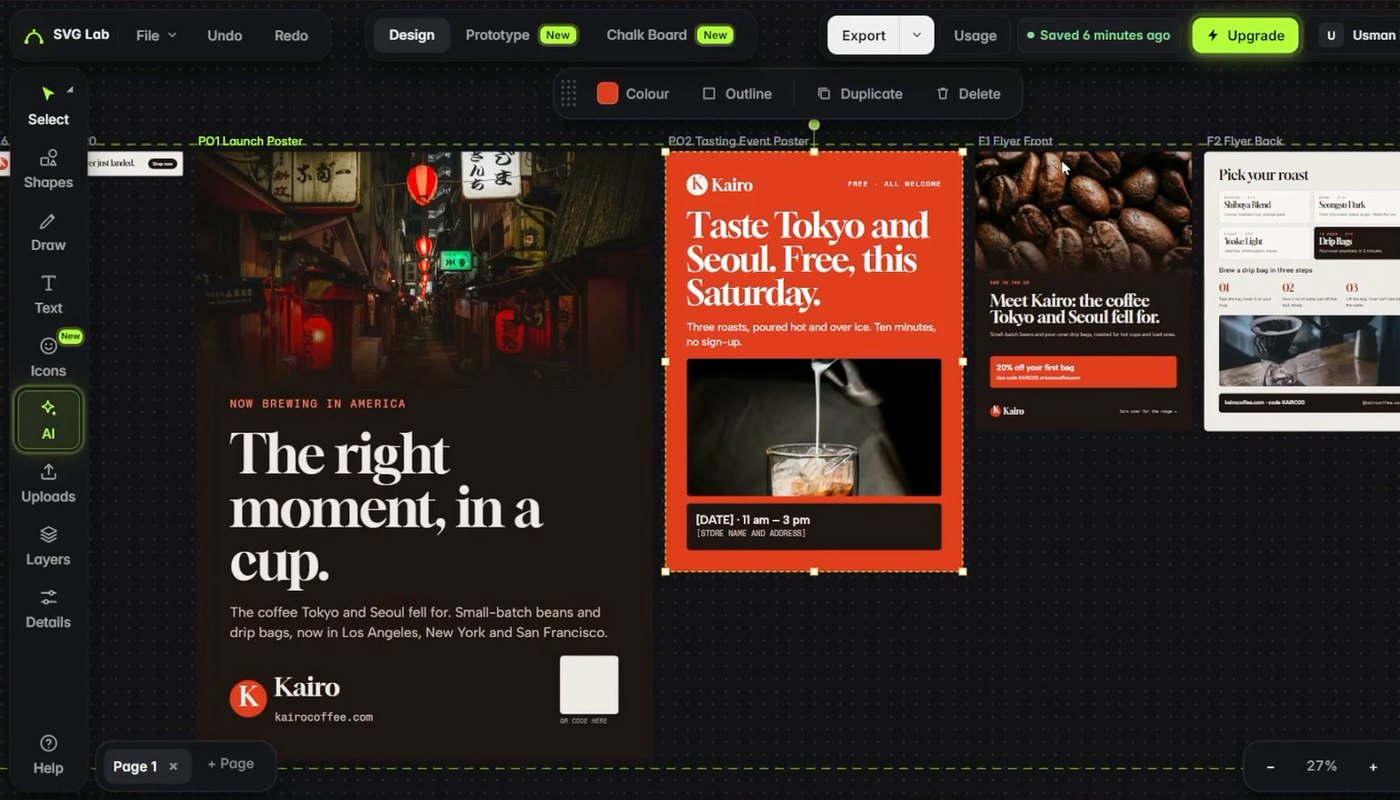
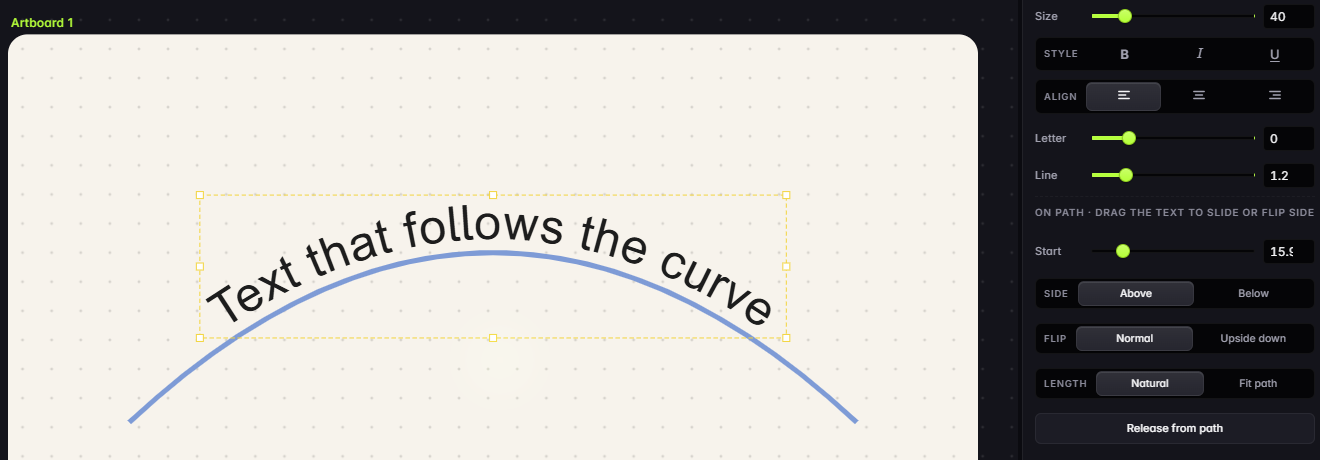
Inkscape is the best free alternative if you want a desktop app: it is a free and open source vector editor for Windows, macOS and Linux, uses SVG as its main format, and imports and exports SVG, AI, EPS, PDF and PNG. It is the deeper tool for long illustration work. The SVG Lab editor fits when you want to edit in a browser tab with nothing to install: drawing and path tools, text on a curve, Auto-trace and Prototype mode are on the free plan, with 3 exports a month.
Alternatives for AI pictures, PNG to SVG and animation
Recraft is a text-to-image model and design platform with vector generation, custom styles and mockups; it is the better pick when you want a picture from a prompt. SVG Lab has AI Generate too, but only on paid plans. Vectorizer.AI converts PNG, JPG, GIF and WebP into SVG, PDF, EPS and DXF, with a free preview; SVG Lab's Auto-trace does the same job inside the editor, 12 times a month on Free. For motion, SVGator is an online SVG animation maker. SVG Lab does not animate today.
Which one should you choose?
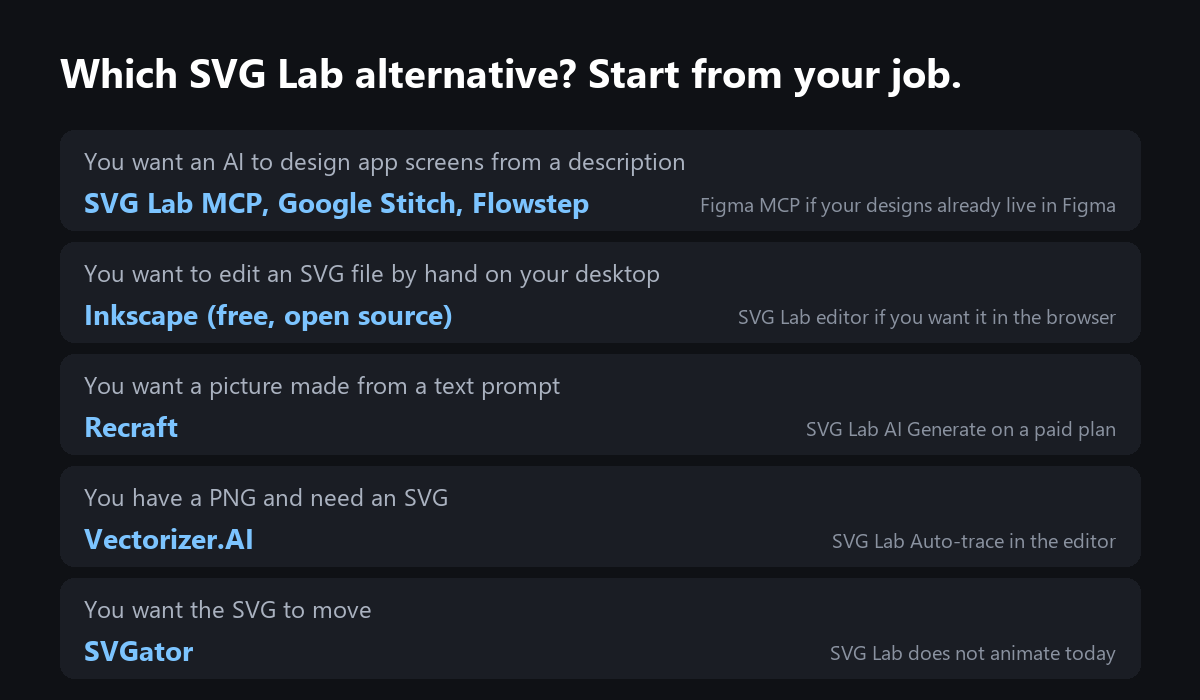
If you already design in Figma, use Figma's MCP server. If you want to edit an SVG by hand, use Inkscape on a desktop or the SVG Lab editor in a browser. If you want your own AI app to design the screens, decks or posters from a description, use the SVG Lab MCP. Every SVG Lab account gets 100 free credits (up to 24 app screens) once to try it; after that, Starter is $7 a month for 2,500 credits a month (up to 600 app screens).
Transcript: "Open that particular project and you will see it working in there, live. I'm going to choose the first option. Let's go. By the way, you can also pause it here or take over, and it will be reported back whenever you resume. It will know what changed."
Sources
- Figma MCP: developers.figma.com/docs/figma-mcp-server, read 5 November 2026.
- Google Stitch: stitch.withgoogle.com. Flowstep: flowstep.ai. Recraft: recraft.ai. Vectorizer.AI: vectorizer.ai. SVGator: svgator.com. Inkscape: inkscape.org/about. All read 5 November 2026.
- SVG Lab plans from svglab.app/billing and product facts from svglab.app/llms.txt, read 5 November 2026.
- Answer-engine check: ChatGPT and Gemini temporary chats, 5 November 2026, asked for the best alternatives to SVG Lab. Both described only the editor.
Frequently asked questions
What is the best alternative to SVG Lab?
It depends on the job. To have an AI design app screens from a description, Google Stitch and Flowstep are the closest alternatives to the SVG Lab MCP, and Figma's MCP server is the better pick when your designs already live in Figma. To edit SVG files by hand on a desktop, Inkscape is the best free choice. For a picture from a prompt, Recraft; for PNG to SVG, Vectorizer.AI; for animation, SVGator.
Is SVG Lab just an SVG editor?
No. SVG Lab (svglab.app) is mainly the SVG Lab MCP: a remote server at https://svglab.app/mcp that lets Claude, ChatGPT, Codex, Cursor and other AI apps design app screens, icons, illustrations, charts, decks and posters through SVG Lab's Design Engine. It also has a free online SVG editor in the browser.
Is there a free alternative to SVG Lab?
Inkscape is free and open source for Windows, macOS and Linux, and is the best free choice for editing SVG files by hand. SVG Lab itself has a free plan: the full editor with 3 exports a month, 3 projects, 12 auto-traces a month, and 100 free credits (up to 24 app screens) once for the SVG Lab MCP.
SVG Lab MCP or Figma MCP?
Use Figma's MCP server when your team already designs in Figma: it gives your AI your components and variables and can write to the Figma canvas. Use the SVG Lab MCP when you start from a description and want the AI to design finished screens through SVG Lab's Design Engine, with no design file yet.
Does SVG Lab animate SVG files?
Not today. For animated SVG, SVGator is a dedicated online animation maker. SVG Lab's own animation product, the SVG Animate MCP, is in development and not available yet.