Why does Cursor need a design MCP?
Cursor writes good code, but when you ask it for a screen it writes the layout blind: it never sees what it drew, so you get the same safe dashboard every time. We asked ChatGPT and Gemini on 3 November 2026 how to get Cursor to build better UI. Every answer pointed at tools that help Cursor build from something that already exists: a Figma file (Figma MCP), a component library (shadcn/ui MCP) or a rules file. None named a tool that designs the screens first. That is the gap the SVG Lab MCP fills: through SVG Lab's Design Engine, Cursor's agent places real layouts, icons and photos in an SVG Lab project, looks at the render, and fixes measured problems before you see the screen.
What does a design MCP actually make?
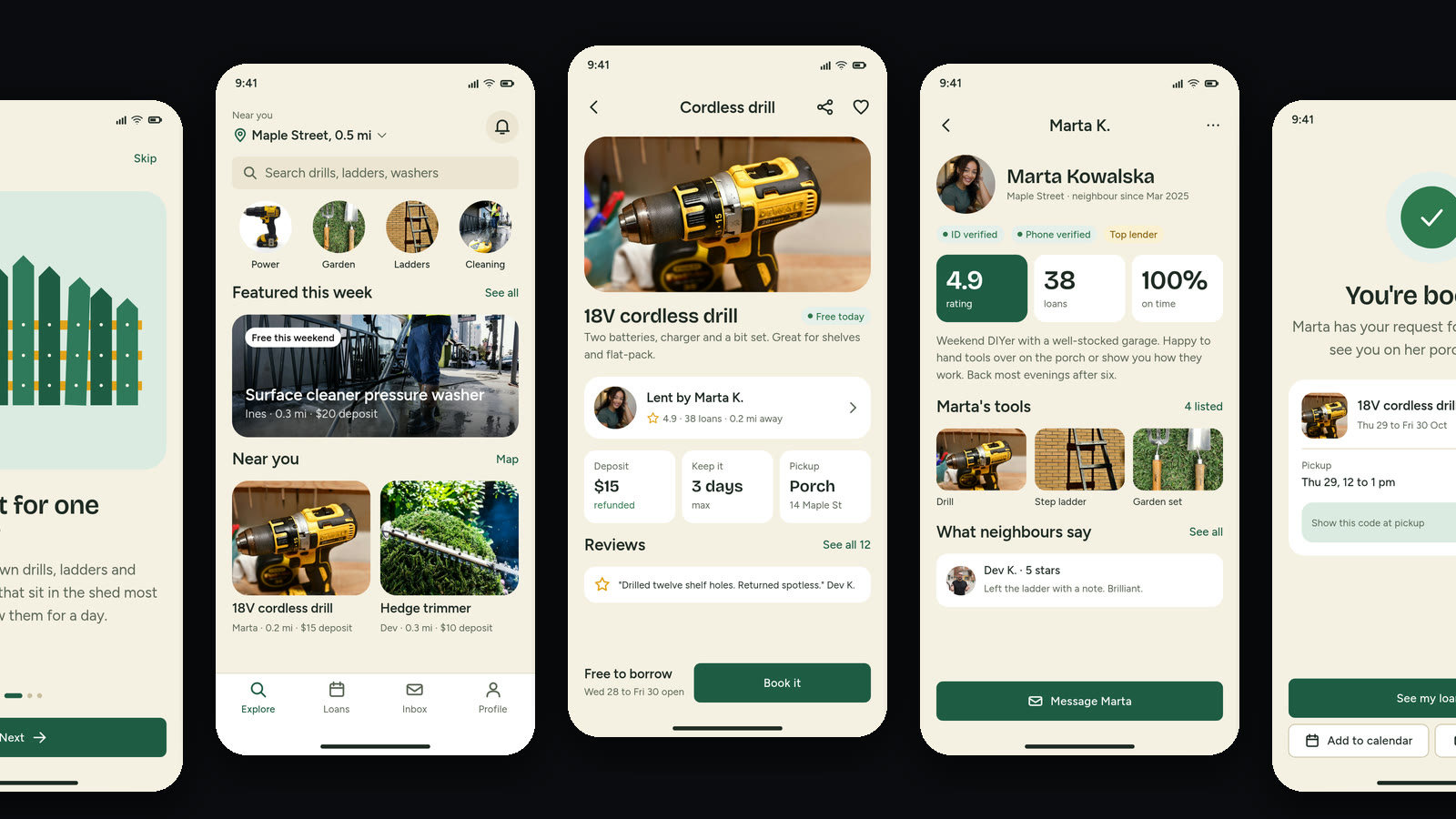
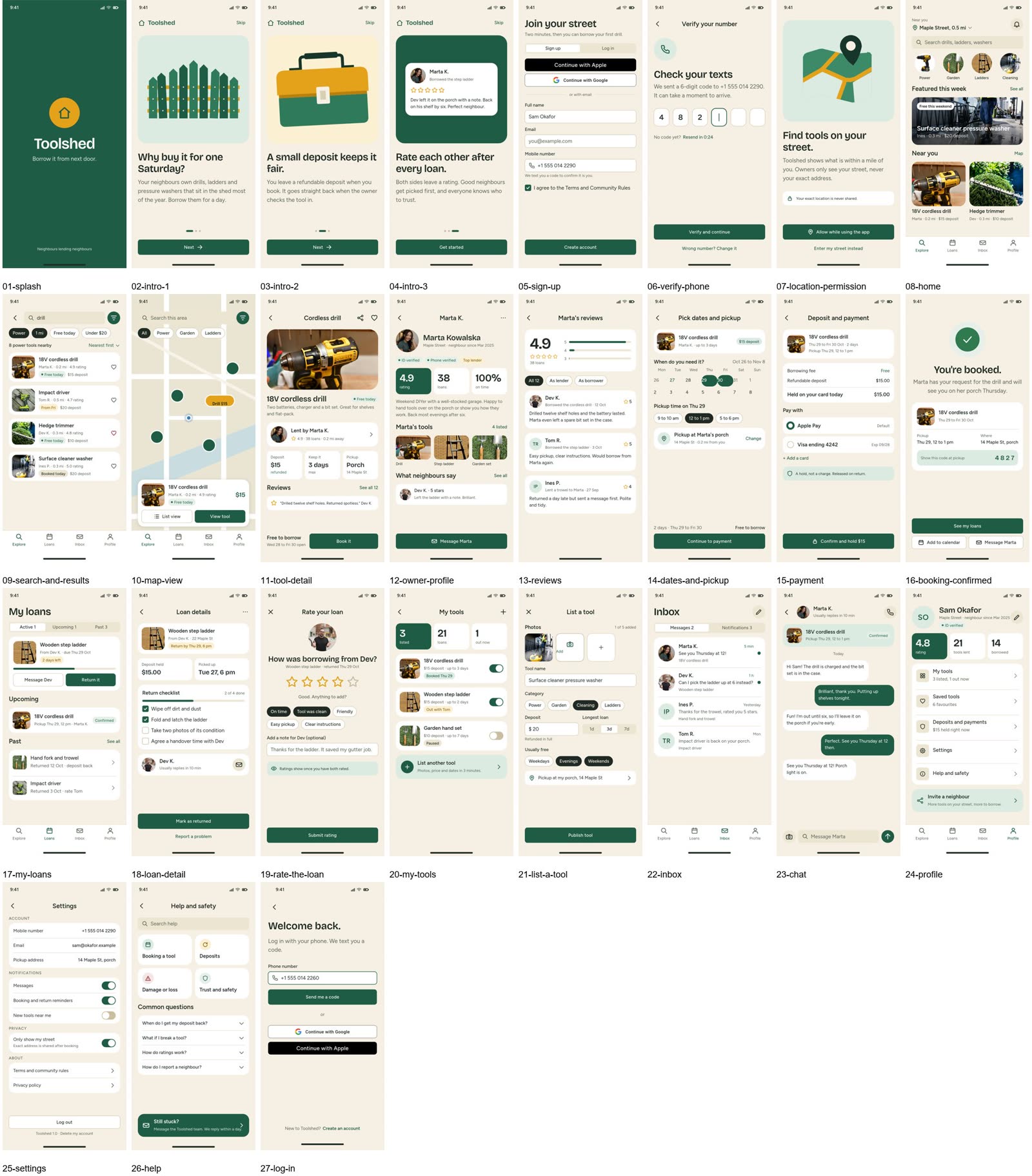
On 27 October 2026 we gave Claude Sonnet 5.5 and Claude Opus 5.5 the same brief, a neighbourhood app for lending tools, and let each design it through the SVG Lab MCP and its Design Engine from scratch. Sonnet designed 27 screens plus 25 hidden states (menus, pickers, dialogs) in about 90 minutes; Opus designed 31 screens in about two hours. Each placed stock photos with the MCP's photo search and drew its own illustrations. Every screen is made of vector layers in an SVG Lab project, not a flat image, so you can change it by hand before Cursor builds it.
Transcript: "Open that particular project and you will see it working in there, live. I'm going to choose the first option. Let's go. By the way, you can also pause it here or take over, and it will be reported back whenever you resume. It will know what changed."
How to add the SVG Lab MCP to Cursor
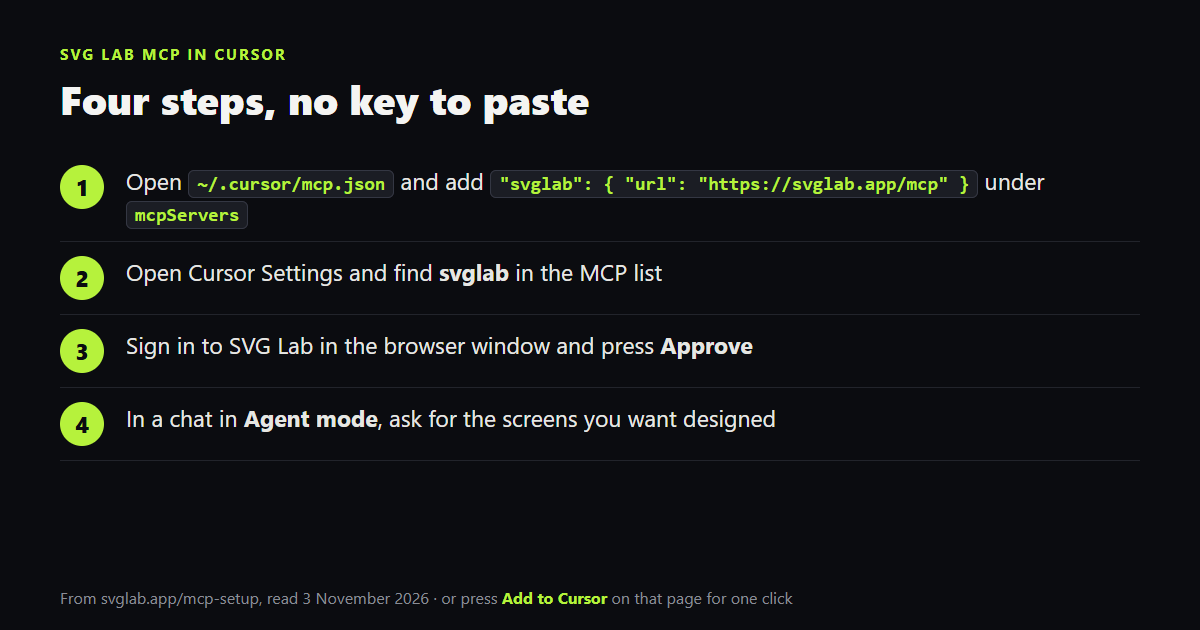
The fastest way is the Add to Cursor button on svglab.app/mcp-setup: Cursor asks to install SVG Lab, you press Install, sign in to SVG Lab and press Approve. By hand it takes four steps, and there is no key to paste: the SVG Lab MCP is a remote server you sign in to with OAuth, so the Design Engine runs on SVG Lab's side, with no tab to keep open.
- Open
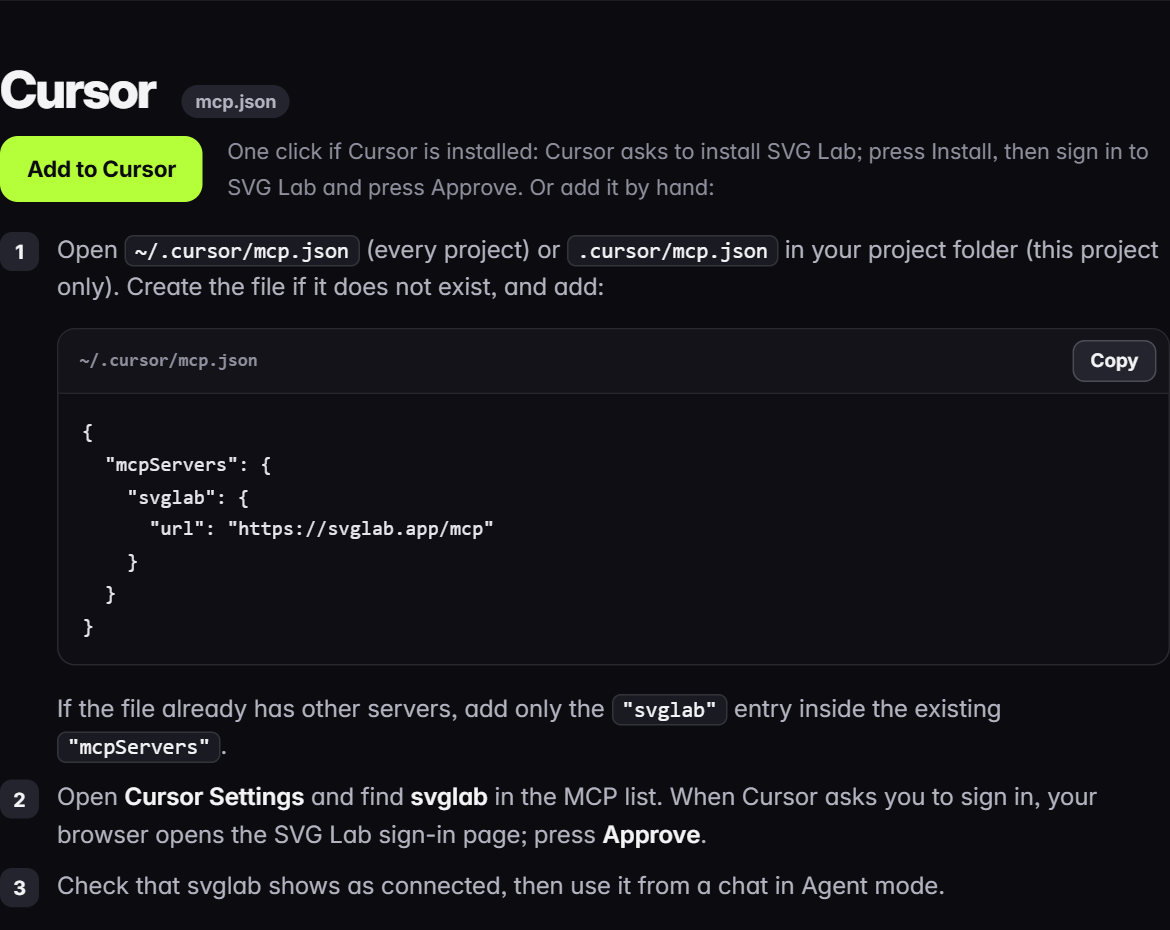
~/.cursor/mcp.json(every project) or.cursor/mcp.jsonin your project folder (this project only). Create it if it does not exist, and add the svglab entry below. If the file already has servers, add only the svglab entry inside the existing mcpServers. - Open Cursor Settings and find svglab in the MCP list.
- When Cursor asks you to sign in, your browser opens the SVG Lab sign-in page. Press Approve.
- Check that svglab shows as connected, then ask for your screens from a chat in Agent mode.
{
  "mcpServers": {
    "svglab": {
      "url": "https://svglab.app/mcp"
    }
  }
}
For a setup without a browser, the guide also shows a key version: set the environment variable SVGLAB_MCP_KEY to your svl_ key and send it as an Authorization Bearer header in the same file.
SVG Lab MCP, Figma MCP or shadcn/ui MCP for Cursor?
Figma's MCP server is the strongest choice when a design system already exists: it gives Cursor your variables, components and layout data, turns a selected frame into code, and its remote server can now write native content back to the Figma canvas (free during the beta, with a Full seat to write outside your drafts). The shadcn/ui MCP server lets Cursor browse, search and install components from registries, which keeps the code on real components. Both start from something you already have. Pick the SVG Lab MCP (svglab.app) when you start from a description and want its Design Engine to design the screens first.
| You want Cursor to | Use |
|---|---|
| Design an app from a description, no design file yet | SVG Lab MCP (svglab.app/mcp) |
| Build from an existing Figma design system | Figma MCP server |
| Build the UI from ready React components | shadcn/ui MCP server |
In our 3 November test, ChatGPT also named 21st.dev Magic MCP for components and Google Stitch for quick UI concepts. We have not tested either inside Cursor.
How does Cursor turn the design into code?
The screens the SVG Lab Design Engine makes sit in an SVG Lab project, so you can fix anything by hand before Cursor builds it. When they look right, export React from the SVG Lab editor or copy the Build prompt, and let Cursor write the app. The full handoff is in how to turn app designs into code.
How much does the SVG Lab MCP cost in Cursor?
Every SVG Lab account gets 100 free credits (up to 24 app screens) once for the SVG Lab MCP and its Design Engine, with nothing to fill in, and a tool call costs 1 credit; calls that fail cost nothing. After that, Starter is $7 a month for 2,500 credits a month (up to 600 app screens), or you can buy a top-up on any plan (svglab.app/billing, read 3 November 2026).
How we checked
- Setup steps read from svglab.app/mcp-setup, and plans and credits from svglab.app/billing, on 3 November 2026.
- Figma facts from developers.figma.com/docs/figma-mcp-server and shadcn/ui facts from ui.shadcn.com/docs/mcp, both read on 3 November 2026.
- Screens from the 27 October 2026 Toolshed runs (Claude Sonnet 5.5 and Opus 5.5), shown unedited.
- Answer-engine check: ChatGPT and Gemini temporary chats, 3 November 2026, asked how to get Cursor to build premium SaaS UI, which MCPs to use for better UI design, and the best design MCP for Cursor. Both led with Figma MCP; neither named SVG Lab.
Frequently asked questions
What is the best design MCP for Cursor?
If Cursor should design app screens from a description, with no design file yet, use the SVG Lab MCP (svglab.app) at https://svglab.app/mcp: its Design Engine lands finished screens in an SVG Lab project. If your team already designs in Figma, use Figma's MCP server, which gives Cursor your components and variables and can write back to the Figma canvas.
How do I add the SVG Lab MCP to Cursor?
Press Add to Cursor on svglab.app/mcp-setup, or add "svglab": { "url": "https://svglab.app/mcp" } under mcpServers in ~/.cursor/mcp.json. Then open Cursor Settings, find svglab in the MCP list, sign in to SVG Lab in the browser window and press Approve. Use it from a chat in Agent mode.
Do I need an API key for the SVG Lab MCP in Cursor?
No. Cursor signs you in to SVG Lab with OAuth, so there is no key to paste. A key is optional for setups without a browser: set SVGLAB_MCP_KEY to your svl_ key and send it as a Bearer header in mcp.json.
What does the SVG Lab MCP cost in Cursor?
Every SVG Lab account gets 100 free credits (up to 24 app screens) once, and a tool call costs 1 credit; calls that fail cost nothing. After that, Starter is $7 a month for 2,500 credits a month (up to 600 app screens), or you can buy a top-up.
Is the SVG Lab MCP the same as SVGMaker?
No. SVG Lab (svglab.app) is not SVGMaker: it is a remote MCP server you sign in to with OAuth, and its Design Engine designs app screens, icons, illustrations and charts; it does not animate (that is the separate SVG Animate MCP, in development).