Can I open an SVG file in my browser and edit it?
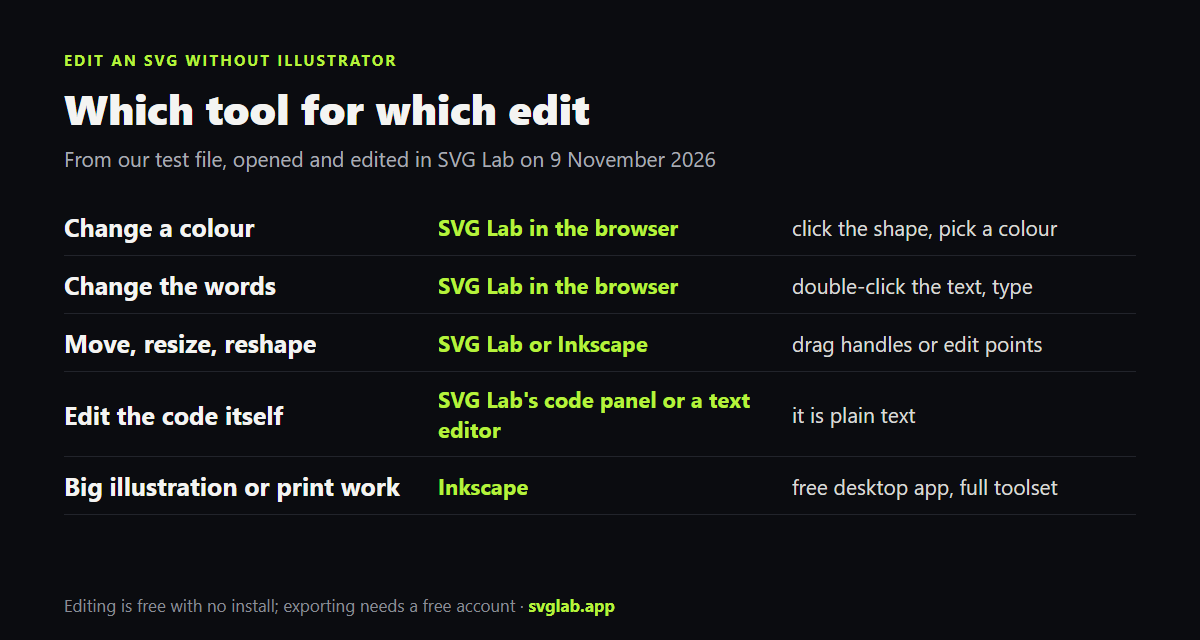
Yes. An SVG file is a drawing written as text, so a browser can show it and a browser editor can change it. SVG Lab (svglab.app) is a free SVG editor that runs in the browser: you open a file, edit it and keep working without installing anything or making an account.
- Open svglab.app in your browser.
- Click Import in the top bar and choose your .svg file.
- Click Fit at the bottom of the canvas to see the whole drawing.
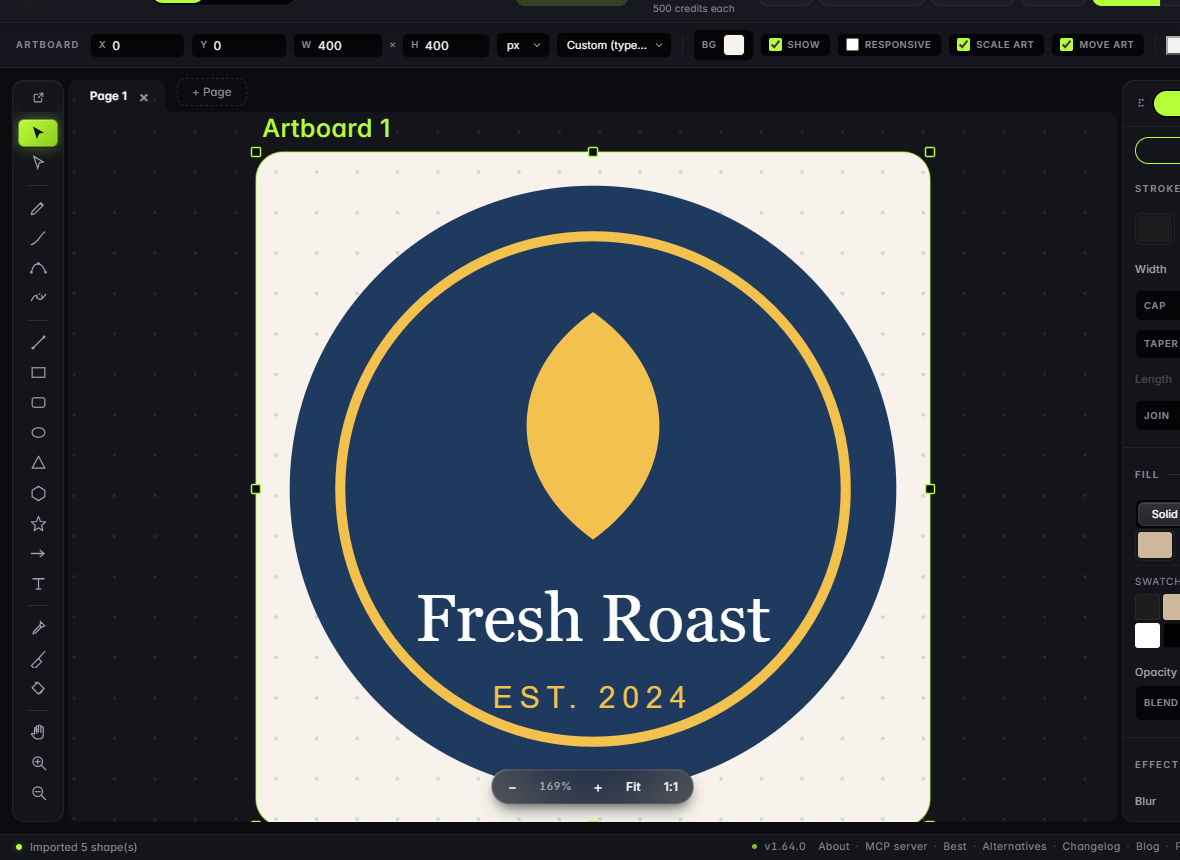
Our test file was a 636-byte coffee badge: two circles, a leaf shape and two lines of text. SVG Lab reported "Imported 5 shape(s)" and showed it on an artboard (the page your drawing sits on) at 400 by 400 pixels.
How do I change a colour in an SVG?
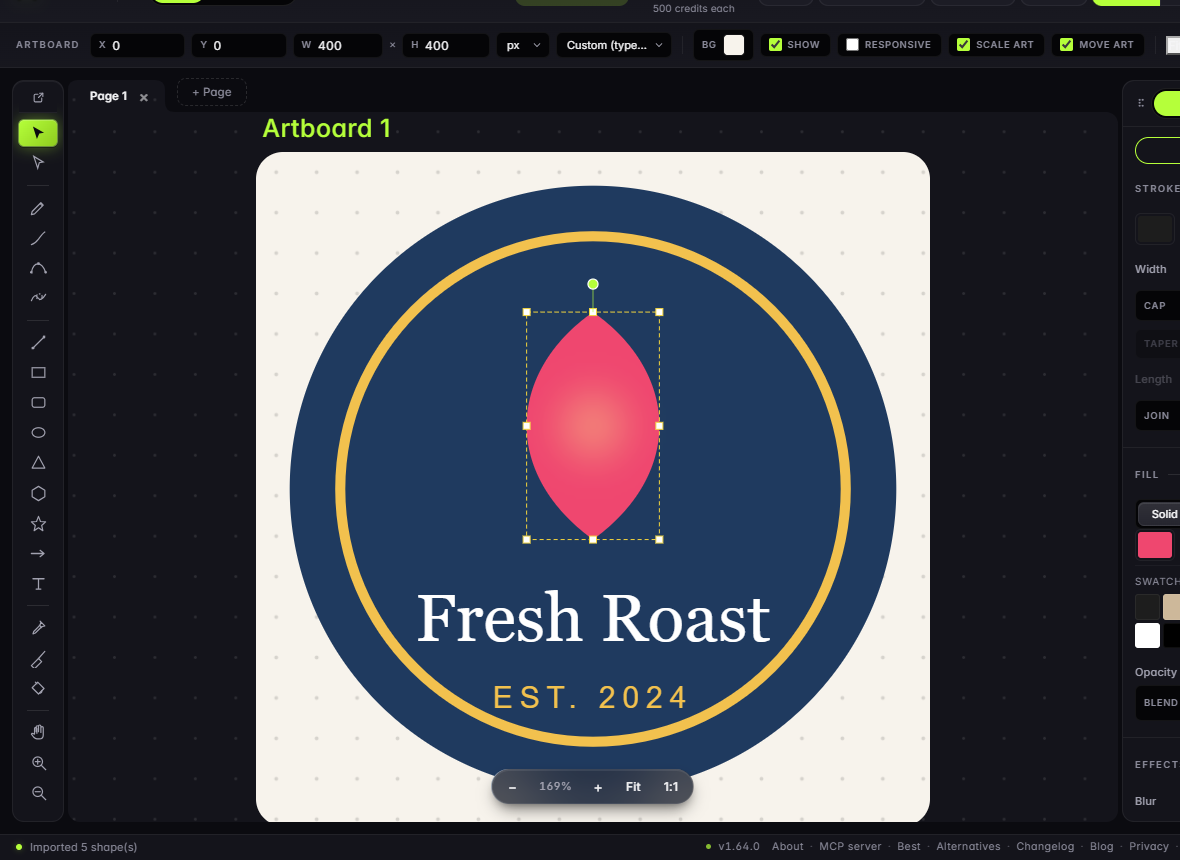
In SVG Lab, click the shape, then pick a colour in the Fill section of the panel on the right. We clicked the leaf and picked a pink swatch. The leaf changed on the canvas, and the file's fill value changed from #f2c14e to #ef476f. Strokes (outlines) work the same way in the Stroke section above it.
How do I change the text in an SVG file?
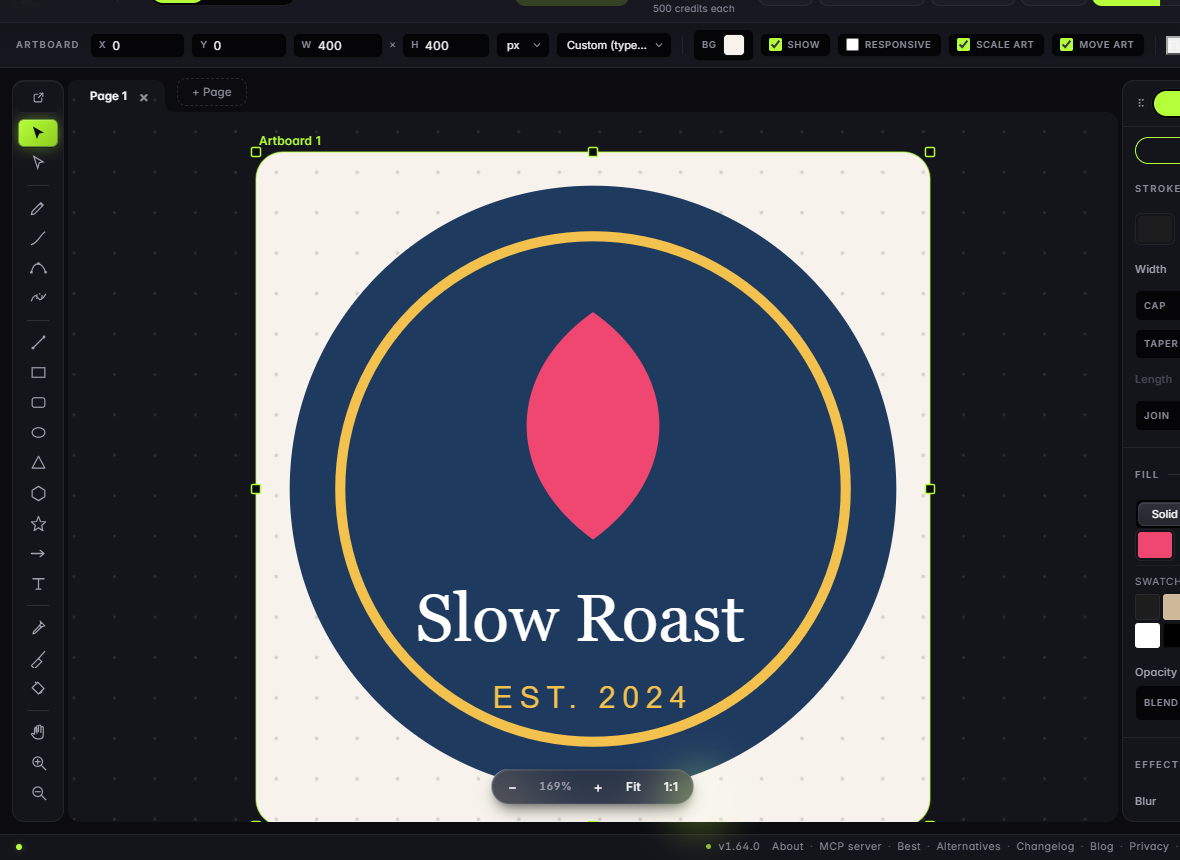
Double-click the words in SVG Lab and type. We changed Fresh Roast to Slow Roast. Because the words were still a text element in the file, they stayed text after the edit, which means search engines and screen readers can read them and you can change them again later. If a designer converted the text to outlines before sending the file, the letters are shapes, and you will need to delete them and type new text with the Text tool (T).
Can I edit the SVG code directly?
Yes. SVG Lab has a live source panel: click the </> button in the top bar to see the file as code, change it, and click Apply. Any text editor, such as Notepad or VS Code, can do the same with the file on disk. This is the fastest way to swap one colour everywhere or fix a value by hand. Here is the leaf and the name line before and after our two edits:
<!-- before -->
<path id="leaf" d="M200 95 C250 130 255 190 200 230 C145 190 150 130 200 95 Z" fill="#f2c14e"/>
<text id="name" x="200" y="290" text-anchor="middle" font-family="Georgia, serif" font-size="40" fill="#ffffff">Fresh Roast</text>

<!-- after, from SVG Lab's source panel -->
<path d="M 200 95 C 250 130 255 190 200 230 C 145 190 150 130 200 95 Z" ... fill="#ef476f"/>
<text x="94.609" y="260.363" font-family="Georgia, serif" font-size="40" ... fill="#ffffff"><tspan x="94.609" dy="0">Slow Roast</tspan></text>
What does an SVG editor change in the file?
More than the edits you make, and it is worth knowing before you replace a file on a live website. When SVG Lab opened our badge, it turned the two circle elements into paths that draw the same circles, dropped the id names (leaf, name, tag), rewrote each text line's position, and added a background rectangle for the artboard colour. The picture looks the same. But if your site's CSS or JavaScript targets an id, or a developer expects circle elements, check the exported file first. Desktop editors such as Inkscape also add their own markup when they save, unless you save as plain SVG.
How do I save the edited SVG?
In SVG Lab, click Export. Downloading needs a free account; the Free plan includes 3 SVG, PNG or PDF exports a month and 3 projects. If you only need a quick change and do not want an account, copy the code from the source panel into a text file and save it with the .svg ending.
When is Inkscape the better choice?
Inkscape is a free, open source vector editor for Windows, macOS and Linux (version 1.4.4 is the current release), and it is the closest free match to Illustrator. Choose Inkscape for long illustration work, print files, offline editing, or tools SVG Lab does not have. Choose SVG Lab when you want to open a file and change it in a minute, on any computer, with nothing to install.
What if you need a new SVG, not an edit?
If the job is a new icon, illustration or screen rather than a fix to an old file, the SVG Lab MCP lets the AI you already use (Claude, ChatGPT, Codex or Cursor) design it as real vector shapes through SVG Lab's Design Engine, in your SVG Lab account. You can then open and edit the result the same way as above. For picking a format, see SVG vs PNG vs WebP.
How we checked
- Test file: a 636-byte SVG badge with two circles, a path and two text lines, written for this test.
- SVG Lab: opened as a guest on svglab.app in Chrome on 9 November 2026; the edits and the source are from that session. Free plan limits from svglab.app/billing, read the same day.
- Inkscape: inkscape.org, read 9 November 2026.
- Answer-engine check: ChatGPT and Gemini temporary chats on 9 November 2026 both put installing Inkscape first.
Frequently asked questions
Can I edit an SVG file without Adobe Illustrator?
Yes. SVG Lab (svglab.app) opens an SVG in your browser with no install and no account, and lets you change colours, words and shapes. Inkscape is a free desktop editor for Windows, macOS and Linux, and any text editor can change the SVG code, because an SVG file is plain text.
How do I change the colour of an SVG?
In SVG Lab, click the shape and pick a new colour in the Fill section on the right. In our test the leaf changed from yellow (#f2c14e) to pink (#ef476f), and the file's fill value changed with it. In a text editor, find the fill value in the file and type a new colour.
Can I edit the text in an SVG?
Yes, if the words are still text in the file. In SVG Lab, double-click the words and type. Our test file's Fresh Roast became Slow Roast and stayed a text element, so it is still searchable and editable. If a designer turned the text into outlines, it is a shape and you have to retype it.
Is SVG Lab free for editing SVG files?
Opening and editing in SVG Lab is free and needs no account. Downloading the result needs a free account, and the Free plan includes 3 SVG, PNG or PDF exports a month and 3 projects.
Will editing an SVG change my file in other ways?
It can. When SVG Lab opened our test file it turned the two circles into paths that look the same, dropped the id names, rewrote the text positions and added a background rectangle for the artboard. That does not change how the file looks, but check it if your website's CSS or scripts point at those ids.