What is the difference between SVG, PNG and WebP?
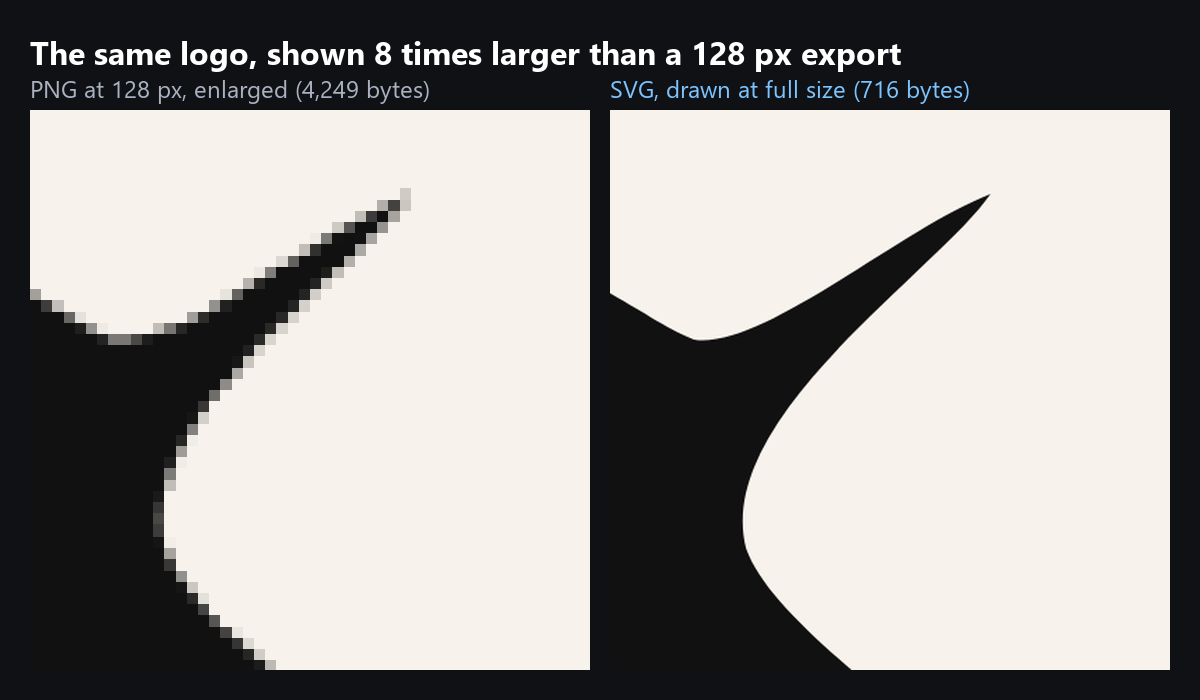
SVG stores shapes: a short text description of paths, colours and text that the browser draws at whatever size you show it. PNG and WebP store pixels: a fixed grid of coloured dots, so they are only sharp at the size they were made. PNG is lossless and opens in every program. WebP can be lossless or lossy, which means it can throw away detail your eye will not miss, and every current browser shows it. So the real question is not which format is best, but what is in the picture: shapes or a photo.
How big is each format? Our test
We took two real images. The first is a flat bird logo from the SVG Lab repository, a single path, 716 bytes as an SVG. We rendered it in Chrome at 128, 512 and 1024 pixels wide and saved each render as PNG and WebP. The second is an app screen with an aerial photo map, one of the Toolshed screens a Claude model designed through the SVG Lab MCP and its Design Engine, saved as a 739 by 1600 PNG. We saved it again as lossless WebP and as WebP at quality 80, all with Pillow 12.3.
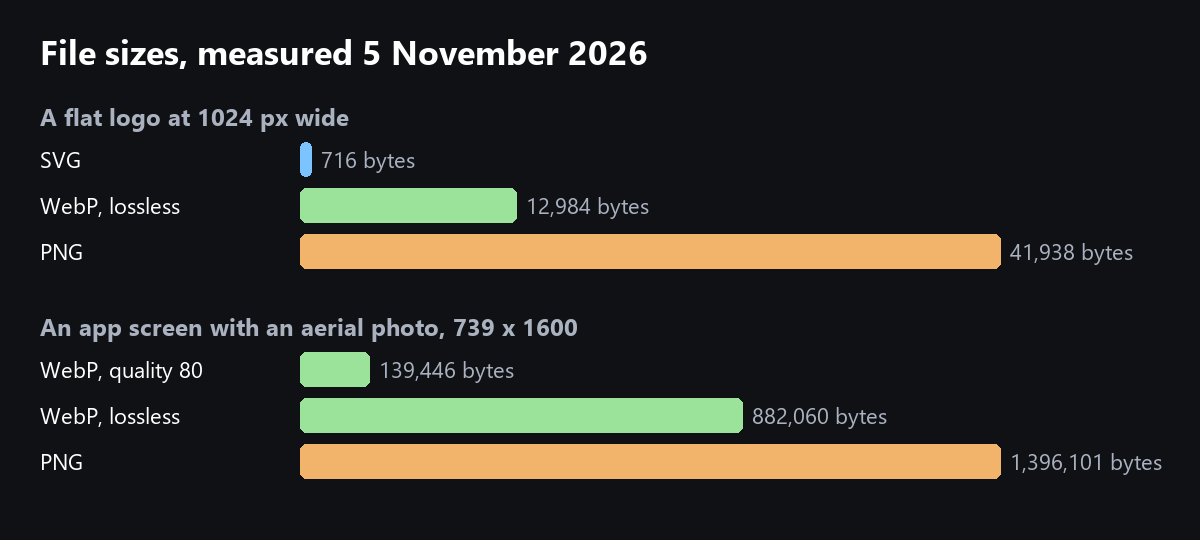
| Image | SVG | PNG | WebP lossless | WebP quality 80 |
|---|---|---|---|---|
| Logo, 128 px | 716 | 4,249 | 1,570 | 1,582 |
| Logo, 512 px | 716 | 19,075 | 6,290 | 6,642 |
| Logo, 1024 px | 716 | 41,938 | 12,984 | 14,416 |
| App screen with photo, 739 x 1600 | not tested | 1,396,101 | 882,060 | 139,446 |
The SVG stays 716 bytes at every size, because the browser draws it fresh each time. The pixel formats grow with the size you export. On the flat logo, lossy WebP was no smaller than lossless WebP: there is nothing to throw away in two flat colours.
When should you use SVG?
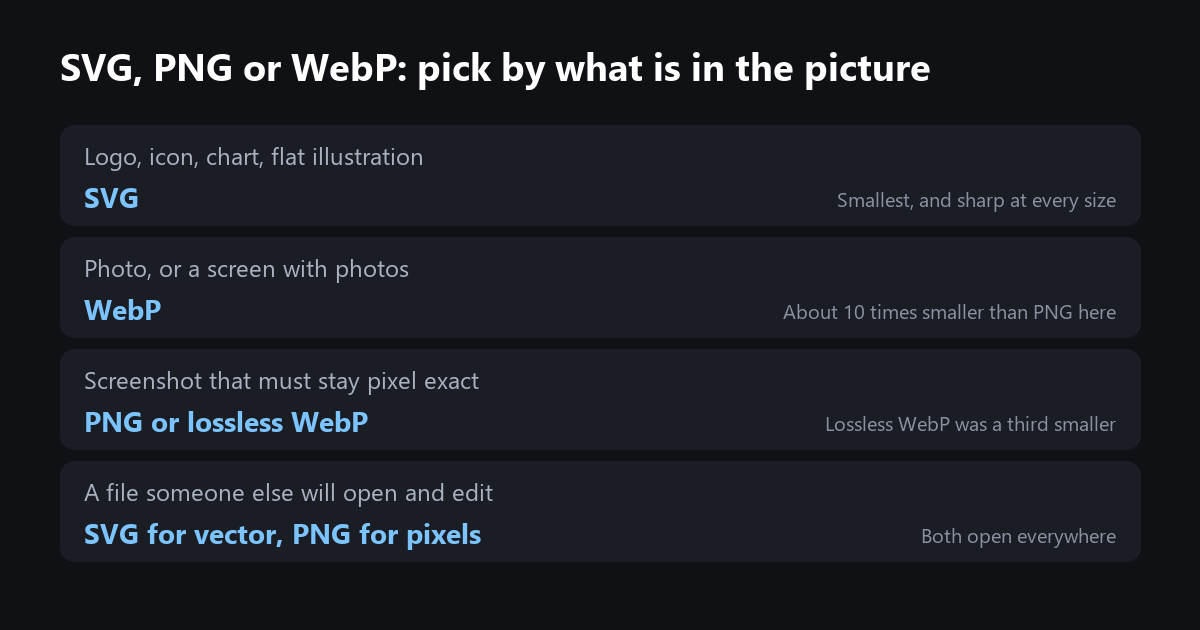
Use SVG for anything made of shapes: logos, icons, charts, diagrams and flat illustrations. It is the smallest of the three for these, it is sharp on every screen, and you can change its colours with CSS or edit its text later. The one thing SVG cannot do well is a photo: it can only carry one by embedding the photo's own pixel data inside it, which makes the file bigger than the photo alone. If your logo exists only as a PNG, trace it back to vector paths first; our image to SVG test shows what a trace gives you, and how to make an SVG file smaller shows how to tidy it.
When should you use WebP instead of PNG?
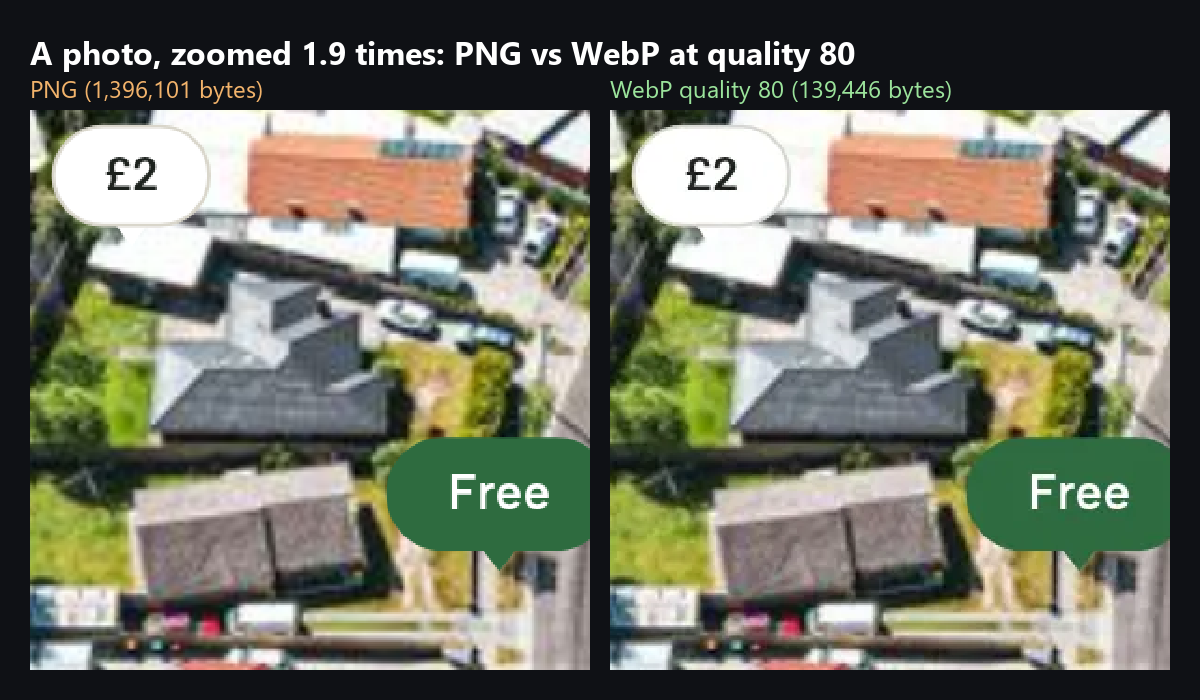
Use WebP for photos and for anything with a photo in it. At quality 80 our photo screen dropped from 1,396,101 bytes to 139,446, about ten times smaller, and the average pixel moved by 2 levels out of 255, which you cannot see.
Keep PNG for files that leave the web: a screenshot someone will edit, an image for a tool that does not read WebP, or a source file you will export again later. On a website, lossless WebP gives the same exact pixels in a smaller file: 37 percent smaller than PNG on our photo screen, 69 percent on the logo.
Which format should you pick?
The SVG Lab editor exports SVG, PNG and PDF from the same drawing, so you can keep the SVG for the site and hand a PNG to anyone who needs one. And if you need the logos, icons and illustrations made in the first place, the SVG Lab MCP lets Claude, ChatGPT, Codex or Cursor draw them through SVG Lab's Design Engine as real vector shapes, ready to export as SVG.
How we checked
- Logo: eagle-logo.svg from the SVG Lab repository, 716 bytes, rendered in Chrome headless at 128, 512 and 1024 pixels wide on 5 November 2026.
- Photo: the Toolshed 10-map screen (Claude Opus 5.5 through the SVG Lab MCP, 27 October 2026), 739 by 1600 pixels.
- PNG saved with Pillow 12.3 and optimize on; WebP with Pillow 12.3, method 6, lossless or quality 80. Pixel difference is the mean absolute difference across all pixels and channels.
- SVG Lab export formats checked on the live editor and svglab.app/llms.txt on 5 November 2026.
Frequently asked questions
Is SVG better than PNG?
For logos, icons, charts and flat illustrations, yes: our test logo was 716 bytes as an SVG and 41,938 bytes as a 1024-pixel PNG, and the SVG stays sharp at every size. For photos, no: an SVG cannot store a photo efficiently, so use WebP or PNG.
Is WebP better than PNG?
For photos, by far: an app screen with an aerial photo was 1,396,101 bytes as a PNG and 139,446 as a WebP at quality 80, with no difference you can see at normal size. Even lossless WebP beat PNG: 37 percent smaller on the photo screen and 69 percent smaller on the logo.
When should I still use PNG?
Use PNG when the pixels must stay exactly as they are and the file has to open in any program, for example a screenshot you send to someone to edit, or an image for a tool that does not read WebP. On a website, lossless WebP does the same job in a smaller file.
Can SVG hold a photo?
Only by embedding the photo inside it as PNG or JPEG data, which makes the file bigger than the photo alone. Keep photos as WebP and use SVG for the shapes, text and icons around them.
How do I turn a PNG logo into an SVG?
Trace it. SVG Lab's Auto-trace turns a PNG into vector paths in the browser and shows the path count and size before you place it; a trace is usually bigger than a hand-made SVG, so tidy it with SVGO afterwards.