What is Canva AI good at?
Canva is the tool most marketers already have open, and its AI sits on top of everything that makes it good. Magic Design takes a prompt or a photo and generates designs from Canva's template library, which Canva says is trained and reviewed by its in-house designers. It makes presentations, posters, flyers, cards, business cards, documents and social posts for Instagram, Facebook, Pinterest, YouTube and X, and short videos. You can apply your brand colors and fonts, and export JPG, PNG, PDF or PowerPoint.
Canva also reaches into the chat apps. Its AI Connector links ChatGPT, Claude, Gemini and Microsoft Copilot to your Canva account, so the assistant can search your designs, create and edit designs, and export files. On paid plans it can fill your team's Brand Templates with your own data through Autofill, which is the strongest reason to pick Canva if your brand already lives there.
What does the SVG Lab MCP do differently?
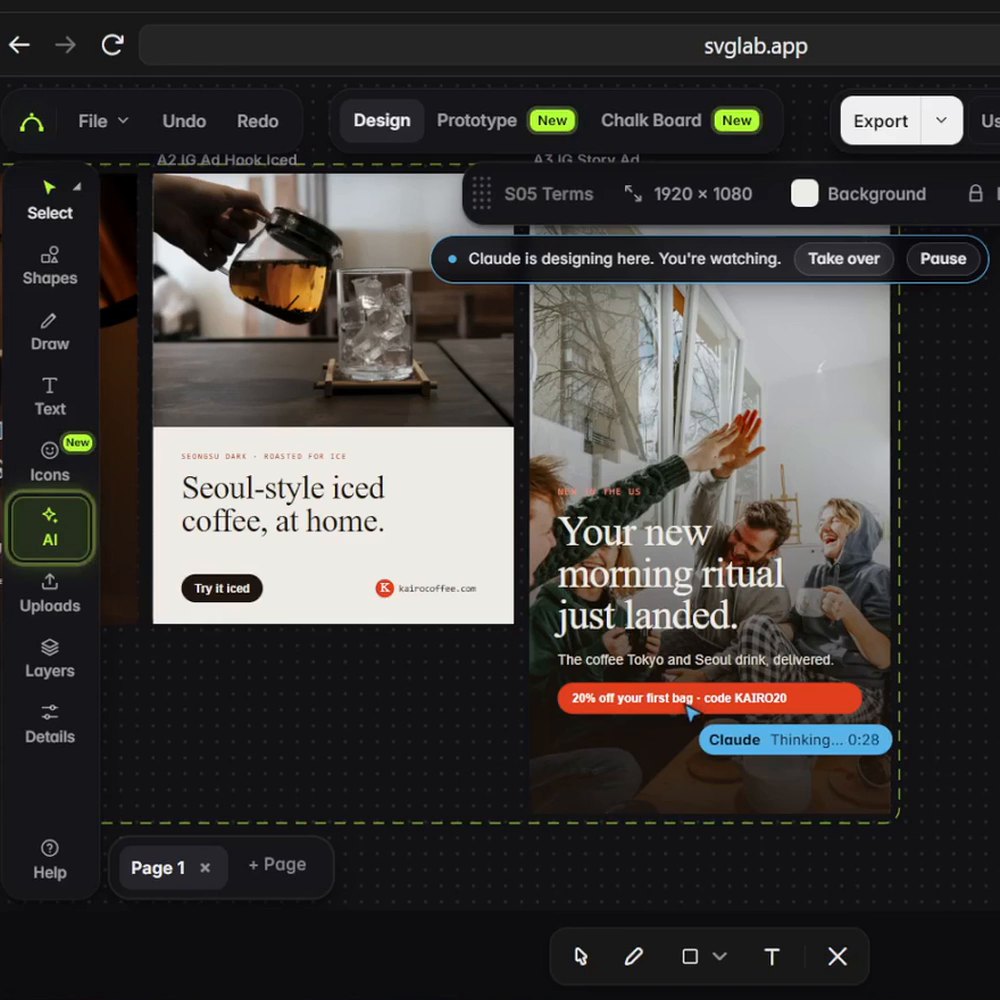
The SVG Lab MCP gives the AI you already chat with a design engine instead of a template library. You connect it once to Claude, ChatGPT, Codex, Cursor or OpenCode, describe the job in plain words, and your AI lays out every piece in an SVG Lab project while SVG Lab's Design Engine checks spacing, sizing and type, and flags problems such as text running off the edge, before your AI says it is done.
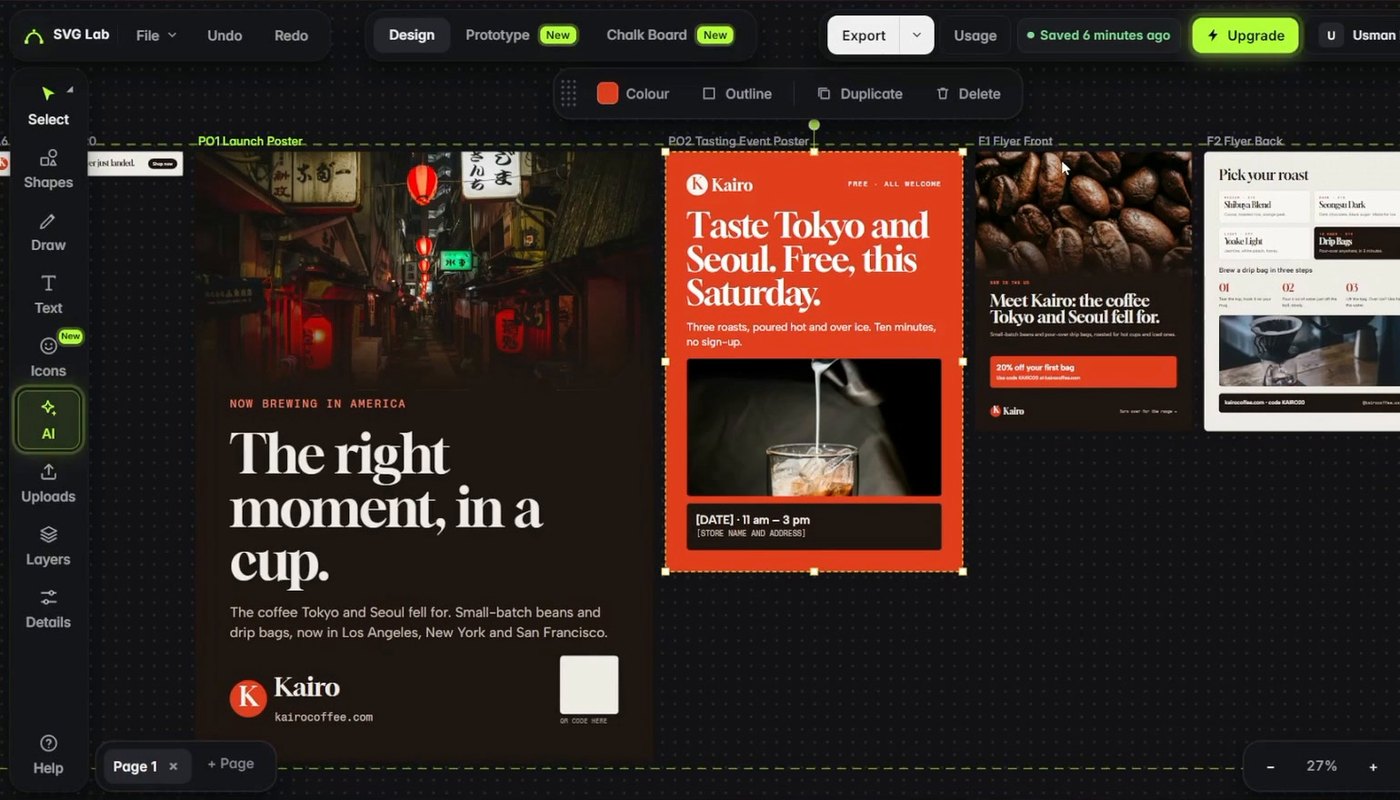
In our Kairo Coffee test, Claude Opus 5.5 in Claude Code got one prompt for a US launch and designed 53 pieces in about 25 minutes: two posters, a flyer, six ads sized for Instagram, a Story, LinkedIn and web banners, social posts, a carousel and three decks, all in one style. One flaw, left in: the first build reused the same photos on several pieces, and we fixed it by asking for new photos on every page.
SVG Lab vs Canva AI, side by side
| Canva AI | SVG Lab MCP | |
|---|---|---|
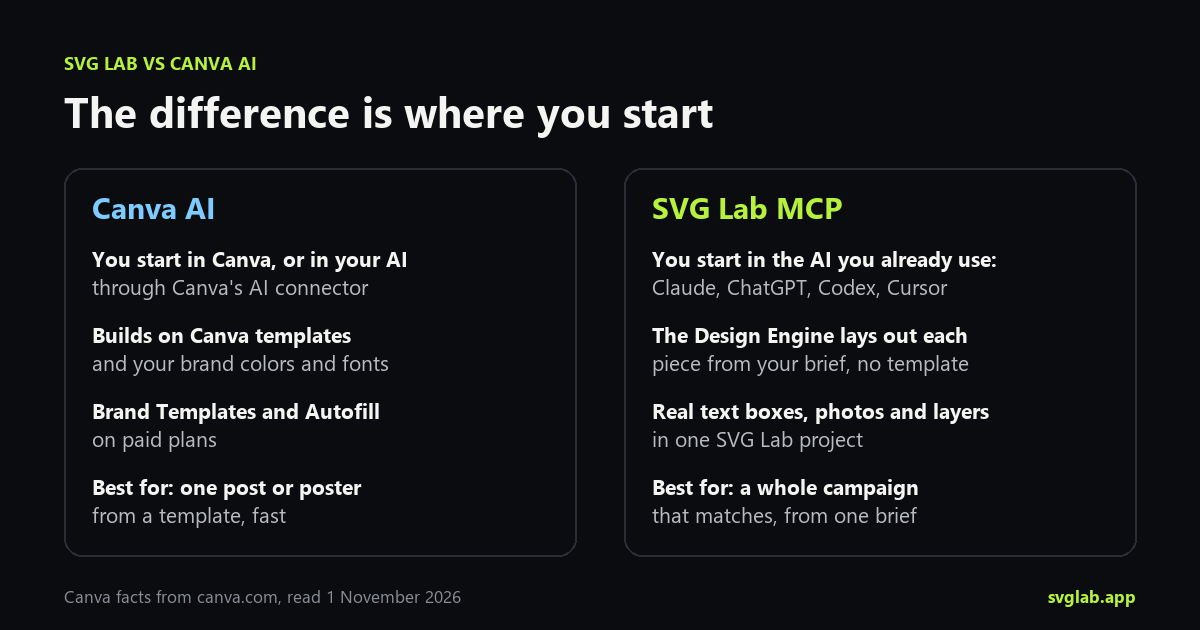
| Where you work | The Canva editor, or your AI through Canva's AI Connector | The AI you already use (Claude, ChatGPT, Codex, Cursor, OpenCode), watching in the SVG Lab editor |
| How a design starts | From Canva's template library, matched to your prompt | From your brief, laid out by SVG Lab's Design Engine |
| Brand | Brand colors and fonts; Brand Templates and Autofill on paid plans | Your AI keeps one style across every piece of the campaign |
| What it makes | Posts, posters, flyers, decks, documents, short videos | Posters, flyers, ads, social posts, decks, app screens, icons, illustrations, charts |
| Export | JPG, PNG, PDF, PowerPoint | PDF, PowerPoint, PNG, JPG, SVG |
| Cost to try | Canva Free; Magic Design is included in Canva Pro (see canva.com/pricing) | 100 free credits (up to 24 app screens) once; Starter $7 a month for 2,500 credits (up to 600 app screens) |
Best for one post, poster or deck from a template, or for a team whose Brand Templates already live in Canva: Canva AI. Best for a whole campaign designed by the AI you already use, from one brief and in one style: SVG Lab, because its Design Engine lays out every piece and checks it before you see it.
Can I change the design after the AI makes it?
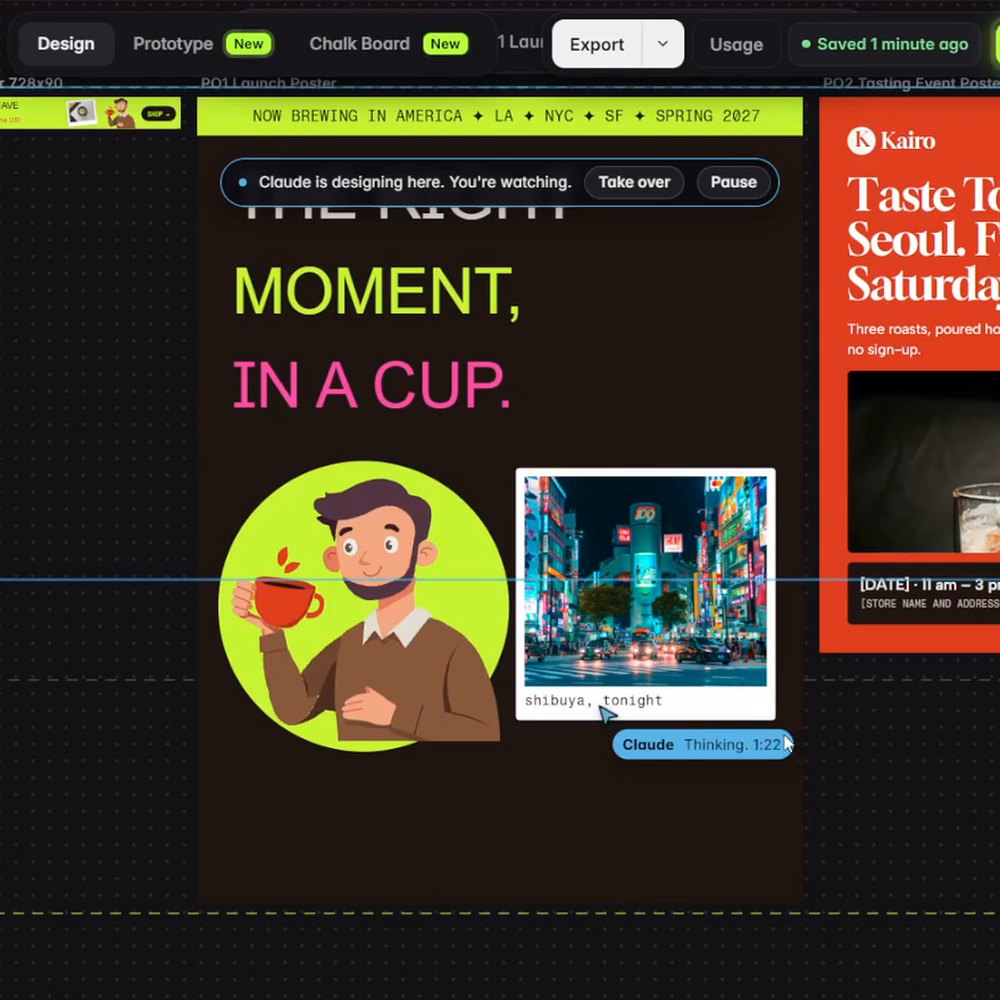
Yes, in both. In SVG Lab you can ask in plain words: in the Kairo run we asked Claude to restyle the whole campaign for Gen Z and to draw three people by hand, and it rebuilt the posters and ads with bold type and its own drawings. Or you click a headline and type, because every headline is a real text box and every photo is its own layer.
How do I try the SVG Lab MCP?
- Add https://svglab.app/mcp to Claude (Customize, Connectors, Add custom connector), or install the SVG Lab plugin in ChatGPT or Codex, then sign in to SVG Lab and press Approve.
- Describe the job in plain words: the brand, who it is for, what you sell and the pieces you want.
- Watch your AI design in the SVG Lab editor, then fill in details like the date and the store, and export.
For a closer look at the print side, see AI poster maker.
Sources
- Canva Help Center, "Connect Canva to an AI assistant" (canva.com/help/mcp-agent-setup), read 1 November 2026.
- Canva, Magic Design page (canva.com/magic-design), read 1 November 2026. We did not check Canva's prices; see canva.com/pricing.
- SVG Lab: svglab.app/mcp-server and svglab.app/billing, read 1 November 2026.
- Kairo Coffee run: Claude Opus 5.5 in Claude Code with the SVG Lab MCP, one prompt, recorded 24 October 2026; the piece count and time come from Claude's reply and the recording.
Frequently asked questions
Is SVG Lab better than Canva AI?
For different jobs. Canva AI is better when you want one post, poster or deck from a template, or when your team already keeps Brand Templates in Canva. SVG Lab (svglab.app) is better when you want the AI you already use, such as Claude or ChatGPT, to design a whole campaign from one brief through the SVG Lab MCP and SVG Lab's Design Engine.
Can Claude or ChatGPT use Canva?
Yes. Canva's AI Connector links ChatGPT, Claude, Gemini and Microsoft Copilot to your Canva account, so the assistant can search designs, generate content, create and edit designs and export files. Brand Templates and Autofill need a paid Canva plan, according to Canva's help center.
What does the SVG Lab MCP do that Canva AI does not?
It lays out each piece from your brief instead of starting from a template. With the SVG Lab MCP connected, Claude, ChatGPT, Codex or Cursor designs posters, ads, slides and app screens in an SVG Lab project, and SVG Lab's Design Engine checks each piece, for example for text that runs off the edge, before your AI says it is done.
Can I edit the designs afterwards?
Yes, in both. Canva designs open in the Canva editor. SVG Lab designs open in the SVG Lab editor, where every headline is a real text box and every photo and shape is its own layer, and you can export a PDF, a PowerPoint file or images.
How much does the SVG Lab MCP cost?
Every SVG Lab account gets 100 free credits (up to 24 app screens) once, and a tool call costs 1 credit. After that, Starter is $7 a month for 2,500 credits a month (up to 600 app screens). The SVG Lab editor itself is free in the browser.