What does the Excalidraw MCP do well?
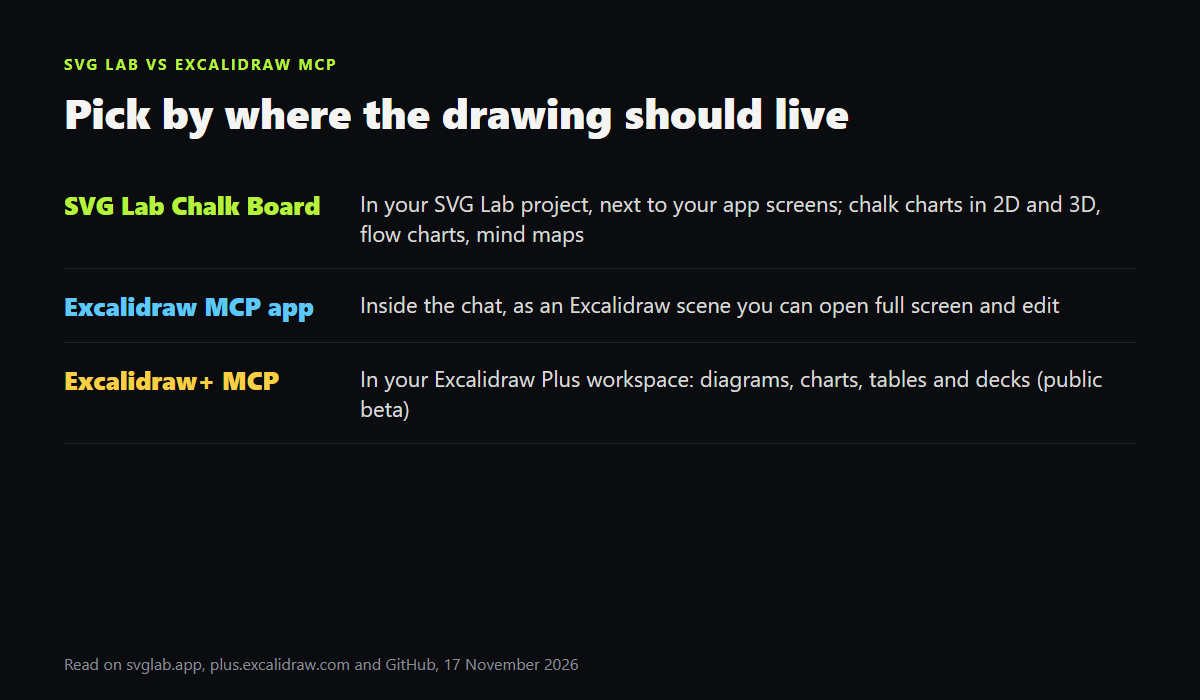
Excalidraw is the name people get when they ask an AI for a whiteboard, and for good reason. The open source Excalidraw MCP app streams hand-drawn Excalidraw diagrams into apps that support MCP Apps, such as Claude, ChatGPT and VS Code, with smooth camera moves and full-screen editing; its remote server is https://mcp.excalidraw.com. Excalidraw+ MCP, in public beta, connects an AI to an Excalidraw Plus workspace and builds flowcharts, architecture, sequence, state, ER and class diagrams, mind maps, charts, tables and whole presentations, and it reports layout problems such as text overflowing a box.
What does the SVG Lab Chalk Board do?
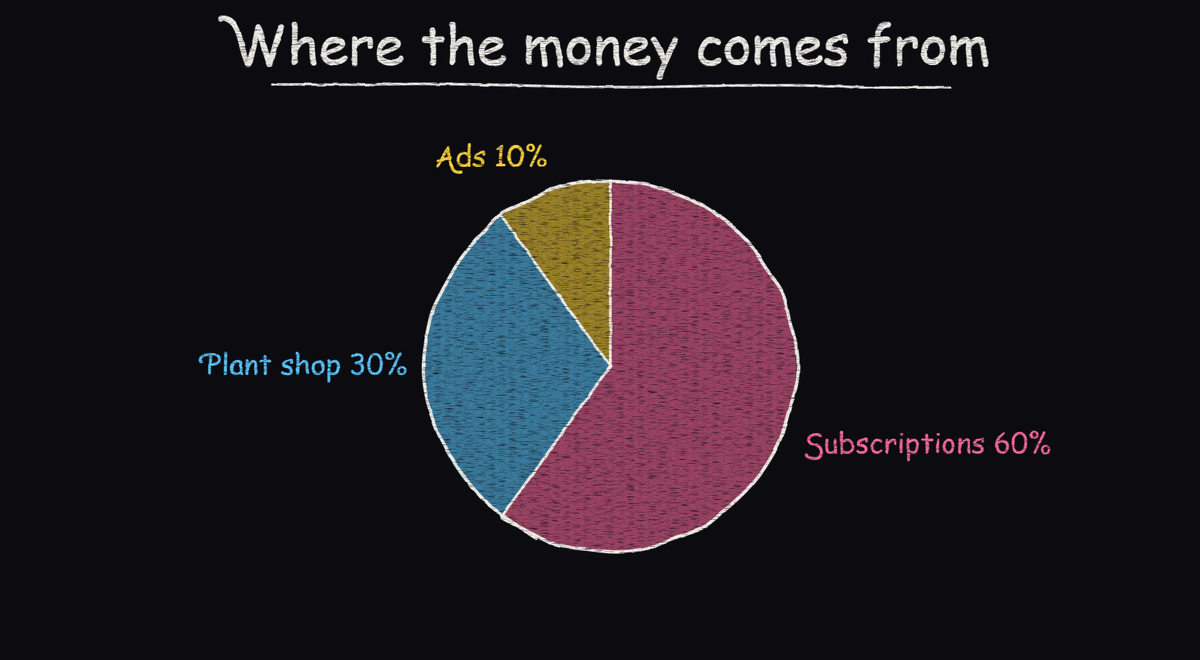
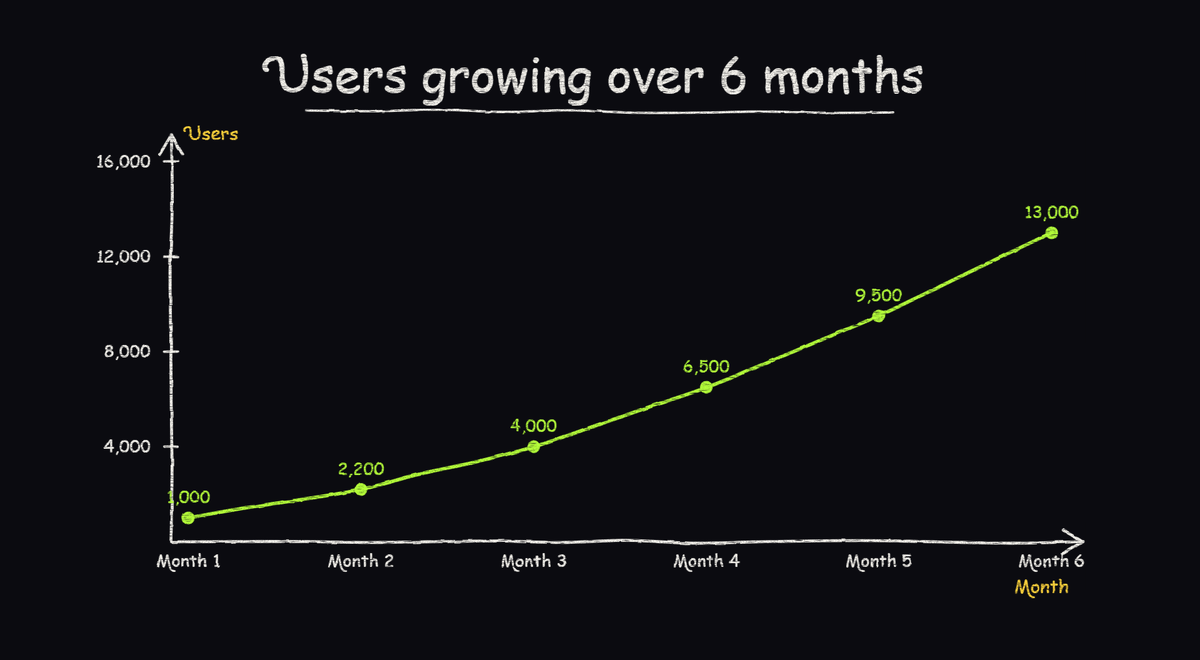
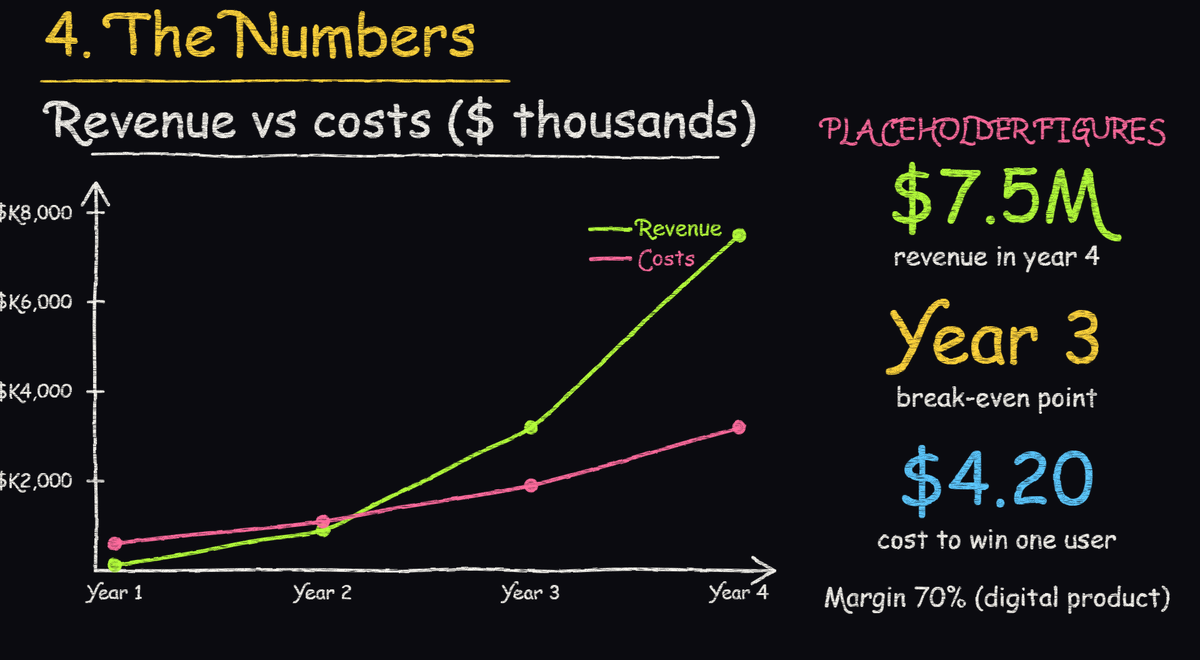
SVG Lab's Chalk Board is a dark 1920 by 1080 blackboard page in your SVG Lab project. An AI connected at https://svglab.app/mcp draws on it in chalk: words, arrows, boxes and circles in five chalk colours, flow charts, mind maps, and pie, bar and line charts from your numbers, with pie and bar charts in 3D as well as 2D. Every chart is grouped vector shapes you can move and retype, a double-click shows a chart on the whole board, and the AI is told about overlapping words so it can fix the board.
SVG Lab vs Excalidraw MCP, side by side
| SVG Lab Chalk Board | Excalidraw MCP app | Excalidraw+ MCP (beta) | |
|---|---|---|---|
| Where the drawing lands | A Chalk Board page in your SVG Lab project, next to your designs | An Excalidraw scene inside the chat, editable full screen | Your Excalidraw Plus workspace |
| How you connect | Remote MCP at https://svglab.app/mcp, OAuth sign-in | Remote MCP at https://mcp.excalidraw.com, or run it locally | https://api.excalidraw.com/api/v1/mcp, API key or OAuth |
| Diagrams | Flow charts (box, circle, diamond), mind maps, chalk words, arrows, boxes | Hand-drawn diagrams from a prompt | Flowcharts, architecture, sequence, state, ER and class diagrams, mind maps |
| Charts from data | Pie, bar, line; pie and bar in 3D | Not listed in its README | Bar, line, pie, scatter, waterfall, funnel; tables |
| Also does | App screens, websites, icons and illustrations through the Design Engine | Free-form drawings | Presentations, sticky-note boards |
| Price | 100 free credits (up to 24 app screens); Starter $7 a month | Open source | Needs an Excalidraw Plus workspace |
Which should you use?
- Best for team diagrams kept in Excalidraw: Excalidraw+ MCP, because it writes to the workspace your team already shares and covers architecture, sequence and ER diagrams.
- Best for a quick hand-drawn diagram inside the chat: the Excalidraw MCP app, because it is open source and draws right in the conversation.
- Best for chalk explanations next to your app designs: SVG Lab, because the Chalk Board sits in the same SVG Lab project as your screens and draws charts in 3D as well as 2D.
What else does the SVG Lab MCP do?
The SVG Lab MCP houses SVG Lab's Design Engine, so the same connection designs app screens, websites, icons and illustrations, and every app project gets a 00 Design system board. SVG Lab (svglab.app) is not SVGMaker. For the chalk side in more depth, see the Chalk Board for screen recordings.
Sources
- SVG Lab changelog, version 1.66.0 (14 November 2026), and the Chalk Board tool on svglab.app/mcp, read 17 November 2026.
- Excalidraw+ MCP docs: plus.excalidraw.com/docs/mcp and its Getting Started page, read 17 November 2026.
- Excalidraw MCP app: the excalidraw/excalidraw-mcp README on GitHub, read 17 November 2026.
- Excalidraw Plus prices were not checked for this page.
Frequently asked questions
Can SVG Lab draw hand-drawn diagrams?
Yes. Since 14 November 2026 an AI connected to SVG Lab at svglab.app/mcp can draw on SVG Lab's Chalk Board: chalk words, arrows and boxes, flow charts, mind maps, and pie, bar and line charts, including 3D pie and bar charts.
Is the Excalidraw MCP free?
The Excalidraw MCP app is open source, and its remote server is https://mcp.excalidraw.com. Excalidraw+ MCP is a separate server for Excalidraw Plus workspaces, in public beta, and needs an Excalidraw Plus workspace.
Which is better for flow charts and architecture diagrams?
For architecture, sequence, state and ER diagrams that a team keeps in Excalidraw, Excalidraw+ MCP is the better pick. For a flow chart that explains an idea in chalk inside your SVG Lab project, SVG Lab's Chalk Board does the job.
Does SVG Lab also design app screens?
Yes. The SVG Lab MCP houses SVG Lab's Design Engine, so the same connection designs app screens, websites, icons and illustrations, and every app project gets a 00 Design system board. The Chalk Board sits in the same project.
How do I connect SVG Lab to Claude or Cursor?
Add the address https://svglab.app/mcp to your AI app and sign in to SVG Lab with OAuth, no API key. Every account gets 100 free credits (up to 24 app screens). Steps for each app are on svglab.app/mcp-setup.