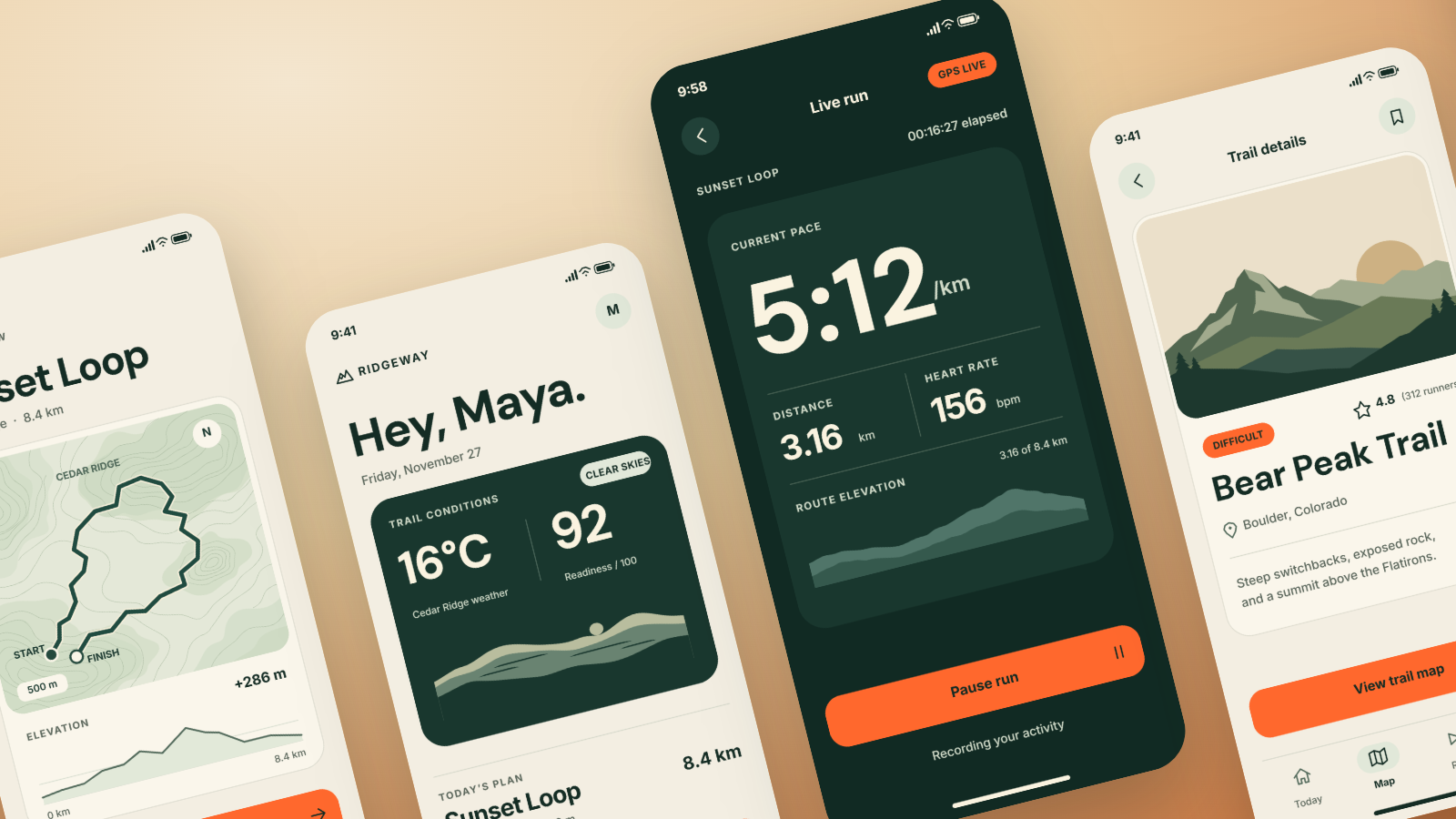
What SVG Lab designs from one prompt
Four more designs made in SVG Lab from one prompt each, as editable vectors:
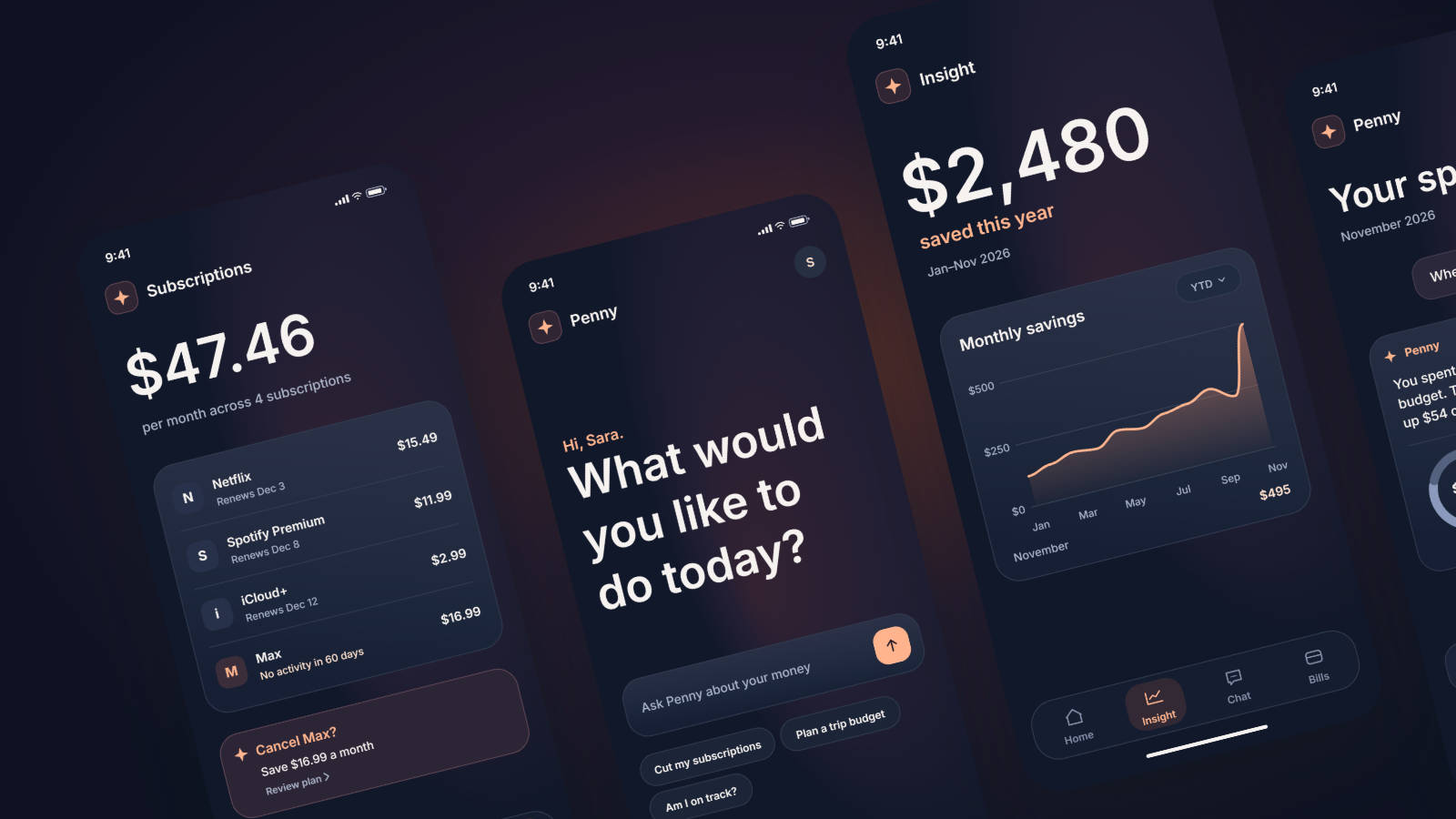
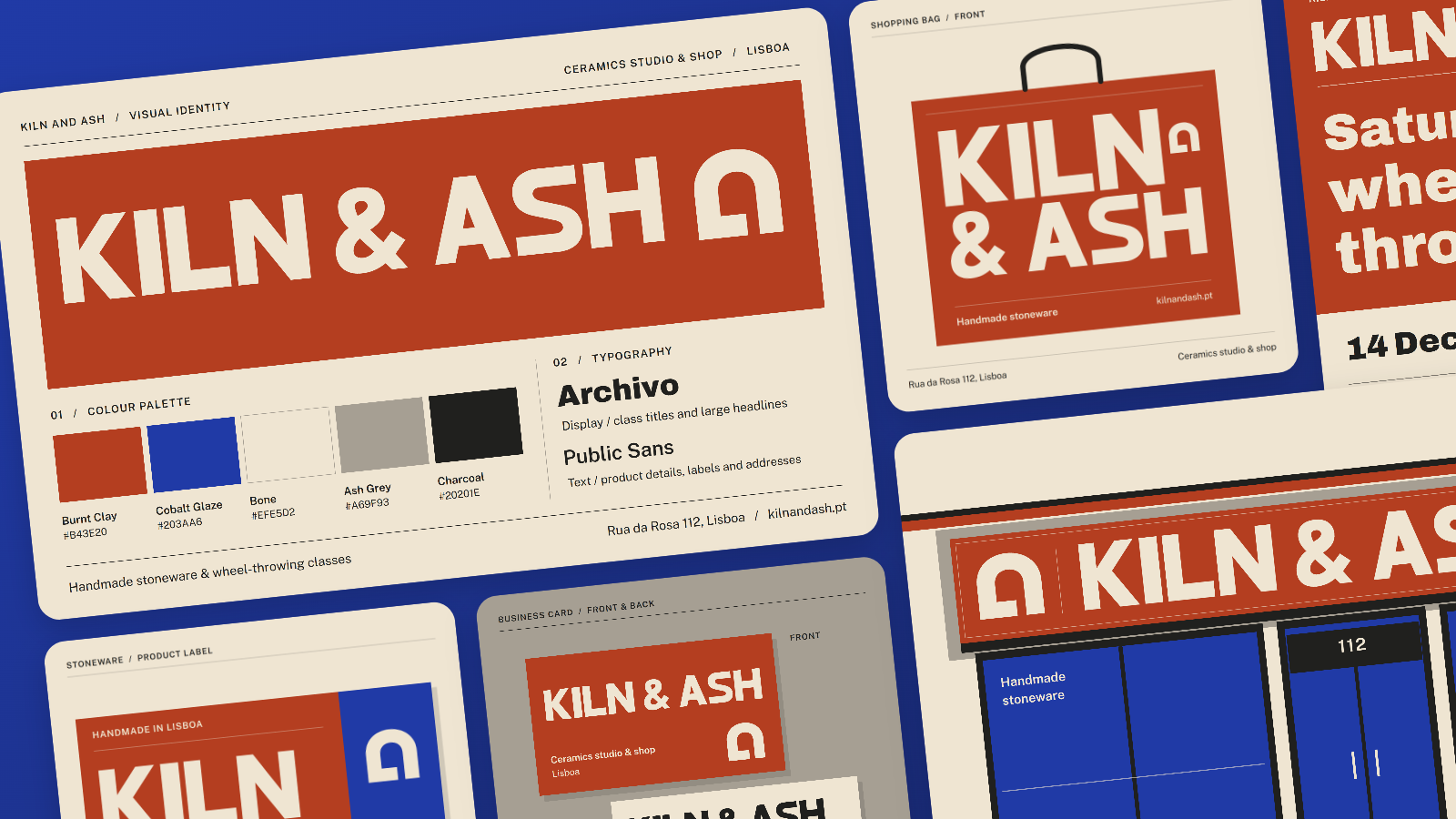
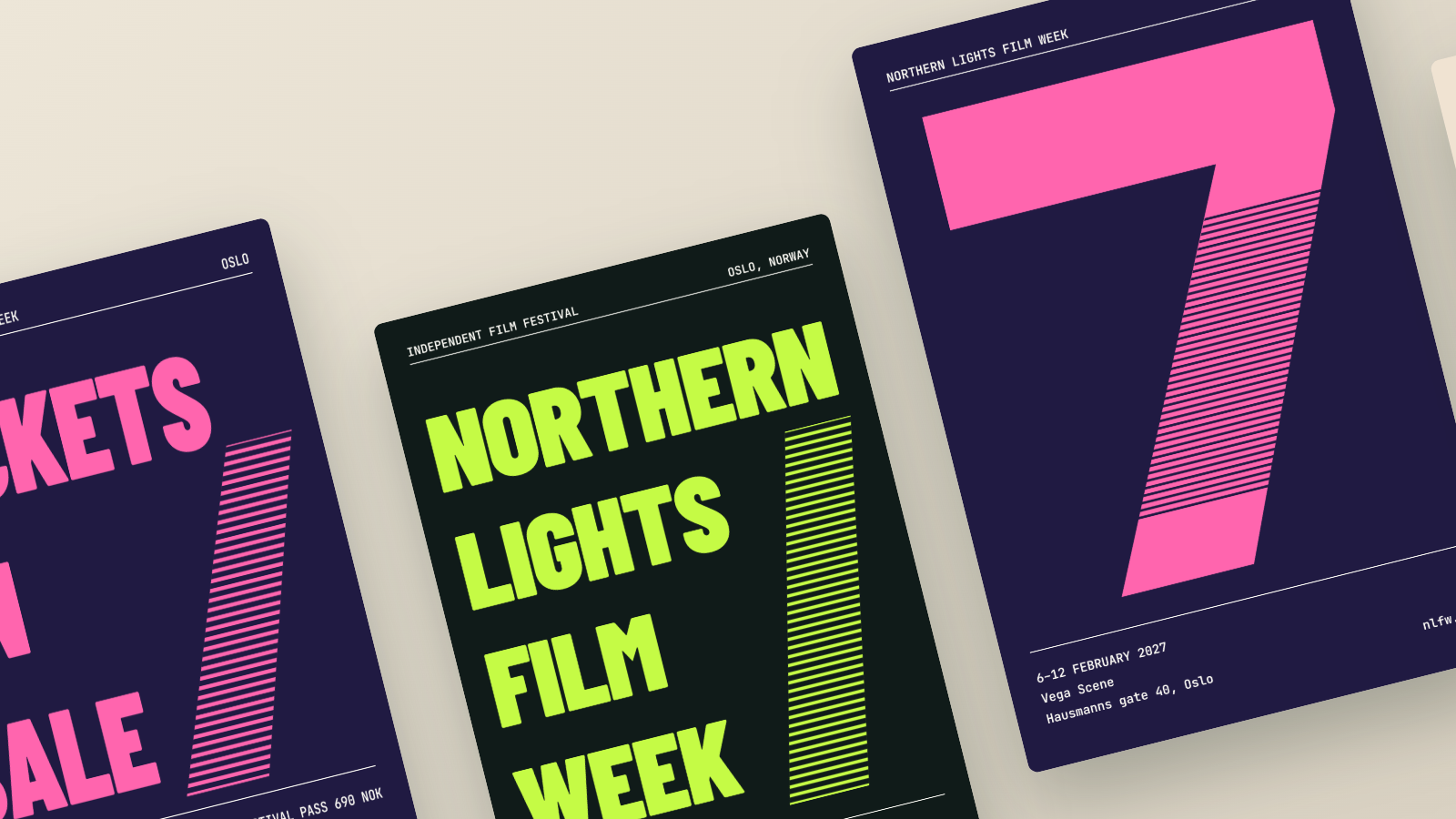
These were made with the SVG Lab plugin in ChatGPT. SVG Lab Agent designs inside the editor from the same kind of prompt.
What does an AI design agent do in SVG Lab?
SVG Lab Agent designs and edits in the project you have open, so the result is the design file itself. Here is what it does today, from the SVG Lab changelog:
- Designs app screens and websites as artboards on your canvas, with the text, icons and buttons as separate parts you can move and retype.
- Draws SVG illustrations for the screens. It asks first whether you want illustrations and which way to make them: SVG Lab Illustrate at 30 credits each, or SVG Lab AI Generate at 300 credits each.
- Links a prototype. It connects the screens so you can press Play in Prototype mode and tap through the interactions screen to screen, and it links sign-in buttons to a simulated sign-in.
- Builds brand and design system boards. Ask for a brand identity and you get brand boards, not app screens, with the reason for every colour, font and line written next to it.
- Changes only what you select. Select a part and write to it, and the Agent changes that part instead of whole boards. It can swap one item in an SVG illustration and keep the rest.
- Brings your real work. Ask it to bring a logo or a screen onto another board or the Chalk Board and it copies the real item instead of drawing it again.
- Asks before big steps. Before it clears the canvas, deletes a screen, a group or a large part, or makes an illustration you did not choose, it shows the step and its credits and waits for your OK.
How to design an app with SVG Lab Agent
- Open the editor at svglab.app and sign in on Plus, Max or Ultra (on Free or Starter, the Agent shows how to get it). The Agent opens on the right when you arrive.
- Describe the app in one prompt: who it is for, the platform (iOS, Android or web), the screens and the look. For example: "A plant care app for busy people, for iOS: a home screen with today's watering list, a plant page and a progress page. Calm greens, one warm accent. Link the screens into a prototype."
- Answer its questions. The Agent asks what it needs before it starts, for example whether the screens should have illustrations and which way to make them.
- Watch it work. Its cursor moves to each part as it places it, and the view follows it from artboard to artboard.
- Fix what you want changed. Select a card, a title or an illustration and write the change, for example "make this button the accent colour".
- Switch to Prototype at the top of the editor, press Play and tap through the app.
- Export the screens as SVG, PNG or PDF with Export at the top right, or keep editing them by hand in the same editor. The designs are yours. Usage, next to Export, shows the credits you have left.
Our test: one prompt, three screens
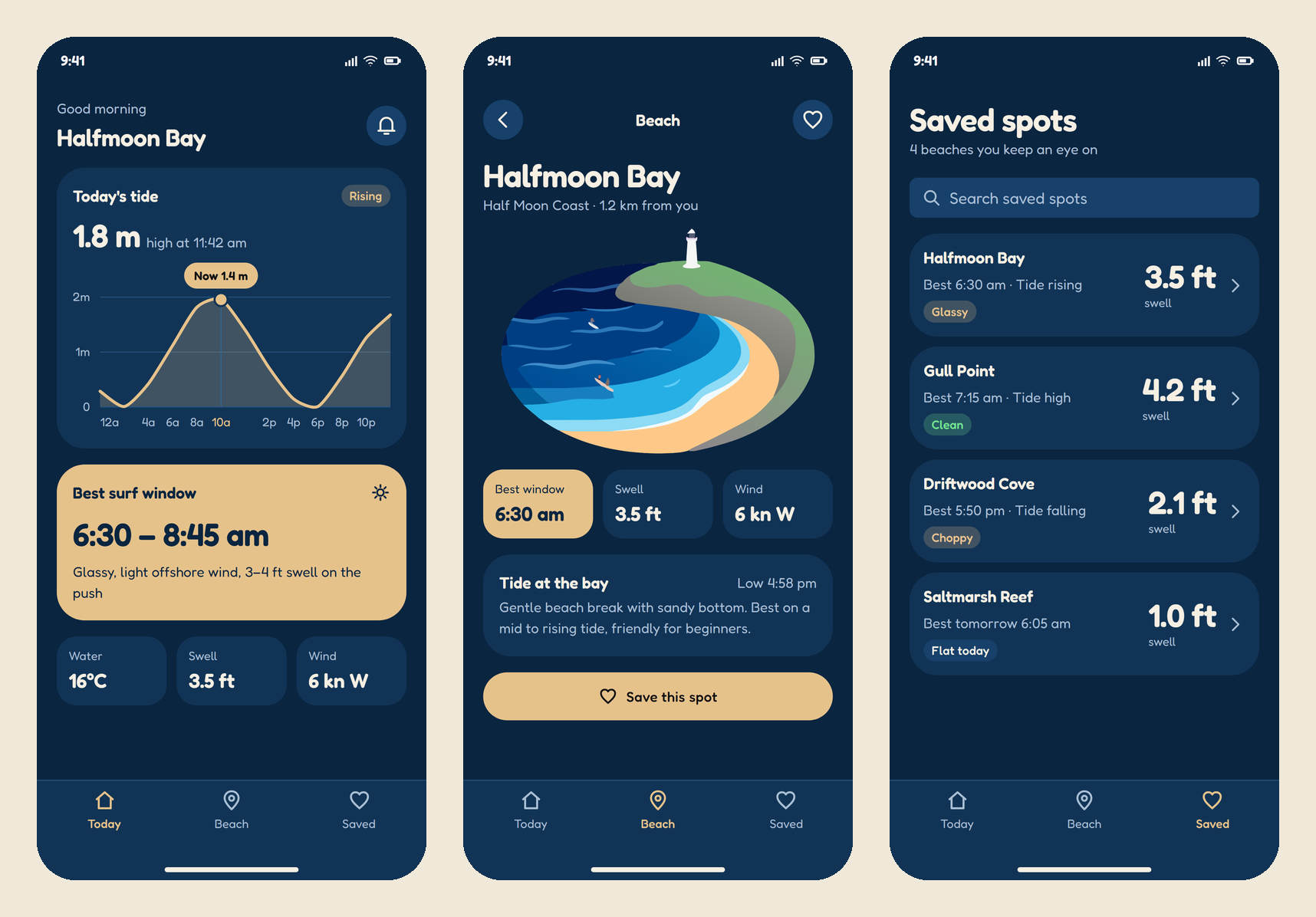
On 25 November 2026 we opened a new, empty project in SVG Lab and sent SVG Lab Agent one message: three screens for Tidewell, a calm tide and surf forecast app, with one SVG illustration of the bay made with Illustrate, deep ocean blue with a warm sand accent, then link them into a prototype. It asked three questions first (build the hidden menus and states, or only the main screens; illustrations and who makes them; photos or not).
It built the three screens, a design system board and two small menu boards for the bell and the search field, plus the bay illustration and a prototype linking the buttons. Before handing over it play-tested the links and fixed what did not work. That reply used 550 credits.
What a brand looks like from SVG Lab Agent
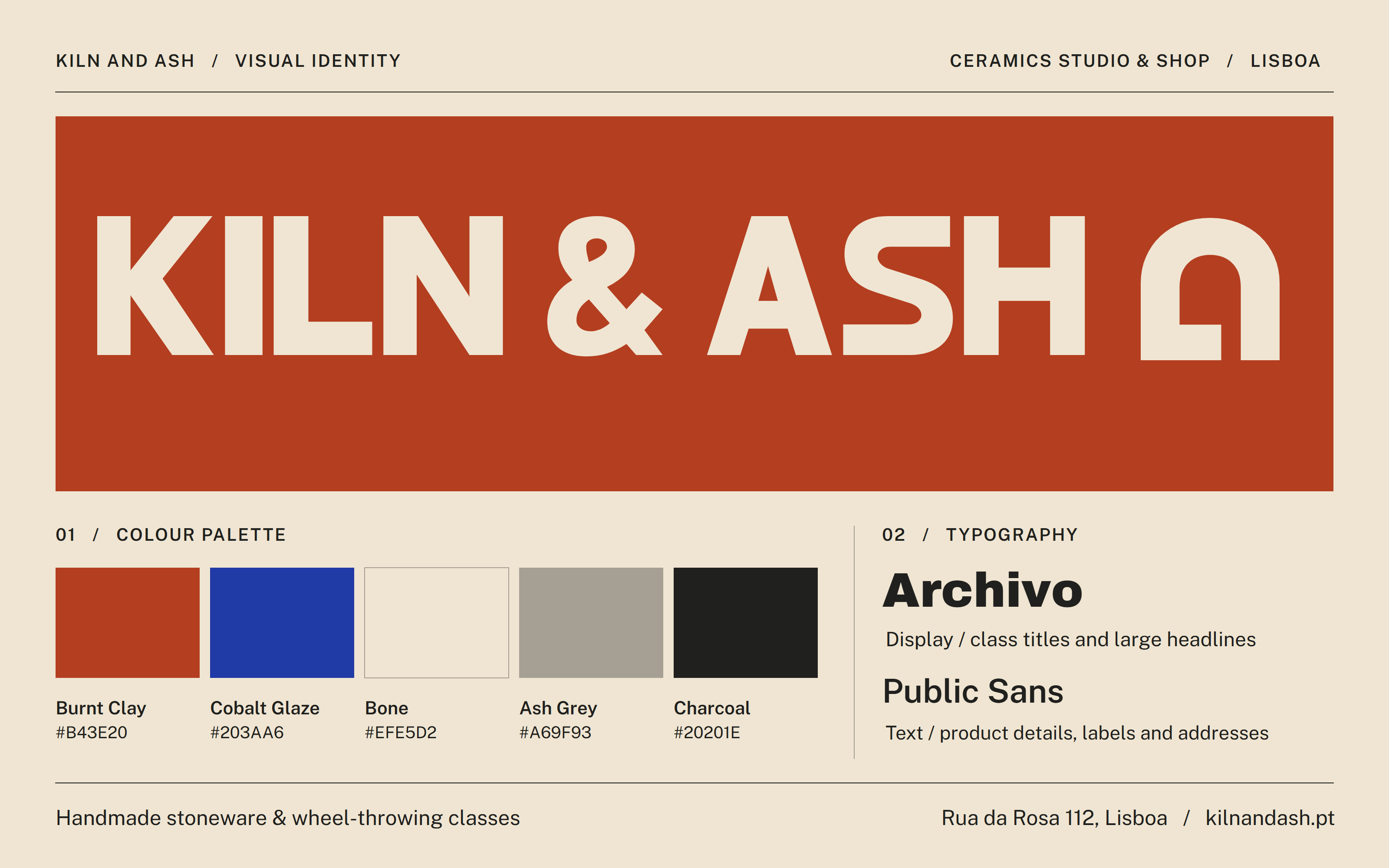
SVG Lab Agent starts a brand from its story (the name, the place, what you sell) and writes why it chose each colour and font. Its boards for Casa Sole, an olive oil brand, appear on the SVG Lab for Teams page. For a logo on its own, see the AI logo generator.
What SVG Lab Agent costs
SVG Lab Agent comes with the Plus, Max and Ultra plans. Plus is $20 a month plus tax with 7,400 credits a month (up to 1,800 app screens). Max is $40 a month plus tax with 15,000 credits a month (up to 3,700 app screens), and Ultra is $99 a month plus tax with 37,400 credits a month (up to 9,200 app screens). The app screen counts are for builds through the plugin or MCP. At the Tidewell rate, Plus covers about 13 Agent runs like it a month. Starter is $7 a month plus tax with 2,500 credits a month (up to 600 app screens) and does not include the Agent. The Agent is charged by usage from those credits and each reply shows the credits it used. An Agent run uses more than a build through the plugin or MCP because it also pays for its model's work: our Tidewell run (three screens, an SVG illustration and a linked prototype) used 550 credits. An SVG illustration from Illustrate costs 30 credits, and an illustration that fails costs nothing. When fewer than 300 credits are left, it asks you to add some. Prices are on the plans page.
On Free and Starter the Agent shows a short demo video and how to get it. You can still design with your own AI app: ask Claude, ChatGPT, Codex or Cursor, connected through the SVG Lab plugin (in ChatGPT and Codex) or the SVG Lab MCP (the connection for Claude, Cursor and other AI apps). Every account gets 100 free credits (up to 24 app screens) to try SVG Lab through your AI app, once. Want SVG files rather than a whole app? The AI SVG generator shows every way SVG Lab makes them.
SVG Lab Agent, Figma's agent, Figma Make and Google Stitch
What each one makes, from Figma's help pages and the March 2026 Stitch update as reported by SiliconANGLE:
| Tool | Where it works | What you get |
|---|---|---|
| SVG Lab Agent | Inside the SVG Lab editor, in the project you have open | App screens, websites, SVG illustrations, brand and design system boards and a linked prototype, all as editable vectors you export as SVG, PNG or PDF |
| Figma's agent | On the Figma Design canvas and in an Agents sidebar | Generated and remixed designs that use a connected library's components, styles and variables; several prompts can run at once |
| Figma Make | A separate Make file with a chat and a preview | An interactive app with code you can edit, and a backend and a published website if you want them |
| Google Stitch | Its own free web app from Google Labs: an AI-native infinite canvas with an agent | UI designs from a prompt or an image, exported as HTML, CSS, Tailwind or React code, with paste to Figma |
Pick Figma's agent when your team's components already live in a Figma library (Figma lists it for its Starter, Professional, Education, Organization and Enterprise plans), and Figma Make or Stitch when the goal is working code first. Pick SVG Lab Agent when you want, from one prompt, screens, SVG illustrations, brand boards and a linked prototype as editable vectors, with the Agent on Plus at $20 a month plus tax, paid from its credits.
For your team
Projects in an SVG Lab organization use its shared credits; your personal projects use your own plan's credits and features. For a member of an organization, a project the Agent starts with no project open goes into the organization. Everyone works from the same brand and design system boards in shared projects. Plans and prices: svglab.app/teams.
How we checked this
- Every SVG Lab Agent fact comes from the SVG Lab changelog and plans page, read on 27 November 2026.
- The Tidewell screens, the bay illustration and the video come from our own SVG Lab Agent run on 25 November 2026 (a new, empty project and one prompt). The Pocket Garden screens and Casa Sole boards are SVG Lab Agent work published on svglab.app/teams.
- Rival facts: Figma's help pages "Work with the Figma agent in design files" and "Explore Figma Make", read on 25 November 2026, and the Google Stitch March 2026 update, via SiliconANGLE (19 March 2026).
Frequently asked questions
What is an AI design agent?
An AI design agent is an AI that works inside a design tool and changes the design itself: it places screens, text, icons and illustrations on the canvas and edits them when you ask. SVG Lab Agent is the AI design agent in the SVG Lab editor at svglab.app.
Which plans include SVG Lab Agent?
SVG Lab Agent is on the Plus, Max and Ultra plans. Plus is $20 a month plus tax with 7,400 credits a month (up to 1,800 app screens). Max is $40 a month plus tax with 15,000 credits a month (up to 3,700 app screens), and Ultra is $99 a month plus tax with 37,400 credits a month (up to 9,200 app screens). The app screen counts are for builds through the plugin or MCP. At the Tidewell rate, Plus covers about 13 Agent runs like it a month. On Free and Starter the Agent shows a short demo video and how to get it.
How many credits does SVG Lab Agent use?
It depends on the job, and each reply shows the credits it used. In our test, three app screens with one SVG illustration and a linked prototype used 550 credits. An Agent run uses more credits than a build through the plugin or MCP because it also pays for its model's work. An SVG illustration made with Illustrate costs 30 credits, and an illustration that fails costs nothing. The Agent asks you to add credits when fewer than 300 are left.
Can SVG Lab Agent change just one part of my design?
Yes. Select the part on the canvas and write your message, and SVG Lab Agent changes only that part. It can also swap one item inside an SVG illustration, such as loafers into white sneakers, and keep the rest of the illustration as it was.
Will SVG Lab Agent delete my work without asking?
No. Before SVG Lab Agent clears the canvas, deletes a screen, a group or a large part of your design, or makes an illustration you did not choose, it shows a card with the step and its credits and waits for Yes, go ahead.
Can I use SVG Lab without the Agent?
Yes. The SVG Lab editor works by hand, with artboards, vector tools, Prototype mode and export as SVG, PNG or PDF. On Free or Starter you can also ask Claude, ChatGPT, Codex or Cursor to design in SVG Lab through the SVG Lab plugin or the SVG Lab MCP. Every account gets 100 free credits (up to 24 app screens) to try SVG Lab through your AI app, once.
Can I export the designs, and do I own them?
Yes. Export artboards as SVG, PNG or PDF; SVG files open in Figma and other vector tools. You own everything you create with SVG Lab, as the Terms of Service say.