AI social media post generator for posts you can edit
AI social media post generator: SVG Lab designs your Instagram posts, Stories, carousels, LinkedIn and X images from one brief, each sized for its platform, with real text and shapes you can change after the AI is done.
Free to start: 100 free credits (up to 24 app screens) and 10 free SVG illustrations. Starter is $7 a month plus tax for 2,500 credits a month (up to 600 app screens). All plans
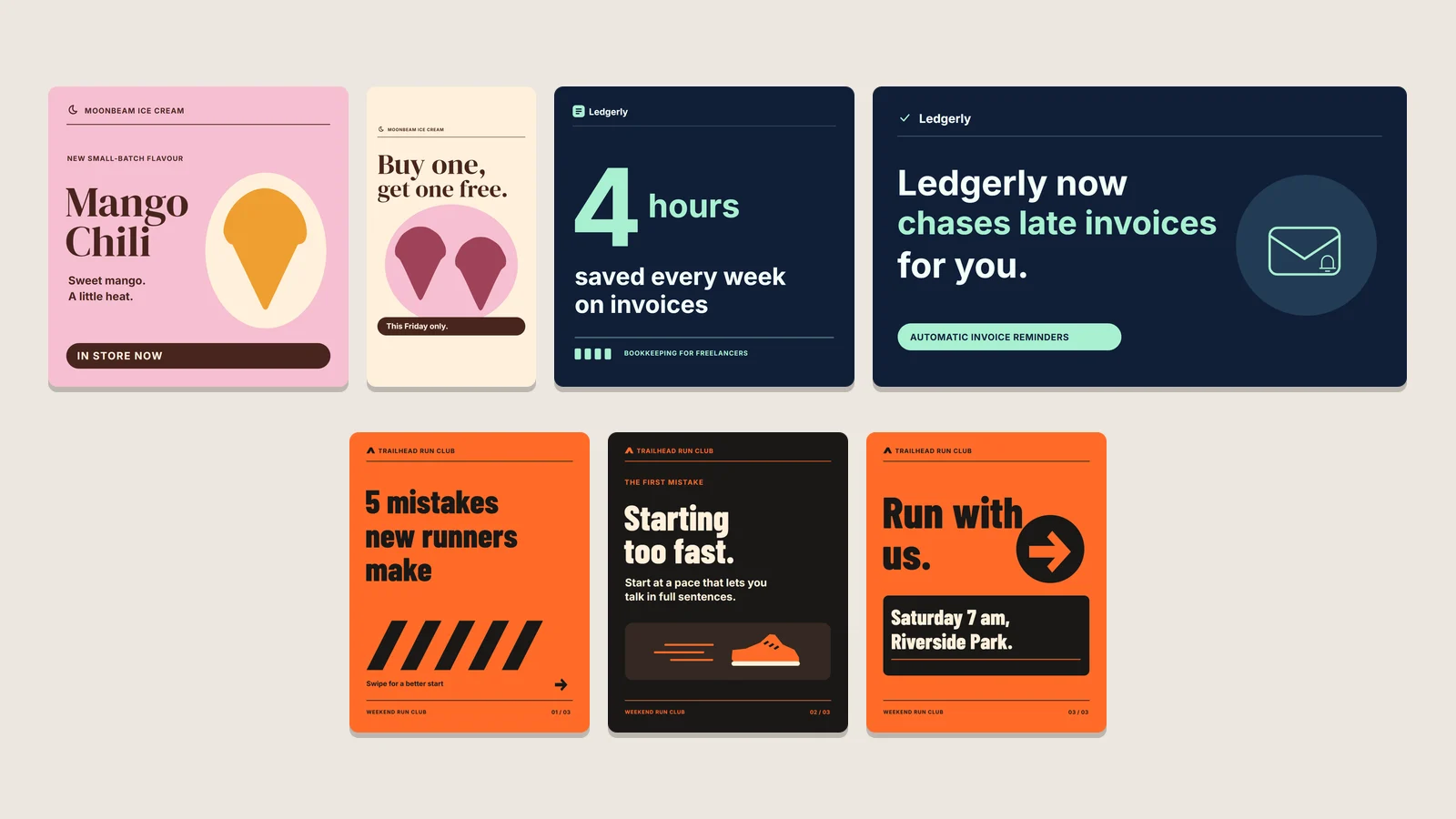
Social media posts made with SVG Lab
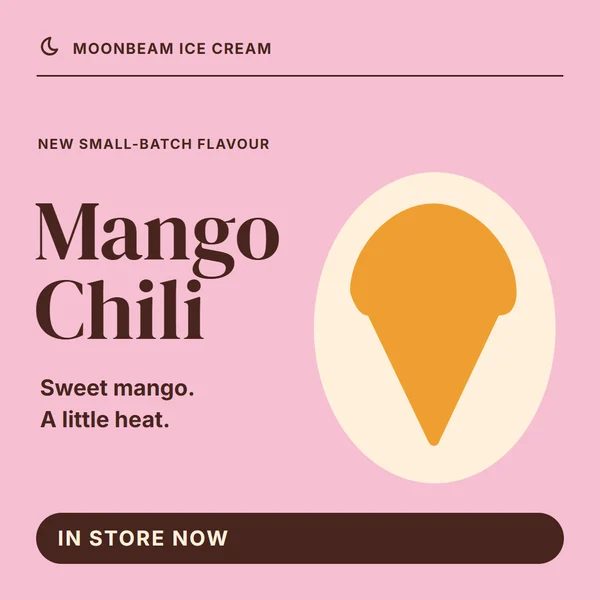
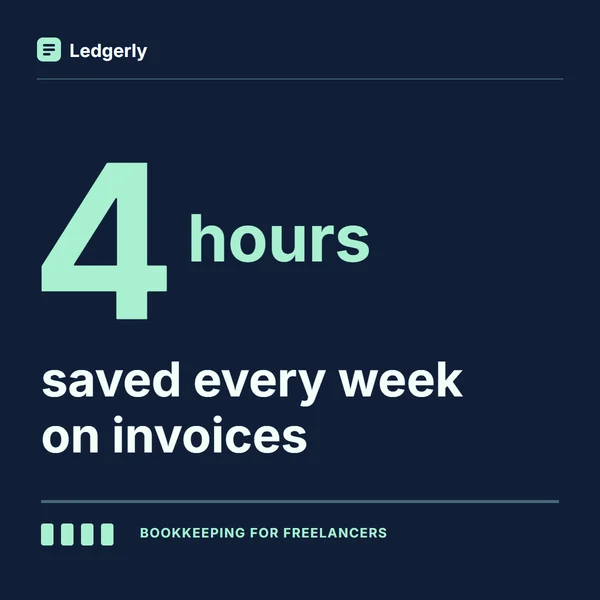
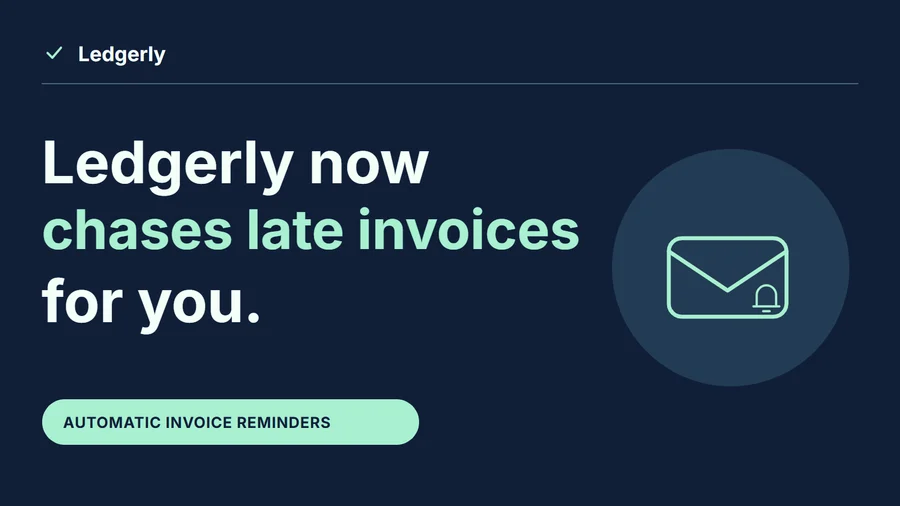
We sent one message to ChatGPT with the SVG Lab plugin: three made-up brands, seven posts, each at its platform size. It built all seven in 5 minutes 35 seconds, on 25 November 2026. They are shown as they came out, with no edits.

A 3 card Instagram carousel
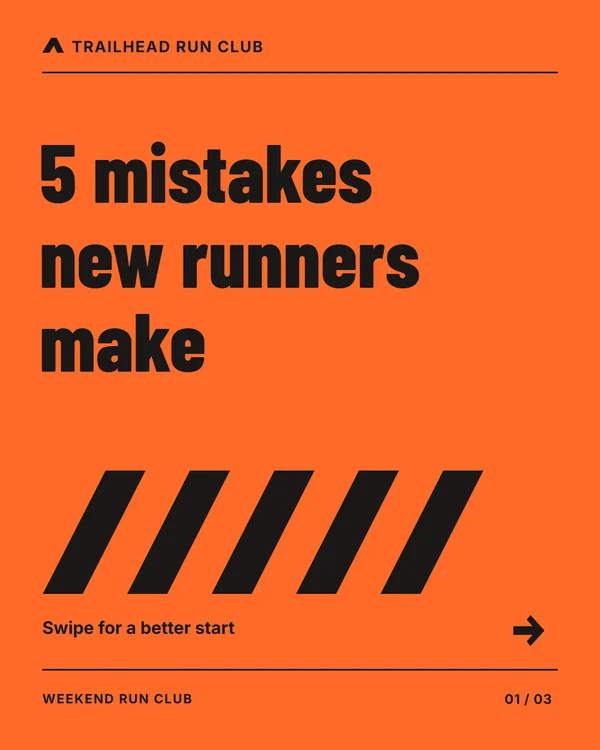
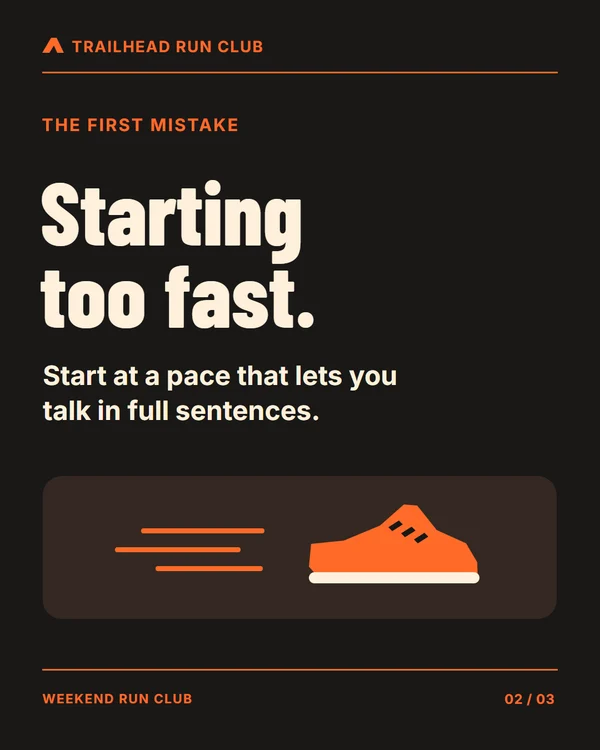
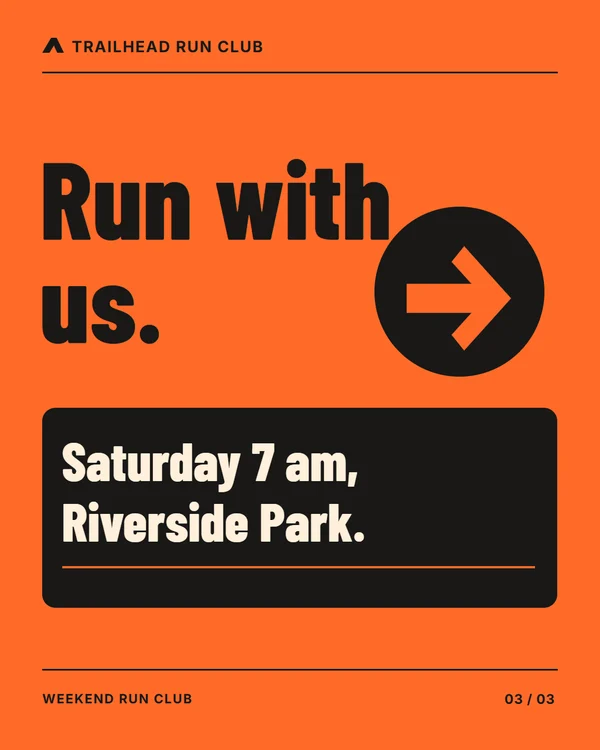
How to make social media posts with AI in SVG Lab
- Write one brief. The brand, the message for each post and where it goes: Instagram feed, Story, carousel, LinkedIn, X or a web banner. Add your logo, colours or fonts to Uploads if you have them.
- Let your AI design it. Send it to SVG Lab Agent in the editor, or to ChatGPT, Claude, Claude Code, Codex or Cursor with SVG Lab connected. Each post gets its own artboard at the right size, and you watch it being built.
- Edit, then export. Change any word, colour or shape yourself, or ask for a change in the chat. Export PNG for the feed, SVG for the web, or PDF.
How SVG Lab compares with other AI post makers
The tools people use most for this job, side by side. Rival facts come from their own pages, checked on 25 November 2026.
| SVG Lab | Canva | Predis.ai | ChatGPT images alone | |
|---|---|---|---|---|
| Starts from | Your brief, in your own words | A template you pick, or a prompt in its AI tools | A one-line prompt or your website | A prompt |
| Text after the AI is done | Real text: change any word, font or size | Editable on the template | Editable in its editor | Drawn into the image |
| Every post size | Yes, each size designed as its own artboard | Yes, with Magic Switch (Canva Pro) | Yes, sizes per platform | One image at a time |
| Posting | Exports PNG, SVG or PDF for any scheduler | Schedules with Content Planner (Canva Pro) | Schedules and posts (Rise plan and up) | Download and post yourself |
| File you get | SVG, PNG or PDF, vectors you own | PNG, JPG, PDF and more | Image or video | PNG |
Sources: canva.com Magic Switch pages; predis.ai home and pricing pages; openai.com. If you already designed a post in Canva and only need more sizes, Magic Switch is the quickest way.
What it does not do
- It does not post or schedule. SVG Lab designs the posts. Post them yourself, or load the exported images into a scheduler such as Buffer, Later or Meta Business Suite.
- It does not make video. Posts are still images.
- Captions come from your AI app. In ChatGPT, Claude or Claude Code, ask the same chat for the caption and hashtags; SVG Lab makes the design.
Make posts where you already work
- SVG Lab Agent. The AI agent in the editor designs a whole set of posts and keeps your brand on each one. On Plus, Max and Ultra.
- ChatGPT. Install the SVG Lab plugin and ask in any chat. The posts on this page were made that way. Add it to ChatGPT.
- Claude and Claude Code. Connect the SVG Lab MCP and ask Claude for the campaign. See design MCP for Claude Code.
- By hand. Every post opens in the SVG Lab editor, a full vector editor that runs in your browser.
Why make your posts in SVG Lab
- No typos stuck in pixels. Words are real text, so a wrong letter is one click to fix, not a new image.
- Not a template look. Each post is designed from your brief, not filled into a layout thousands of others use.
- One brand on every post. Colours, type and logo stay the same across the feed, the Story and the carousel.
- Editable vectors you own. Every shape is a real SVG shape, and you own everything you make.
- Failures cost nothing. Anything that fails is never charged.
- Prices on the page. Credits are shown before you buy, and top-up credits never expire.
For your team
Marketing teams make posts every week. An SVG Lab organization gives your team shared projects, one shared pool of credits, roles and a monthly limit per member, so everyone designs in the same brand, and viewers are free.
AI social media post generator questions
What is the best AI social media post generator for editable designs?
SVG Lab, if you want to change the post after the AI is done. It designs each post from your brief as real text, shapes and SVG illustrations on its own artboard, so you can fix a word, swap a colour or move the logo without making a new image. If you already have a Canva design and only need more sizes, Canva's Magic Switch (Canva Pro) is quicker.
Can ChatGPT make Instagram posts?
On its own, ChatGPT makes a picture with the words drawn into it. With the SVG Lab plugin installed, ChatGPT designs the Instagram post in SVG Lab at 1080 x 1080 (or 1080 x 1350, or a 1080 x 1920 Story) with real text you can edit, and you export it as PNG. The posts on this page were made that way.
Is there a free AI social media post generator with no sign up?
SVG Lab needs a free account so it can save your posts to your projects. The account is free and comes with 100 free credits (up to 24 app screens) and 3 exports a month, with no card. Unlimited exports come with Starter. The editor itself works without signing in.
How much does it cost to make a set of social media posts?
It depends on how many posts and how much detail. The 7 posts on this page took 50 tool calls in ChatGPT: 36 worked and 14 failed. At 1 credit a call, with nothing charged for failed calls, that is 36 credits. The free 100 credits (up to 24 app screens) cover a set like this, but the Free plan exports 3 files a month; Starter is $7 a month plus tax for 2,500 credits a month (up to 600 app screens). SVG Lab Agent in the editor also counts the AI model's work, on Plus and up.
Can it make posts in my brand, so they do not look generic?
Yes. Put your logo, colours, fonts or brand guide in the design system section of Uploads, and SVG Lab Agent or your AI app builds every post to them. Without a brand, it designs one look per brand you describe and keeps it across the feed post, Story and carousel.
Can it make a carousel and every post size from one brief?
Yes. Ask for the formats you need in one message, for example an Instagram post, a Story, a 3 card carousel, a LinkedIn post and an X image. Each one is designed as its own artboard at its own size, so the words and layout fit that format instead of being stretched.
Does SVG Lab schedule or publish posts?
No. SVG Lab designs the posts and exports them as PNG, SVG or PDF. Use a scheduler such as Buffer, Later or Meta Business Suite to publish them.
Do I own the posts I make?
Yes. SVG Lab's terms say you own everything you create with SVG Lab, and SVG Lab claims no rights, licence or ownership over it.