Design MCP for Claude Code
Design MCP for Claude Code: SVG Lab lets Claude Code design your app screens, icons and illustrations in an SVG Lab project you can see and edit, then hand you the UI as code, so your app stops looking like every other AI-built app.
claude mcp add --transport http --scope user svglab https://svglab.app/mcp
Free to start: 100 free credits (up to 24 app screens), no card. Most tool calls cost 1 credit and failed calls cost nothing. Starter is $7 a month plus tax for 2,500 credits a month (up to 600 app screens). All plans
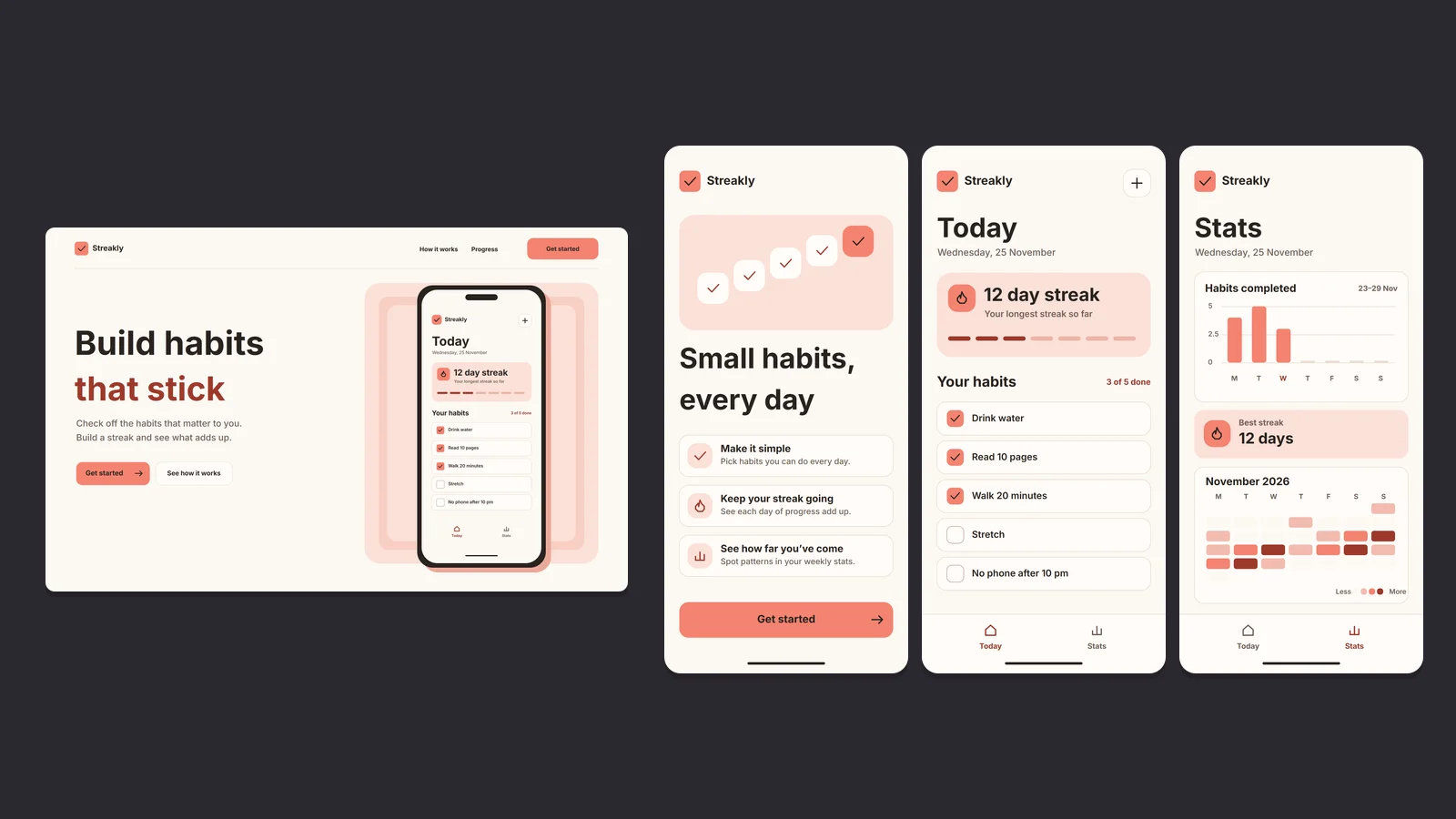
App screens designed through the SVG Lab MCP
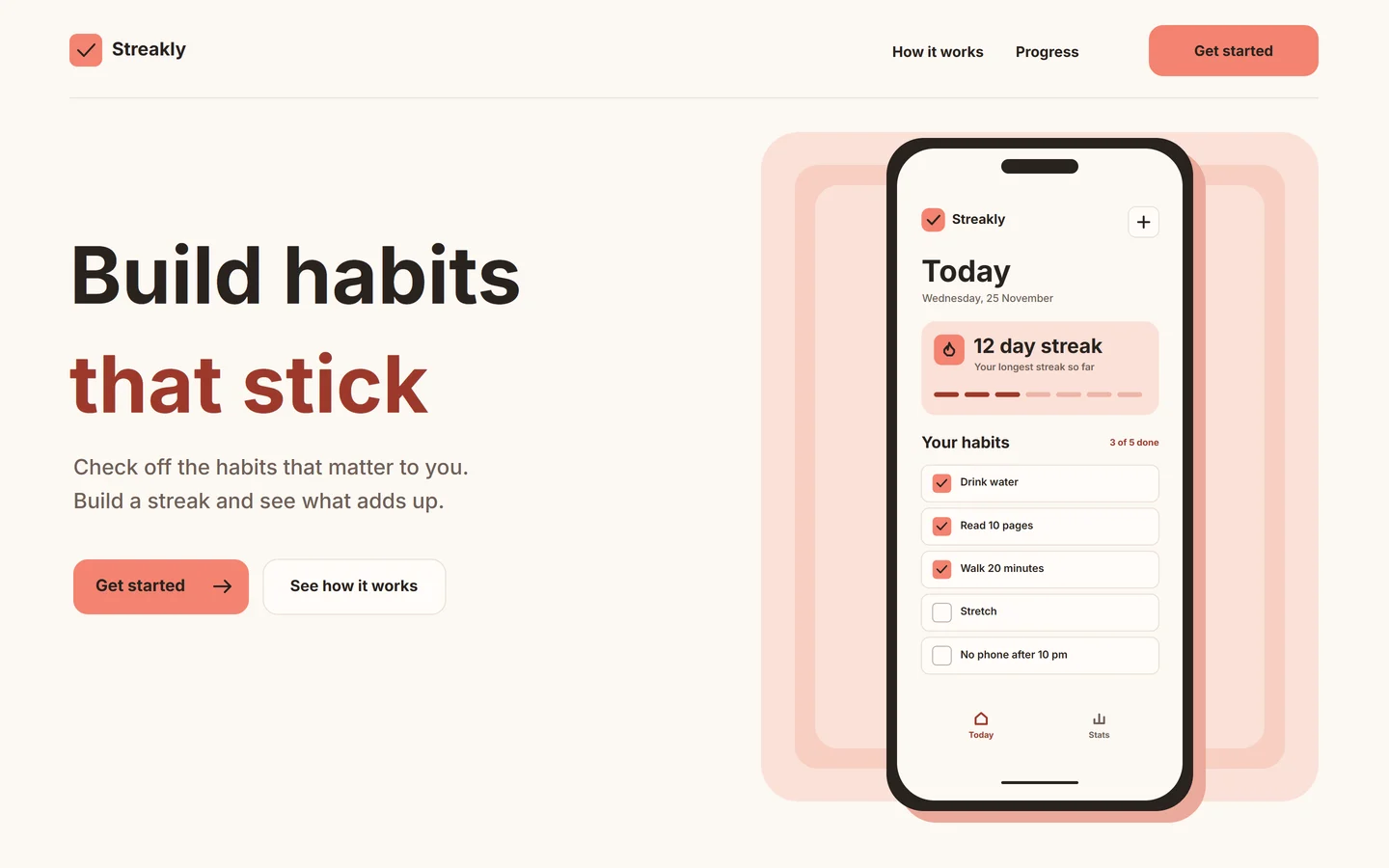
Where these came from, plainly: we sent one brief for a habit tracker app to ChatGPT with the SVG Lab plugin on 25 November 2026, and it built the four screens below in 4 minutes 1 second. The plugin and Claude Code use the same SVG Lab MCP and design engine; the AI model that writes the brief is different, so a run in Claude Code will differ in the details. The screens are shown as they came out, with no edits.
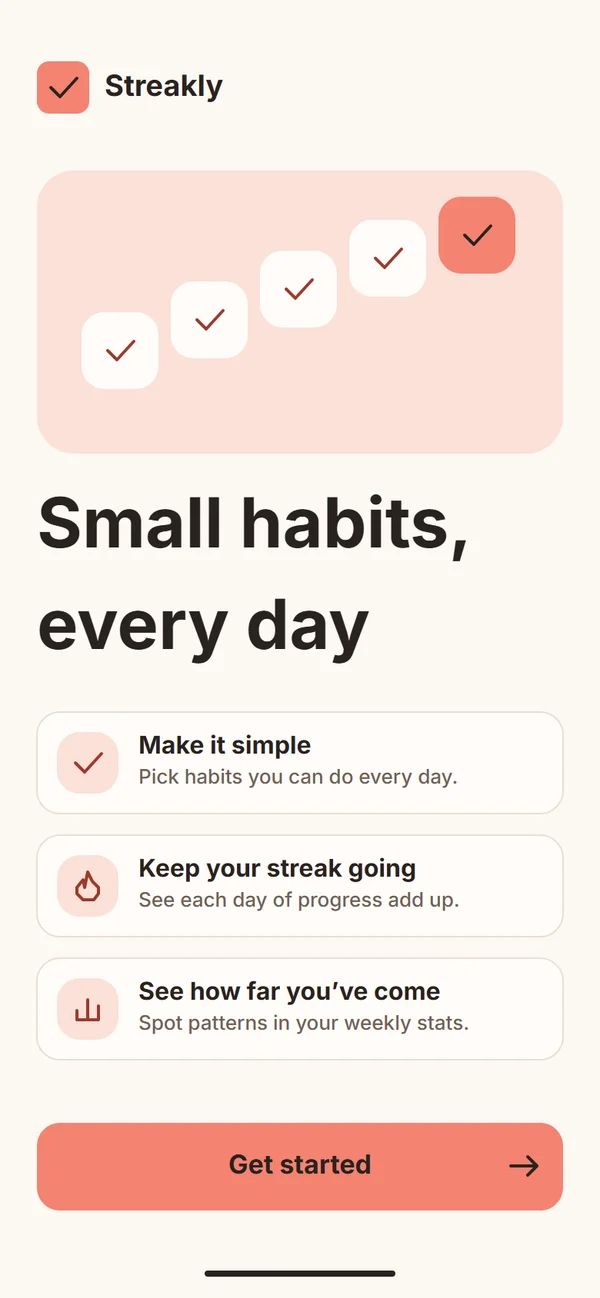
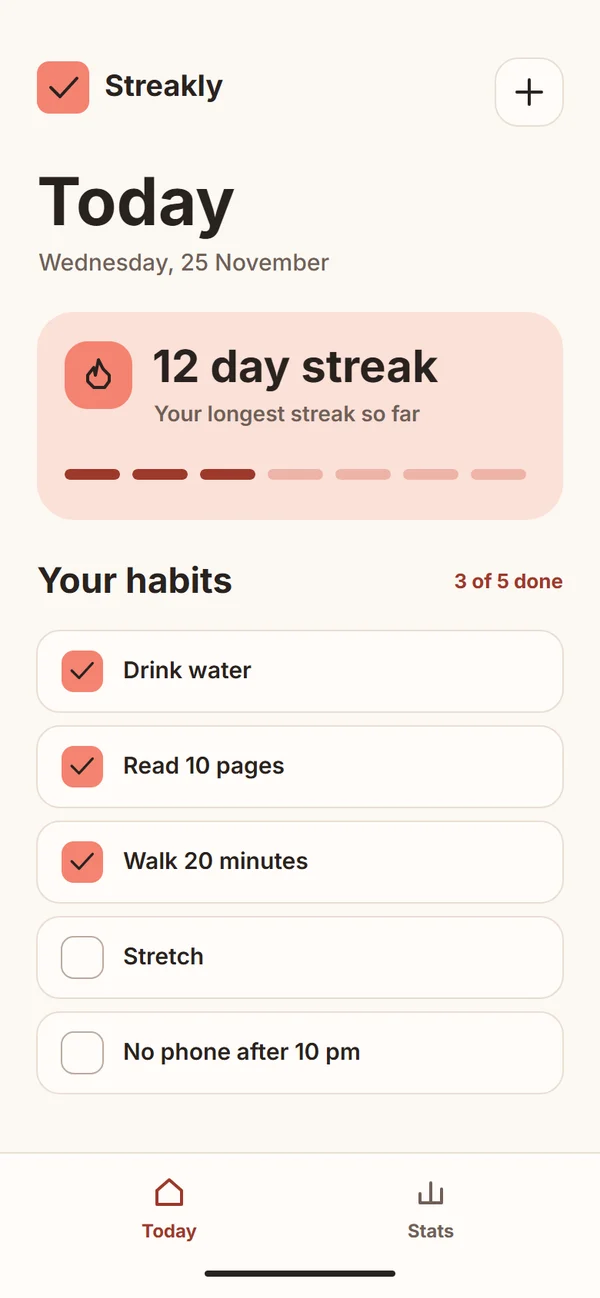
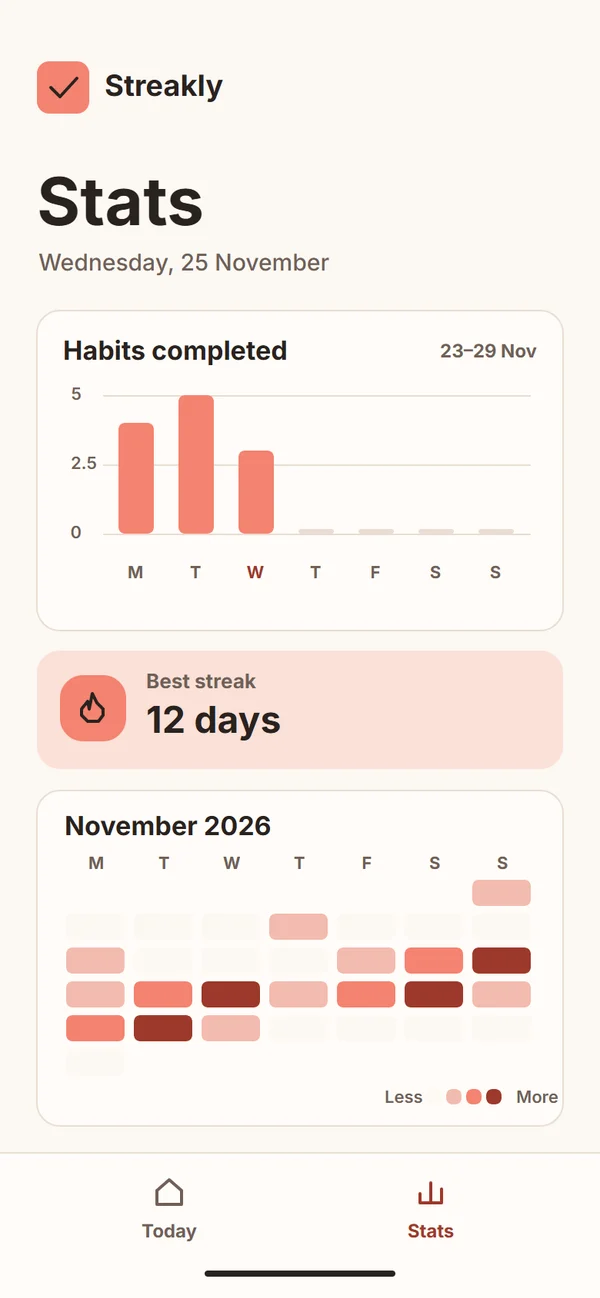
More: SVG Lab MCP for Marketing: a whole campaign from one Claude prompt (video, 29 October 2026), and the 31 screen app Claude designed in Design MCP for Claude.
How to add the SVG Lab design MCP to Claude Code
- Add it. Run the command above in your terminal.
--scope usermakes SVG Lab available in every project; leave it out for the current project only. - Sign in. Start Claude Code, type
/mcp, choose svglab and pick Authenticate. Your browser opens SVG Lab: press Approve. Outside a session,claude mcp login svglabdoes the same. - Ask for the design. For example: "Design the onboarding and home screens for my habit tracker in SVG Lab, then build them in React." Claude Code designs the screens, you look and ask for changes, then it writes the code.
Prefer a key? Make one in your SVG Lab account and add --header "Authorization: Bearer svl_YOUR_KEY" to the command. Every other app is on the setup page.
SVG Lab compared with other ways to make Claude Code design better
These are the options people weigh for this, side by side. Rival facts come from their own docs, checked on 25 November 2026.
| SVG Lab MCP | Figma MCP | frontend-design skill | Component MCPs (shadcn and similar) | |
|---|---|---|---|---|
| What Claude Code gets | A design engine: it designs whole screens, icons, illustrations and charts | Your Figma files, to read and write | Written guidance on how to style the code | Ready code components |
| You see the design before the code | Yes, live in the SVG Lab editor, and you can edit it | Yes, in Figma | Only once the code runs | Only once the code runs |
| Starts from | A sentence about your app | A Figma file | Your code | Your code |
| Drawings, icons and photos | Yes, drawn and placed for each screen | What is in the file | No | Icons from the library |
| Code | React, HTML, SwiftUI, Compose or Flutter | Code from the frames | The code Claude writes | The library's components |
| Limits | Credits: most calls 1, 100 free once | By seat: up to 20 calls a month on View and Collab seats; up to 200 a day on Dev and Full seats (Professional and Organization), 600 on Enterprise | Free | Depends on the library |
Sources: developers.figma.com, Figma MCP server rate limits and access; the frontend-design skill in Anthropic's Claude Code plugins; ui.shadcn.com. They work together: many people keep a design system in Figma and still ask SVG Lab for new screens, and any SVG Lab artboard opens in Figma as layers.
What it does not do
- It does not change your code by itself. SVG Lab designs and exports; Claude Code writes the code into your project, as it always does.
- The first call takes a moment. The design engine starts on SVG Lab's servers, so the first design call can take 10 to 30 seconds.
- No animation and no photo tracing. The MCP does not animate, and turning a photo into vectors is Auto-trace in the SVG Lab editor.
What Claude Code can design with SVG Lab
- App and web screens. Onboarding, home, settings, pricing and landing pages, with real layout, spacing and type.
- Icons and illustrations. Matching SVG icon sets and SVG illustrations drawn for your product. See the AI icon generator.
- Brand and design systems. A logo, colours, type and a design system board your screens follow. See the AI brand kit generator.
- Launch material. Posters, social posts and decks for the launch. See the AI social media post generator.
Why Claude Code users pick SVG Lab
- No more generic AI look. The design engine handles layout, spacing, type and colour and checks every screen before it hands it back.
- See it before you ship it. Review the screens and ask for changes before a line of UI code is written.
- Nothing to run locally. It is a remote MCP, so it also works in Claude Code on the web and in cloud agents.
- Editable vectors you own. Every screen is real SVG in your SVG Lab project, and you own everything you make.
- Failures cost nothing. A tool call that fails is never charged.
- Prices on the page. Credits are shown before you buy, and top-up credits never expire.
For your team
Your developers design from Claude Code, your designers edit in the browser, and everyone sees the same project. An SVG Lab organization gives the team shared projects, one shared pool of credits, roles and a monthly limit per member, and viewers are free.
Design MCP for Claude Code questions
What is the best design MCP for Claude Code?
SVG Lab, if you want Claude Code to design new screens from a sentence. It gives Claude Code a design engine that lays out whole app screens, icons and illustrations, checks them, saves them to an SVG Lab project you can see and edit, and exports the UI as React, HTML, SwiftUI, Compose or Flutter. If your design already lives in Figma and you want Claude Code to read it, use the Figma MCP.
How do I make Claude Code design better UI?
Have it design the screens before it writes the code. With SVG Lab connected, ask Claude Code to design the screens in SVG Lab first; you look at them, ask for changes, then it builds the code from the finished design. The design engine takes care of layout, spacing, type and colour, which is where AI-built apps usually look generic.
Is there a free design MCP for Claude Code?
SVG Lab is free to start: every account gets 100 free credits (up to 24 app screens) once, with no card. Most tool calls cost 1 credit and a reference image search costs 2. After that, Starter is $7 a month plus tax for 2,500 credits a month (up to 600 app screens). The four example screens on this page took 39 tool calls: 35 worked and 4 failed, so 35 credits.
How is SVG Lab different from the Figma MCP in Claude Code?
The Figma MCP connects Claude Code to your Figma files, and Figma limits its calls by seat (up to 20 a month on View and Collab seats, up to 200 a day on Dev and Full seats on Professional and Organization plans). SVG Lab designs new screens from a sentence in your SVG Lab project and limits by credits, not by seat. Any SVG Lab artboard opens in Figma as layers, so you can use both.
Do I still need the frontend-design skill?
You can keep it. The skill tells Claude how to style the code it writes. SVG Lab designs the screens themselves, so you can see and edit the design before the code is written. They do different jobs and work together.
Does the SVG Lab MCP work with Codex, Cursor and other apps too?
Yes. The same server, https://svglab.app/mcp, works in Claude, ChatGPT, Codex, Cursor and any app that supports remote MCP servers. ChatGPT and Codex can also install the SVG Lab plugin in one click. Setup for each app is on the setup page.
Do I need SVG Lab open while Claude Code designs?
No. The SVG Lab MCP runs on SVG Lab's servers, so nothing needs to be open and there is no pairing code. Open the project in the SVG Lab editor when you want to watch it live or edit by hand.
Who owns the designs and code?
You do. SVG Lab's terms say you own everything you create with SVG Lab, and SVG Lab claims no rights, licence or ownership over it.