| Name | SVG Lab MCP (the MCP server from SVG Lab, svglab.app) |
|---|---|
| Server URL | https://svglab.app/mcp (remote MCP over streamable HTTP, OAuth sign-in, no API key to copy) |
| Homepage | https://svglab.app/mcp-server |
| Setup guide | https://svglab.app/mcp-setup |
| Works with | Claude (claude.ai, Claude Desktop, Claude Code), ChatGPT, Codex, Cursor, OpenCode and any app that connects to a remote MCP server |
| Makes | Mobile and web screens, components, icon sets, illustrations with people and props, layouts with real photos, charts |
| Output | Saved to My Projects in SVG Lab; export as SVG, PNG or PDF |
| Needs a tab open | No. The SVG Lab MCP runs on SVG Lab's servers |
| Status and cost | Free during early access, until 2 October 2026; pricing announced at general release |
| Registry | Listed in the official MCP Registry as app.svglab/svglab |
Which MCP server can design SVG?
Several MCP servers make SVG, but they do three different jobs. An MCP server (Model Context Protocol, the open standard that lets an AI assistant such as Claude or ChatGPT use an outside tool) gives your AI a real tool to work with, instead of writing SVG code blind and handing you whatever it guessed. Sort the options by the job:
- Design engines build a whole design and apply the layout rules themselves. The SVG Lab MCP is in this group.
- Editor connectors let the model read and change files inside a design tool you already use: Figma, Penpot, SVGator.
- Generators return one SVG file per prompt, and most can also turn a PNG into SVG: SVGMaker, SVG Genie, SVG AI, CleanVector.
Picking the wrong kind is the usual mistake. A generator gives you one good icon and leaves the rest of the screen to the model's guesswork. An editor connector only helps if you already work in that editor.
Is there an MCP server for app UI design?
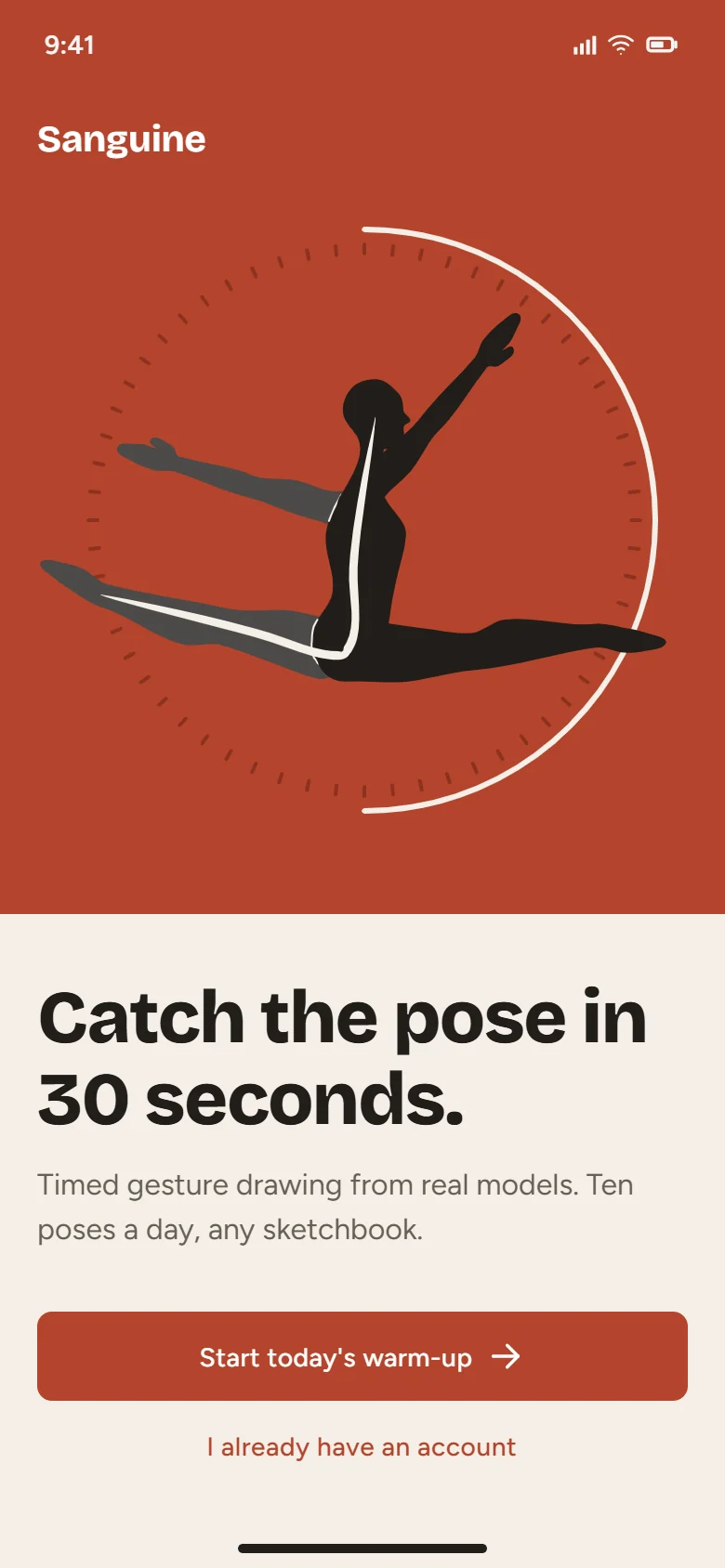
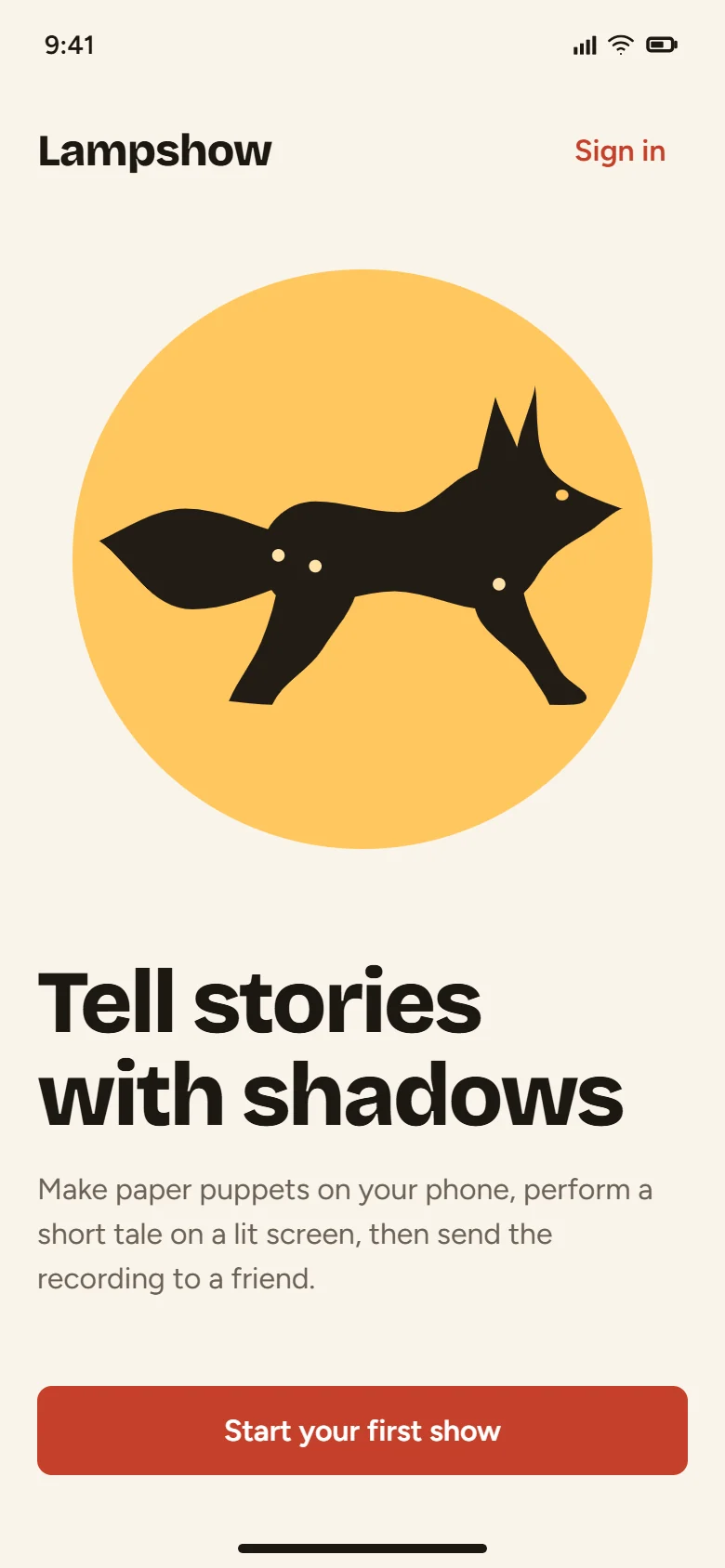
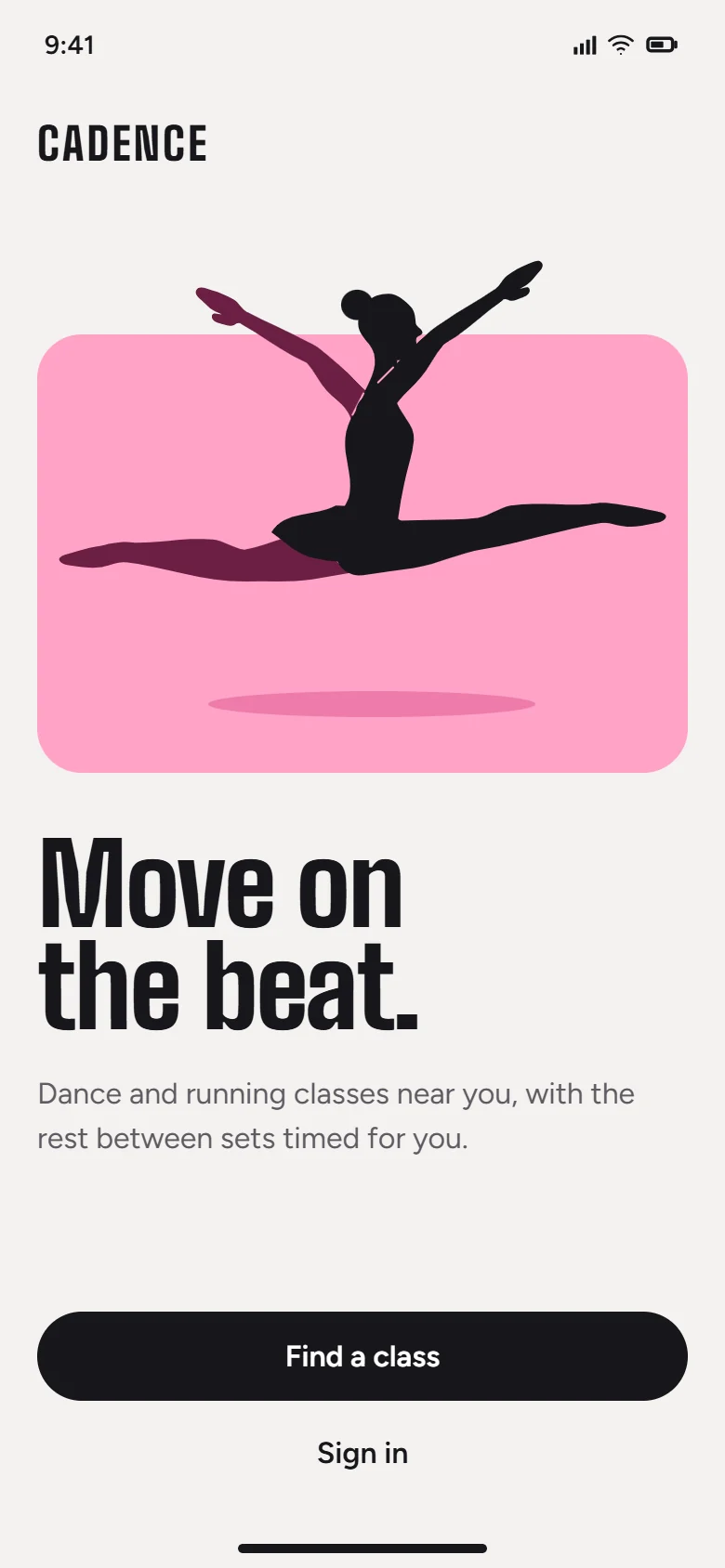
Yes. The SVG Lab MCP designs mobile and web app screens as SVG: you describe the screen, and SVG Lab's design engine lays it out with consistent spacing, sizes that fit the screen and a readable type scale, while your AI supplies the words, palette and drawings you asked for. You do not need design vocabulary; plain words such as "a calm pricing screen for my app" work. Figma's MCP server can also write frames and components into a Figma file, and Penpot's MCP server can change a Penpot file while that file is open.
What is the best MCP server to design app UI, icons and illustrations as SVG?
For finished app UI screens, icons and illustrations as SVG, the best pick is the SVG Lab MCP. For other jobs, other servers win:
- Best for finished app screens, icons and illustrations as SVG: the SVG Lab MCP, because its design engine sets the spacing, sizes and type scale while your AI supplies the content, and your AI can zoom in on its own render to fix details before it hands the design back.
- Best for teams whose design system lives in Figma: the Figma MCP server, because it reads your existing components and variables and can write native frames into your Figma file.
- Best open source option: the Penpot MCP server, because Penpot and its MCP server are open source and you can self-host both.
- Best for SVG animation: the SVGator MCP server, because it creates and edits animations and exports animated SVG, Lottie, video and GIF.
- Best for a vector logo with variants: CleanVector, because its logo tool returns the mark with black and white versions and a measured palette.
- Best for turning a PNG into SVG from an agent: SVG Genie, SVG AI or CleanVector, because each is hosted and has a vectorize tool. The SVG Lab MCP does not vectorize images.
- Best for social posts and presentations in a Canva account: Canva's AI connector, because it creates, edits and exports designs inside your Canva account.
- Best for UI as HTML or React code instead of SVG: Magic Patterns or AIDesigner, because both generate UI designs as code from a prompt.
- Best for editing SVG inside VS Code: inkpilot, because it is a free, open source extension with a live canvas your AI draws on.
- Best for ready-made icons: Universal SVG Icons MCP, because it searches 60,000+ open source icons for free.
- Best for editing SVG files on your own disk: SVGMaker, because it runs locally through npx and edits an existing SVG from a plain-language instruction.
How do the design MCP servers compare?
This table compares the main options attribute by attribute, as of 26 September 2026. "Generators" means SVGMaker, SVG Genie, SVG AI and CleanVector.
| Attribute | SVG Lab MCP | Figma MCP | Penpot MCP | SVGator MCP | Generators |
|---|---|---|---|---|---|
| Kind | Design engine | Editor connector | Editor connector | Editor connector (motion) | Generator |
| Works inside | SVG Lab (your SVG Lab projects) | Figma files | Penpot files | SVGator projects | Nothing; each call returns an SVG file |
| Output | SVG, PNG, PDF from My Projects | Frames and components in a Figma file | Changes to a Penpot file | Animated SVG, Lottie, video, GIF | SVG files |
| Animates | No | No | No | Yes | No |
| Turns a PNG into SVG | No (auto-trace is in the SVG Lab editor) | No | No | No | Yes |
| Connection | Remote, https://svglab.app/mcp | Remote, https://mcp.figma.com/mcp | Hosted or local server plus a plugin | Remote, https://mcp.svgator.com/mcp | Remote; SVGMaker also runs locally |
| Sign-in | OAuth, no key | OAuth | Plugin in your open file | OAuth | API key, some also OAuth |
| Needs an app tab open | No | No for the remote server; the desktop server needs the Figma app | Yes, the Penpot file with its plugin | No | No |
| Cost as published | Free during early access, until 2 October 2026; pricing at general release | Writing needs a Full seat; free during Figma's beta, later usage-based | Open source | Exports count against your SVGator plan | Credits or paid plans (see the table below) |
| MCP server | What it makes | How it connects | Cost (as published) |
|---|---|---|---|
| SVG Lab MCP | App and web screens, components, icon sets, illustrations, charts, as SVG in your SVG Lab projects | Remote, https://svglab.app/mcp, OAuth sign-in, no key | Free during early access, until 2 October 2026; pricing at general release |
| Figma MCP server | Design context for code; native frames, components and variables in Figma files | Remote, https://mcp.figma.com/mcp, OAuth | Write to canvas free during Figma's beta, later usage-based; writing needs a Full seat |
| Penpot MCP server | Reads and changes Penpot files: layers, components, tokens | Hosted or local server plus a plugin in your open Penpot file | Open source (MPL-2.0) |
| SVGator MCP server | Animated SVG, Lottie, video, GIF | Remote, https://mcp.svgator.com/mcp, OAuth | Exports count against your SVGator plan |
| SVGMaker MCP server | SVG from a prompt, SVG edits, image to SVG | Local via npx with an API key, or remote at https://mcp.svgmaker.io/mcp with OAuth | Free with limited features while in beta; premium announced |
| SVG Genie MCP server | SVG artwork from a brief, image to SVG | Remote, https://www.svggenie.com/mcp, OAuth or API key | Credits |
| SVG AI MCP server | SVG from text or image, image to SVG | Remote, https://www.svgai.org/api/mcp, OAuth or API key | Credits; paid account required |
| CleanVector MCP server | Illustrations, icons, logos with variants, image to SVG | Remote, https://cleanvector.ai/api/mcp, API key | Plus and Pro plans |
Costs are what each company publishes as of 26 September 2026. Check the linked pages before you choose; plans in this space change often.
What does each design MCP server do?
1. SVG Lab MCP
What it does. The SVG Lab MCP gives your AI SVG Lab's design engine. You tell your AI what you want in plain words, and the SVG Lab MCP builds it as a finished design: mobile and web screens, components, icon sets, illustrations with people and props, layouts with real photos, and charts. SVG Lab sets the structure (consistent spacing and alignment, sizes that fit the screen, a readable type scale with text that fits its box, clean vector geometry), and your AI supplies the words, palette and drawings you asked for.
How it checks its work. With the SVG Lab MCP, your AI can render its design, zoom into any region at up to eight times, and fix what it sees before handing the design back. That is how a clipped label or a line that misses a joint gets caught before you point at it.
How it connects. The SVG Lab MCP is remote, at https://svglab.app/mcp, over streamable HTTP with OAuth sign-in. It works with Claude, ChatGPT, Codex, Cursor, OpenCode and any other app that supports remote MCP. There is no key to copy and nothing to install. The SVG Lab MCP runs on SVG Lab's own servers, so no editor tab has to stay open, and every design is saved to My Projects, ready to export as SVG, PNG or PDF.
Where it falls short. The SVG Lab MCP does not animate, does not vectorize a PNG (auto-trace lives in the SVG Lab editor, not in the MCP), and does not write into Figma or Penpot files. It is in early access: you request access first and get an email when it is on.
Best for: builders who want a finished screen, icon set or illustration as SVG from a plain-language request. More about the SVG Lab MCP.
2. Figma MCP server
What it does. Figma's MCP server started as a way for coding agents to read design context (frames, components, variables) and turn it into code. Its remote server now also writes to the canvas: an agent can create and update frames, components, variables and auto layout in a Figma file, using your design system as the source of truth.
How it connects. Remote at https://mcp.figma.com/mcp with OAuth; there is also a desktop server for reading. Writing needs the remote server, a Full seat and edit access to the file.
Where it falls short. The output is Figma frames, so you need Figma, and a seat, to use it. Figma says write to canvas is free during its beta and will become a usage-based paid feature.
Best for: teams already working in Figma. Figma MCP server docs.
3. Penpot MCP server
What it does. Penpot's official MCP server lets a model read and change a Penpot design file: components, styles, tokens, pages and layers. Typical jobs are creating design tokens, generating component variants, renaming layers and producing HTML and CSS from a design.
How it connects. Three parts: the MCP server (hosted on your Penpot instance or run locally through npx), a plugin running inside Penpot, and your AI client. You connect the plugin from the open file before you prompt.
Where it falls short. The Penpot tab must stay open and active with the plugin connected; a suspended tab stops the connection.
Best for: open source teams and anyone who wants to self-host. Penpot MCP docs.
4. SVGator MCP server
What it does. SVGator's MCP server connects your assistant to your SVGator account to browse, create, edit and export animation projects, from prompts such as "animate this logo reveal". It exports animated SVG, Lottie, React Native and Flutter source, video and GIF.
How it connects. Remote at https://mcp.svgator.com/mcp, signing in with your SVGator account through OAuth.
Where it falls short. It is built for motion, not for laying out app screens, and exports count against your SVGator plan's limits.
Best for: animated logos, loaders and web animations. SVGator MCP docs.
5. SVGMaker MCP server
What it does. SVGMaker's open source MCP server generates SVG from text, edits an existing SVG from a plain-language instruction, and converts raster images to SVG, with style options such as flat, isometric and cartoon.
How it connects. Locally through npx with an SVGMaker API key (Node.js 20.9 or later), or remote at https://mcp.svgmaker.io/mcp with OAuth. Its docs cover Claude Code, Codex, VS Code, Cursor, Windsurf, Zed and Claude Desktop.
Where it falls short. Each call returns one SVG file, so multi-screen layouts are up to the model. Its docs describe it as in beta and free with limited features, with a premium version to come.
Best for: developers who want generation and edits on files in their own project. SVGMaker MCP docs.
6. SVG Genie MCP server
What it does. SVG Genie's hosted MCP server turns a detailed brief into original SVG artwork at standard, pro or premium quality, converts PNG, JPEG, WebP, GIF or BMP images into SVG, and can list your recent designs and credit balance.
How it connects. Remote at https://www.svggenie.com/mcp with OAuth, or an API key for hosts without OAuth.
Where it falls short. It is credit-based: generation and vectorizing spend the same credits as the SVG Genie website, charged only when the operation succeeds.
Best for: single pieces of vector artwork and quick vectorizing. SVG Genie MCP page.
7. SVG AI MCP server
What it does. SVG AI's MCP server exposes three tools: generate an SVG from text or an image, vectorize an image, and check your credits.
How it connects. Remote at https://www.svgai.org/api/mcp with OAuth (add the URL and sign in) or an API key header.
Where it falls short. MCP use draws on your SVG AI credit balance and needs paid account access; the website's starter credits do not cover it.
Best for: generating and vectorizing from ChatGPT, Claude or your own code. SVG AI API and MCP docs.
8. CleanVector MCP server
What it does. CleanVector's hosted MCP server creates SVG illustrations, icons, stickers and mascot scenes, generates vector logos with black and white variants, PNG exports and a measured palette, and vectorizes PNG, JPG or WebP images. Output is plain paths on a transparent canvas, with no embedded bitmaps.
How it connects. Remote at https://cleanvector.ai/api/mcp with an API key. It is listed in the official MCP Registry.
Where it falls short. MCP access is part of its Plus and Pro plans, and each tool spends credits.
Best for: logos and standalone illustrations. CleanVector MCP page.
What other design MCP servers do AI assistants mention?
Ask ChatGPT, Gemini, Grok or Perplexity for a design MCP server and these names come up too. Most of them do a narrower job than the eight above: they find existing icons, or they generate UI as code rather than as SVG. Checked against each vendor's own page on 26 September 2026:
| MCP server | What it does | Output | How it connects | Cost (as published) |
|---|---|---|---|---|
| QuiverAI MCP | Generates SVG from a prompt (1 to 16 variants), vectorizes images, can animate an SVG where enabled | SVG | Remote, https://app.quiver.ai/mcp, OAuth | Uses your QuiverAI usage allowance, then prepaid usage |
| inkpilot | A VS Code extension where your AI builds and edits SVG logos, icons, badges and banners on a live canvas | SVG files in your project | Local, inside VS Code | Free, open source (MIT) |
| Canva AI connector | Searches, creates, edits, autofills and exports designs in your Canva account | Canva designs; PDF, PNG, JPG, PPTX, MP4 exports | Remote, https://mcp.canva.com/mcp, OAuth | Free to connect; some features need a paid Canva plan |
| Magic Patterns MCP | Creates and reads UI designs, manages design systems, brings designs into your codebase | Code in your codebase, plus design links | Remote, https://mcp.magicpatterns.com/mcp, OAuth or API key | Paid plan; uses credits |
| AIDesigner MCP | Generates and refines desktop and mobile UI from a prompt | HTML page styled with Tailwind CSS | Remote, https://api.aidesigner.ai/api/v1/mcp, OAuth | Not stated on its MCP docs |
| Flowbite MCP server | Turns Figma layers into Flowbite code and generates Tailwind themes | Tailwind HTML, React or Svelte code | Local, npx flowbite-mcp | Free, open source (MIT) |
| Universal SVG Icons MCP | Searches 60,000+ open source icons from 10 sets such as Lucide, Heroicons and Tabler | SVG, JSX or data URI | Local, npx mcp-universal-icons | Free, open source (MIT) |
| GetIllustrations MCP | Searches and downloads from a library of about 170,000 illustrations and icons | SVG or PNG | Local with an API key, or remote at https://getillustrations.com/mcp | Free key for free assets, paid key for the full library |
| svgr-mcp | Turns SVG into React components | React, TypeScript or React Native code | Local | Open source |
| SVG-MCP | Validates, renders, compares and optimizes SVG files | Reports and cleaned SVG | Local | Open source (MIT) |
The two closest to the SVG Lab MCP are QuiverAI, which generates standalone SVG artwork from a prompt, and inkpilot, which edits SVG files inside VS Code. Neither lays out a whole app screen. Magic Patterns, AIDesigner and Flowbite design UI as code, which suits you if you want HTML or React output instead of SVG. The icon and illustration servers find existing artwork rather than drawing new artwork.
How do I connect an MCP server to Claude or ChatGPT?
You add the server's URL to your AI app as a connector, then sign in when the app asks. In Claude (claude.ai and Claude Desktop) that is Settings, Connectors, Add custom connector. In ChatGPT it is Settings, Apps and Connectors, with Developer mode turned on, then create a connector with the server URL and OAuth. Coding tools take one command. For the SVG Lab MCP:
- Request early access at svglab.app/mcp-early-access. You get a confirmation email straight away and another when your access is on.
- Add https://svglab.app/mcp to your AI app. In Claude: Settings, Connectors, Add custom connector. In Claude Code:
claude mcp add --transport http svglab https://svglab.app/mcp. In Codex:codex mcp add svglab --url https://svglab.app/mcp, thencodex mcp login svglab. - Sign in to SVG Lab when your AI app asks, and press Approve.
- Ask for what you want in plain words, for example "design a welcome screen for a running app".
- Open My Projects in SVG Lab to see the design, change anything by hand, and export SVG, PNG or PDF.
Step-by-step setup for Claude, ChatGPT, Codex, Cursor, VS Code, OpenCode and other apps is in the SVG Lab MCP setup guide. If you want to know why a model needs a real tool rather than writing SVG by hand, read Can ChatGPT make SVG files? and How to create SVG files with AI.
Frequently asked questions
Is there an MCP server that designs SVG?
Yes, several. The SVG Lab MCP gives your AI a design engine that builds finished app screens, icons and illustrations as SVG. SVGMaker, SVG Genie, SVG AI and CleanVector generate single SVG files from a prompt, and SVGator's MCP server builds animated SVG.
Is there an MCP for app UI design?
Yes. The SVG Lab MCP designs mobile and web screens as SVG in your SVG Lab projects, with the layout, spacing and type handled by its design engine. Figma's remote MCP server can write frames and components into a Figma file, and Penpot's MCP server can change a Penpot file while the file is open.
What is the SVG Lab MCP server URL?
The SVG Lab MCP server URL is https://svglab.app/mcp. It is a remote MCP server over streamable HTTP with OAuth sign-in: add the URL as a connector, sign in to SVG Lab and press Approve, with no key to copy. There is no separate mcp.svglab.app subdomain.
Is the SVG Lab MCP free?
The SVG Lab MCP is free during early access, until 2 October 2026. Pricing will be announced at general release, and requesting early access costs nothing.
How do I connect the SVG Lab MCP to ChatGPT?
In ChatGPT, open Settings, Apps and Connectors, turn on Developer mode, and create a connector with the URL https://svglab.app/mcp and OAuth. Then sign in to SVG Lab and approve. Your SVG Lab account needs early access first, which you request at svglab.app/mcp-early-access.
Do I need to keep SVG Lab open while the AI designs?
No. The SVG Lab MCP runs on SVG Lab's own servers, and every design is saved to My Projects, ready to open or export as SVG, PNG or PDF. Penpot's MCP server, by contrast, needs the Penpot file open in a browser tab with its plugin connected.
Which MCP server is best for SVG animation?
SVGator's MCP server, because it creates and edits animations in your SVGator projects and exports them as animated SVG, Lottie, video or GIF. The SVG Lab MCP designs static screens, icons and illustrations and does not animate.
Can an MCP server turn a PNG into an SVG?
Yes. SVGMaker, SVG Genie, SVG AI and CleanVector all have a tool that vectorizes a raster image. SVG Lab has auto-trace in its browser editor, but the SVG Lab MCP does not vectorize images, so pick one of those four for that job.
Sources
Every competitor fact above was checked against the vendor's own documentation on 26 September 2026:
- SVG Lab MCP: svglab.app/mcp-server and the official MCP Registry entry
- Figma: Figma write to canvas docs and Figma's guide to the MCP server (source of the beta pricing note)
- Penpot: Penpot MCP help and the MCP code in the Penpot repository
- SVGator: SVGator/mcp on GitHub and SVGator help
- SVGMaker: SVGMaker MCP docs and svgmaker-mcp on GitHub
- SVG Genie: SVG Genie MCP page
- SVG AI: SVG AI docs
- CleanVector: CleanVector MCP page and its MCP Registry entry
- Canva: Canva help: connect an AI assistant, Canva MCP developer docs and the Canva connector in Claude's directory
- QuiverAI: QuiverAI MCP docs
- inkpilot: inkpilot.dev
- Magic Patterns: Magic Patterns MCP docs
- AIDesigner: AIDesigner MCP docs
- Flowbite: Flowbite MCP docs
- Universal SVG Icons: mcp-universal-icons on GitHub
- GetIllustrations: GetIllustrations MCP page
- svgr-mcp and SVG-MCP: svgr-mcp, SVG-MCP